Annke Vision-How to Make The System Record Audio? (H800)
Applies to: N48PAW/N46PCK/H800
Introduction:
The system is able to record video and audio together. In this article, we will show you how to get the system to record audio.
Preparations:
Make sure the NVR is connected to the TV by HDMI cable. The VGA connection can not transmit audio to the TV.
If the NVR is connected to a monitor which does not have a built-in speaker, please install an external speaker on the audio-out port of the NVR.
Steps:
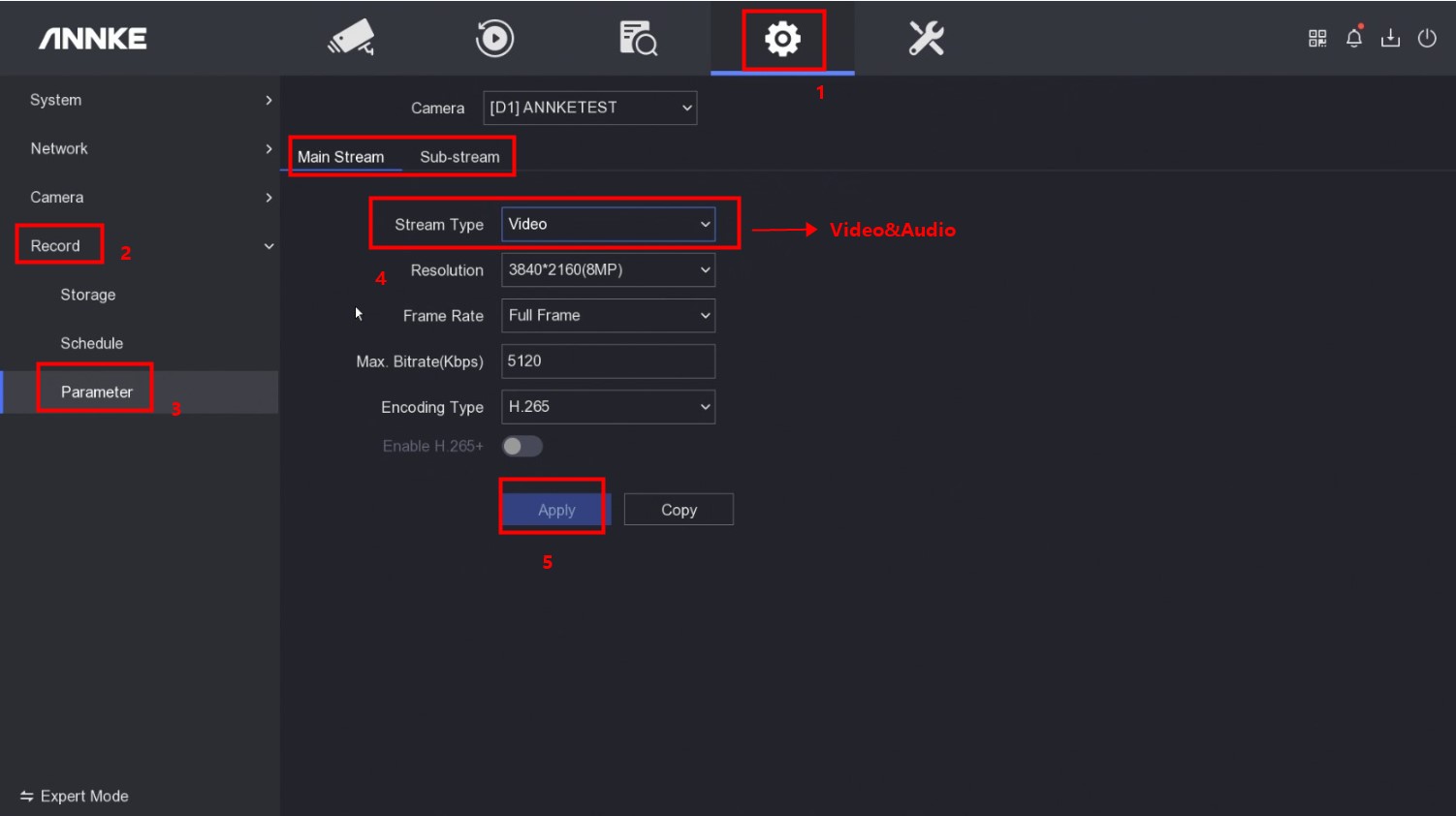
1. If the camera comes with a built-in microphone, please access the system menu on the TV and go to 'System Configurations→Record→Parameter' to select the camera and change the 'Stream Type' to 'Video&Audio' under 'Main Stream/Sub Stream'. Then click 'Apply' to save the settings.
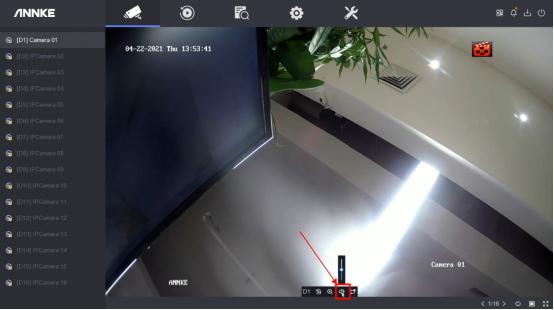
2. Go to 'Live View' and make sure the volume is set up.
If the camera does not come with a built-in microphone, please connect an external microphone to the audio-in port of the NVR and place the microphone next to the camera. The rest steps are the same as above.
Notice:
If you have any other questions, please contact ANNKE technical support at support@annke.com by email.
If this article is helpful to you, please click the 'helpful' button after you review it. Any comments would be appreciated.
Was this article helpful?
Bu bilgiler sorununuzu çözmeye yardımcı oldu mu?
Still need help?
Uzman ekibimiz size yardımcı olmak için burada.