Annke Vision-How to Set up 24-Hour Recording? (H800)
Applies to: N48PAW/N46PCK/H800
Introduction:
To view the history recordings, it is required to set up recording schedule for the NVR. In this article, we will show you how to set up 24-hour recording.
Steps:
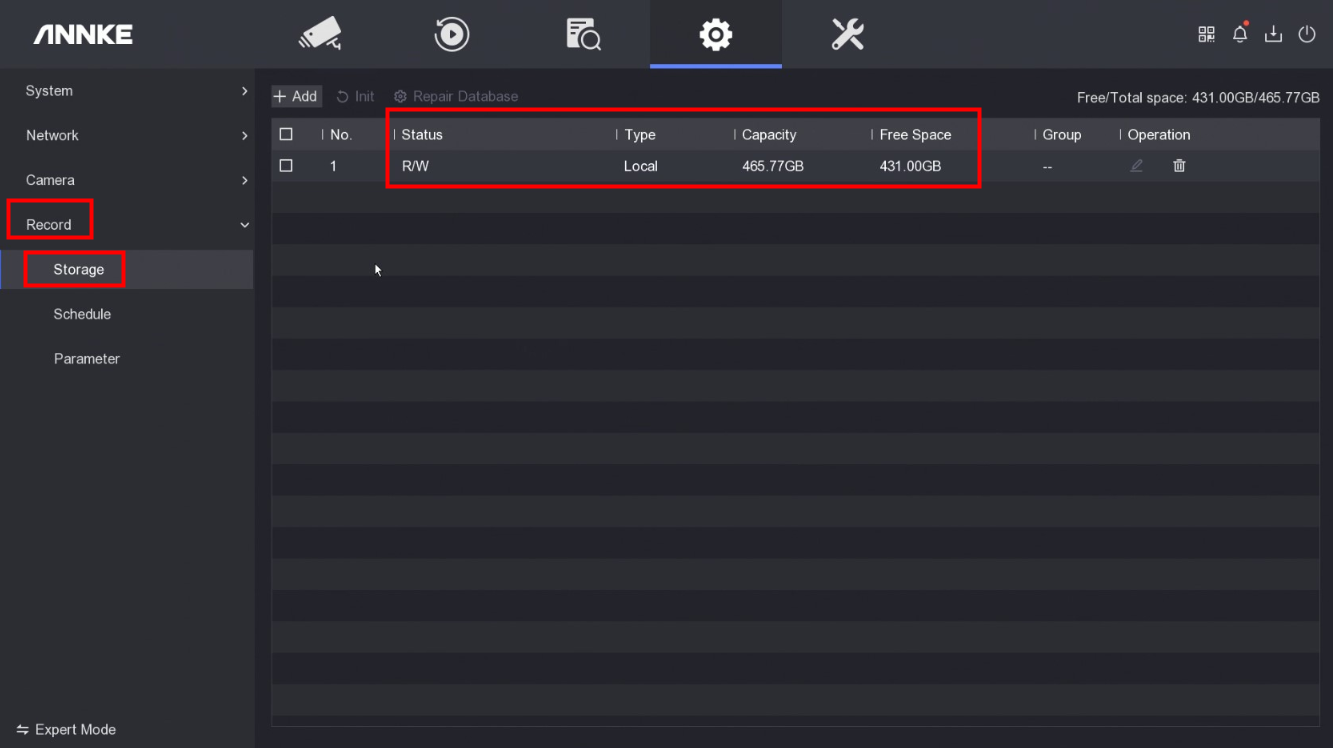
1. Access the system menu on the monitor and go to 'Record→Storage' to check if the status of the hard drive is normal and the hard drive has capacity left.
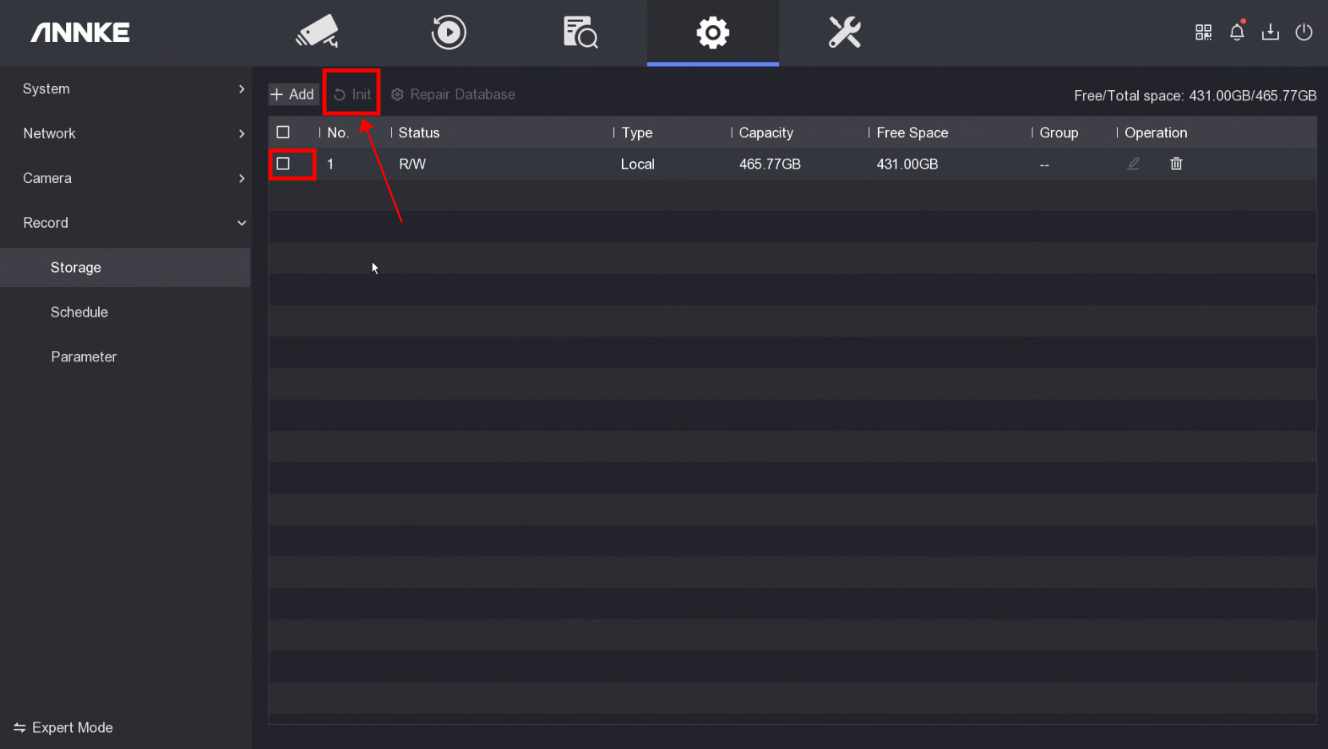
If the status is abnormal or the capacity is full, select the hard drive and click 'Init' to format the hard drive.
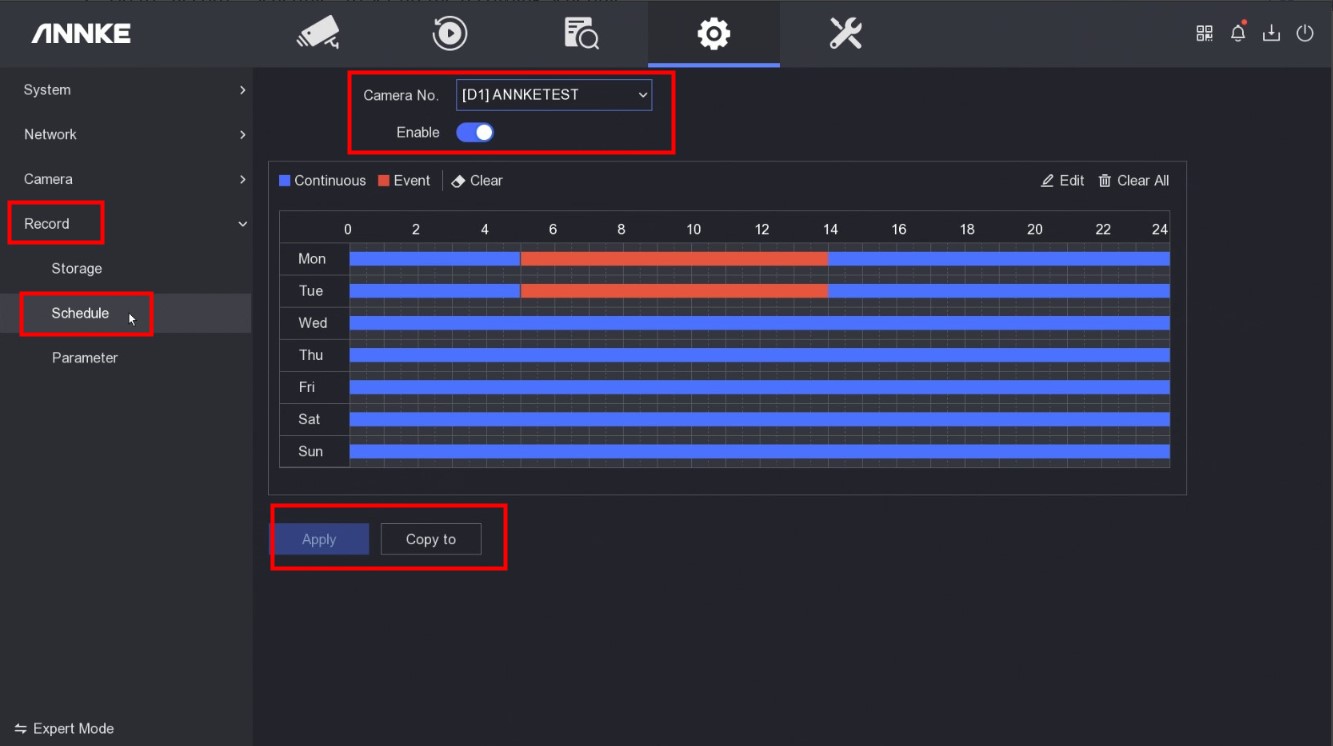
2. Go to 'Record→Schedule' to set up the recording schedule.
3. Click 'Copy To' to make sure other cameras have the same recording schedule.
4. Click 'Apply' to save the settings.
Notice:
If you have any other questions, please contact ANNKE technical support at support@annke.com by email.
If this article is helpful to you, please click the "helpful" button after you review it. Any comments would be appreciated.
Was this article helpful?
Bu bilgiler sorununuzu çözmeye yardımcı oldu mu?
Still need help?
Uzman ekibimiz size yardımcı olmak için burada.