Annke Vision - How to Set Up Audio on Web Interface?
Applies to: DT41Y/DT61Y/DT81Y/DN41R/DN61R/DN81R/DT41GB/DT81GB/DT61GB/DW41JD/DW81KD/DW61LD/DT81DP/N48PI/N44PI/N46PI/N44PAM/N48PAW/N46PCK/N88PCH/S500/S300/FC200/NCK800/H800/H500/E500/E800/
I91BK/I81HB/I51DD/I51DL/I51DN/I51DM/I51DP/I91BF/I91BG/I91BM/I91BN/I91BL/I41BK/C500/C800
Purpose:
This article introduces the method to hear audio from camera live view and playback.
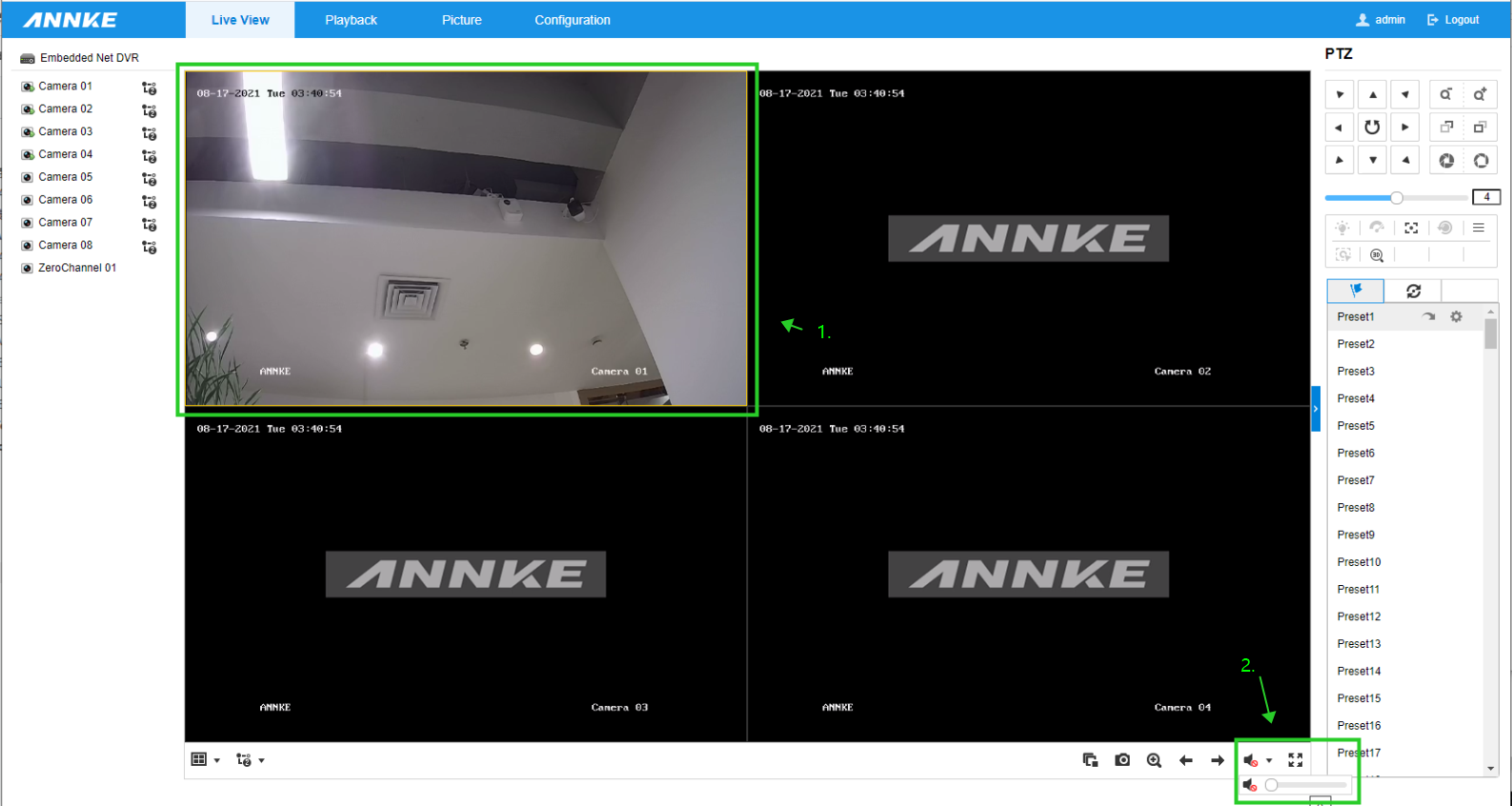
Audio on camera live view
When watching the camera live stream, choose a camera view, then click on the speaker icon, drag the scroll bar to adjust the volume.
Audio on playback
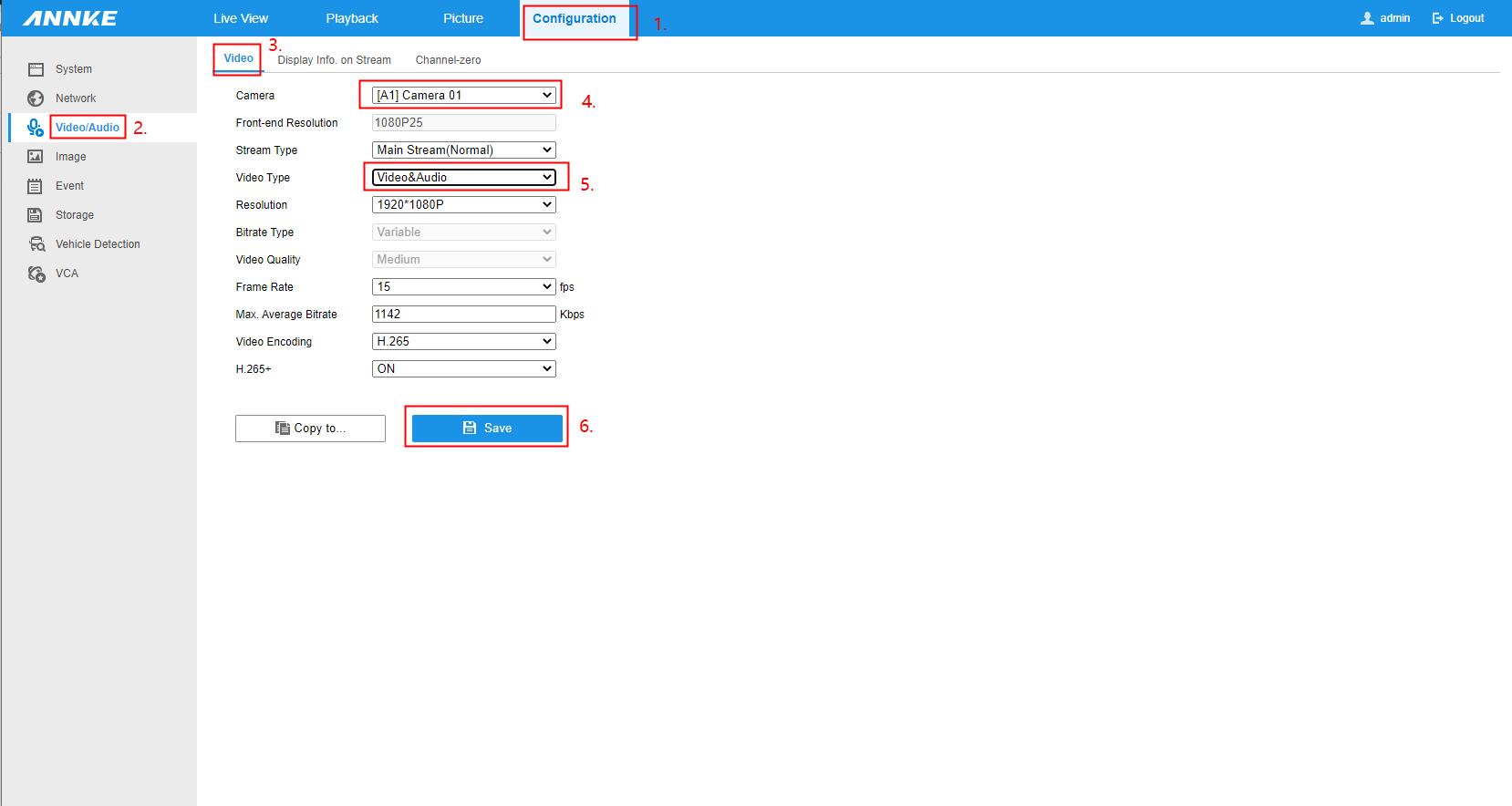
Firstly, set the camera to record video and audio.
To proceed, navigate to [Configuration--Video/Audio--Video], click 'Camera' to choose a camera to be configured, then click 'Video Type' and set it as 'Video&Audio', then click 'Save'.
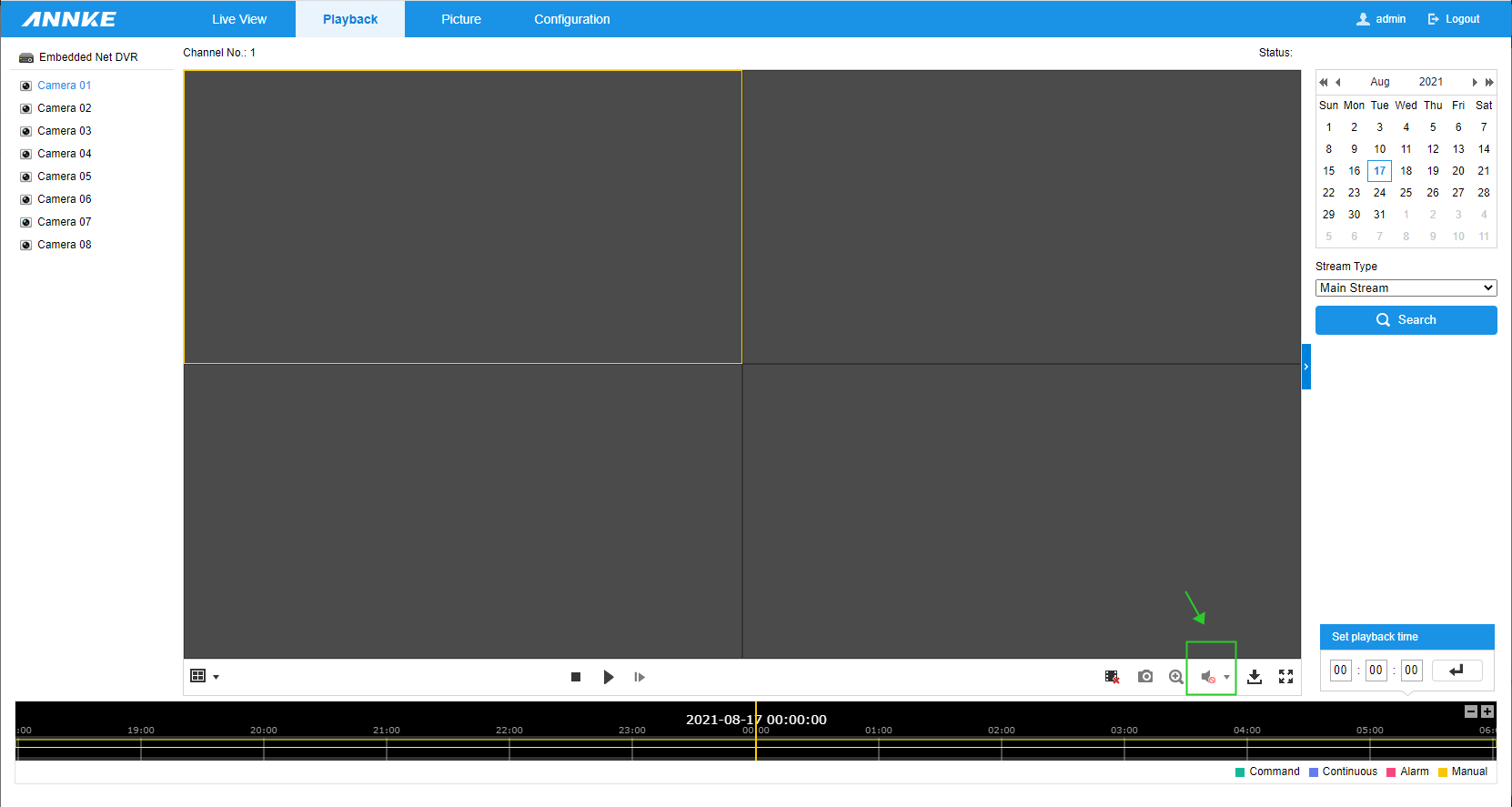
After that, the audio option can be enabled when playing back camera recordings.
If you find this article helpful, please click 'Yes' at the end of this article;
If you have any suggestions or questions for this article, please leave a comment in the below comment zone.
Was this article helpful?
Bu bilgiler sorununuzu çözmeye yardımcı oldu mu?
Still need help?
Uzman ekibimiz size yardımcı olmak için burada.