Annke Vision-How to Use The PTZ Function on The APP?
Applies to:
I91BK/I81HB/CZ400/CZ500
Introduction:
We can pan, tilt, zoom the camera to get the best image view on the Annke Vision APP. This article will show you how to achieve these features.
Steps:
1. Please connect the camera to the Annke Vision APP. Here is the instruction link.
https://help.annke.com/hc/en-us/articles/900000598586
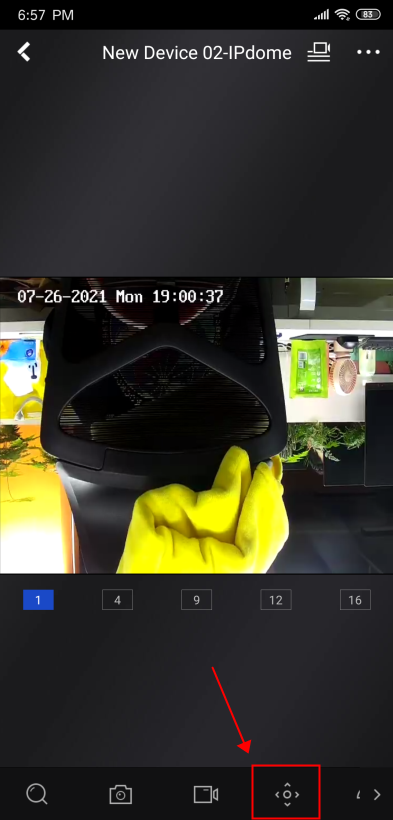
2. Please click the "PTZ menu" on the Annke Vision APP.
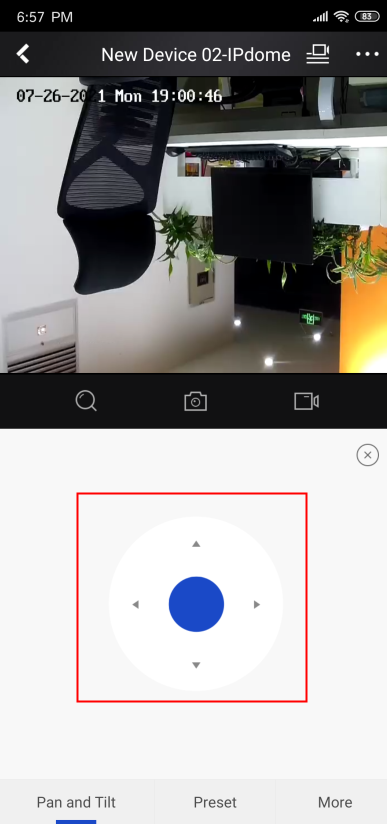
3. Please pan and tilt the camera according to the direction of the cursor.
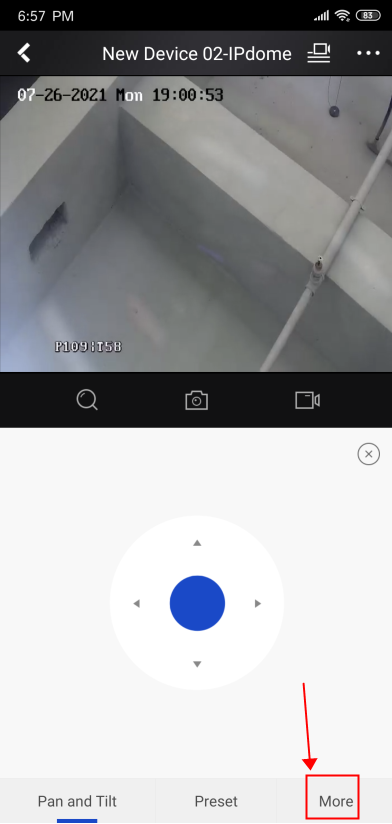
4 . Please click "More" to find the zoom menu.
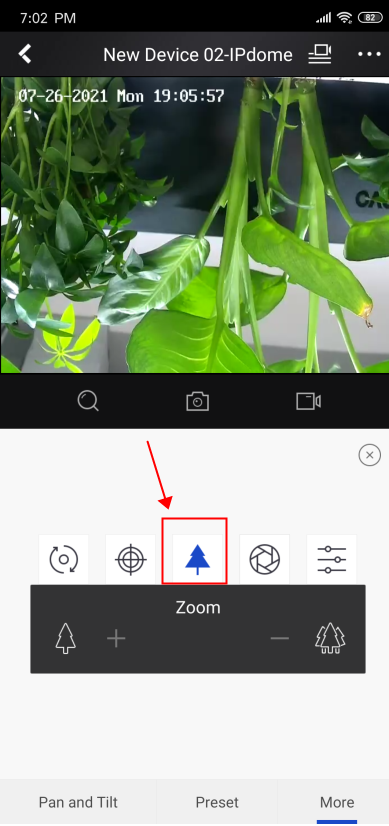
The “+” icon means zoom in.
The “-” icon means zoom out.
Notice:
If you have any other questions, please contact ANNKE technical support at support@annke.com by email.
If this article is helpful to you, please click the "helpful" button after you review it. Any comments would be appreciated.
Was this article helpful?
Bu bilgiler sorununuzu çözmeye yardımcı oldu mu?
Still need help?
Uzman ekibimiz size yardımcı olmak için burada.