Annke Vision - More setting of Record Encode Parameters on Annke DVR
20 Aug 2026
363 views
Applies to: DT41Y/DT61Y/DT81Y/DN41R/DN61R/DN81R/DT41GB/DT81GB/DT61GB/DT41DB/DT81DB/DT61EQ/DW41JD/DW81KD/DW61LD/DT81DP/S500/S300/FC200
Purpose: You can set up more settings of record encode parameters on Annke DVR.
Before you start:
- Set up the more settings is during the process of setting up record encode parameters.
- Click Menu>Record>Parameters and then click the Record tab.
Steps:
1. Click More Setting enter the more setting page.
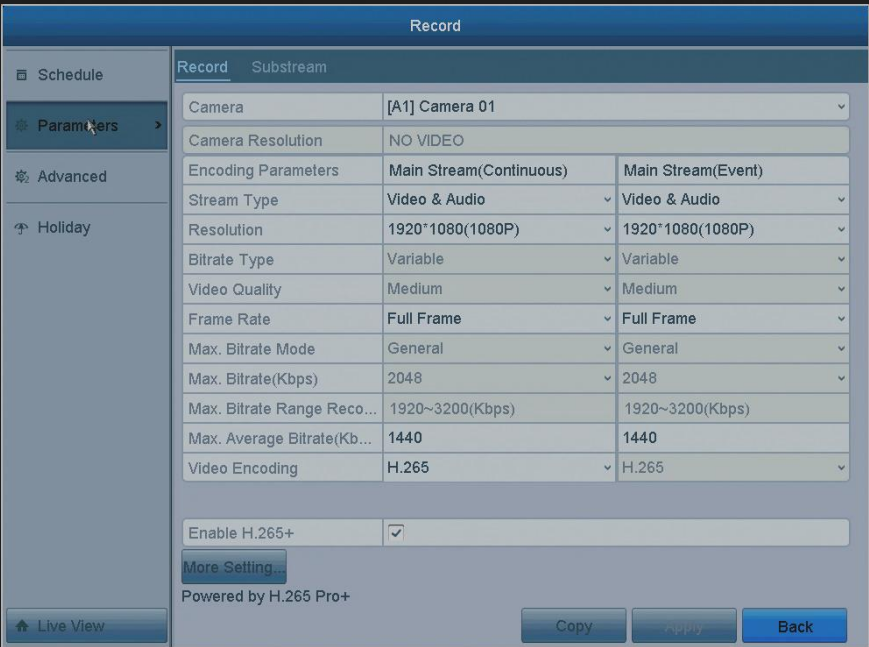
2. Configure more parameters in the More Settings page.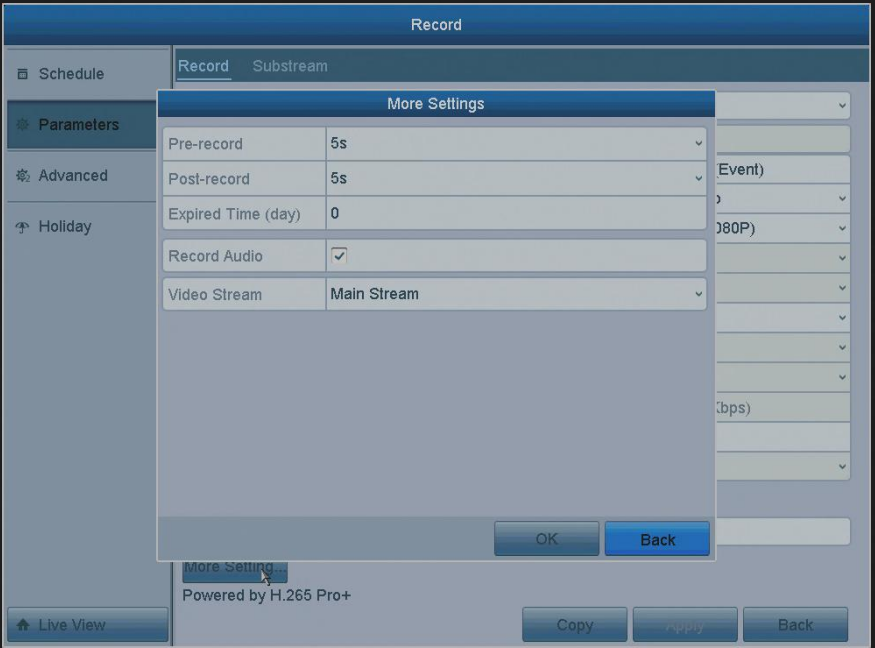
| Option | Description |
| Pre-record | The time you set to record before the scheduled time or event. |
| Post-record | The time you set to record after the scheduled time or event. |
| Expired Time | The time for keeping the record files in the HDDs, once exceeded, the files will be deleted. |
| Record Audio | Enable this feature to record the sound and disable it to record the video without sound. |
| Video Stream | Mainstream and sub-stream are options for recording. |
Notes:
- About the expired time: the files will be saved permanently if the value is set as 0.
The actual keeping time for the files should be determined by the capacity of the HDDs - For network cameras, the parameters of Main Stream (Event) are not editable.
3. Click OK to finish the setting and automatically come back to the upper window.
Was this article helpful?
Bu bilgiler sorununuzu çözmeye yardımcı oldu mu?
Thanks for your feedback!
Still need help?
Uzman ekibimiz size yardımcı olmak için burada.