Annke Vision - Playing back by Sub-periods Searching on Annke DVR
20 Aug 2026
302 views
Applies to:
DT41Y/DT61Y/DT81Y/DN41R/DN61R/DN81R/DT41GB/DT81GB/DT61GB/DW41JD/DW81KD/DW61LD/
DT81DP/S500/S300/FC200/FC800/E800
Purpose: The video files can be played in multiple sub-periods simultaneously on the screens.
Before you start:
- You should log in to DVR.
- Click Menu>Playback>Sub-periods.
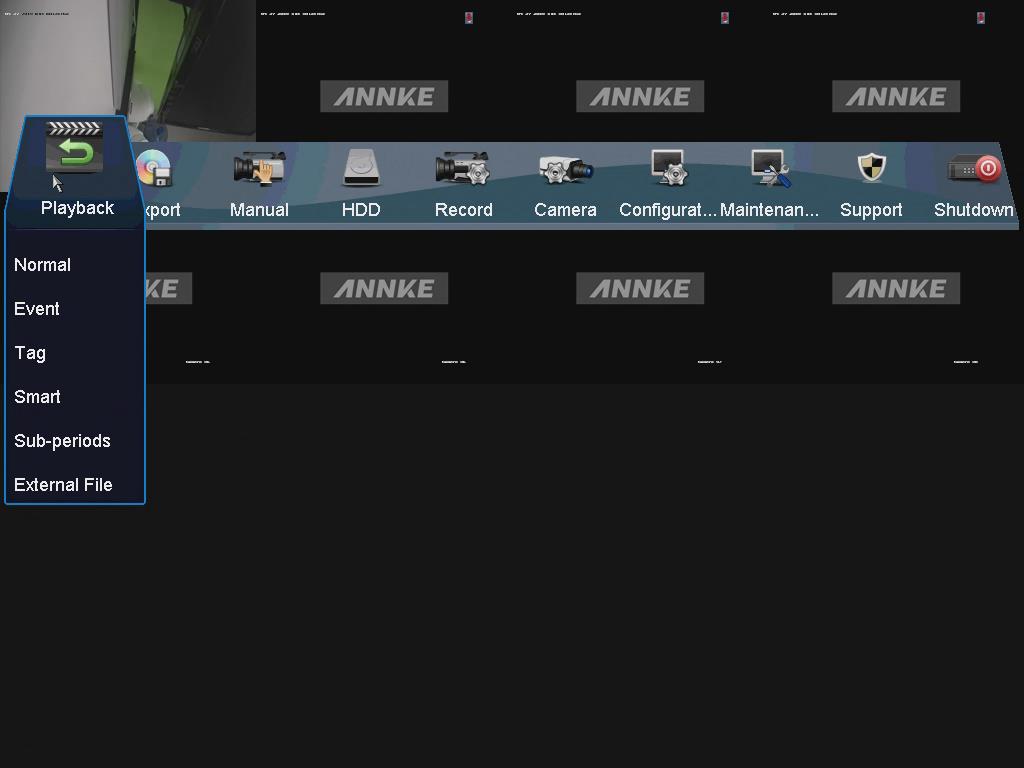
Steps:
-
Enter the Sub-periods Playback interface.
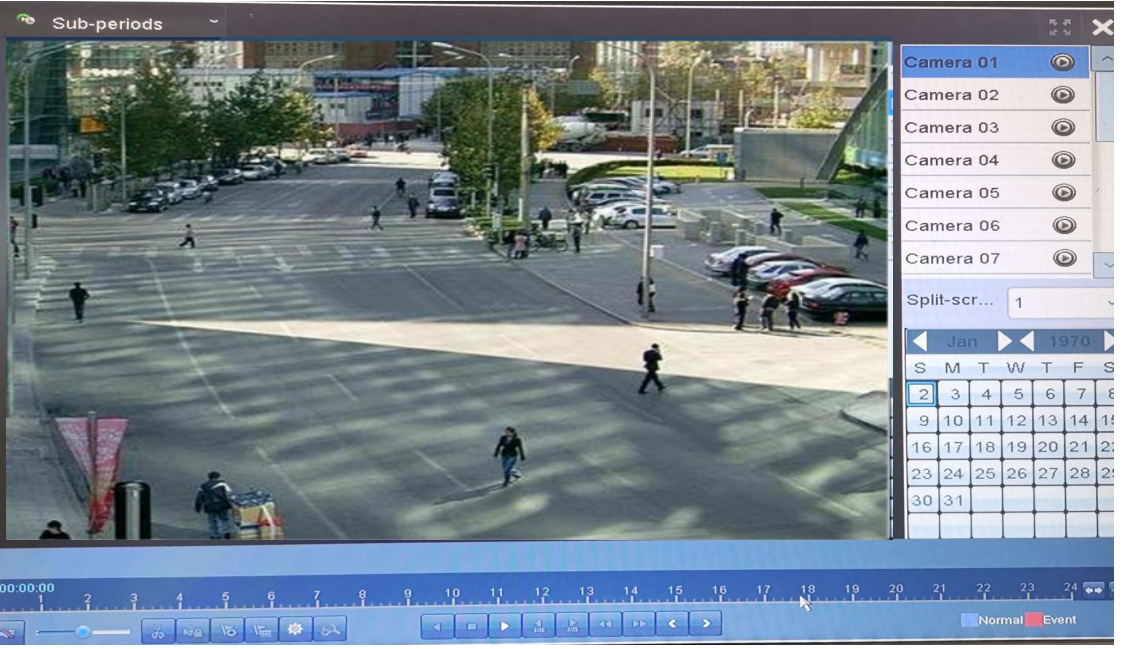
- Select a date and start playing the video file on the right bar.
-
Select the Split-screen Number from the dropdown list on the right bar.
Up to 16 screens are configurable. - Then the corresponding video will playback on the screen.
Note:
According to the defined number of split screens, the video files on the selected date can be divided into average segments for playback. E.g., if there are video files existing between 16:00 and 22:00, and the 6-screen display mode is selected, then it can play the video files for 1 hour on each screen simultaneously.
Was this article helpful?
Bu bilgiler sorununuzu çözmeye yardımcı oldu mu?
Thanks for your feedback!
Still need help?
Uzman ekibimiz size yardımcı olmak için burada.