Annke Vision - Quick Setting Toolbar in Live View Mode on Annke DVR/NVR
Applies to: DT41Y/DT61Y/DT81Y/DN41R/DN61R/DN81R/DT41GB/DT81GB/DT61GB/DT41DB/DT81DB/DT61EQ/DW41JD/DW81KD/DW61LD/DT81DP/N48PI/N44PI/N46PI/N44PAM/N48PAW/N46PCK/N88PCH/N441Y/N481Y/NCK800/H800/H500
Purpose: You can quickly use the toolbar to view the live view.
Before you start :
You should know that on the screen of each channel, there is a quick setting toolbar that shows when you point the mouse to the bottom of the screen.
As the picture shows: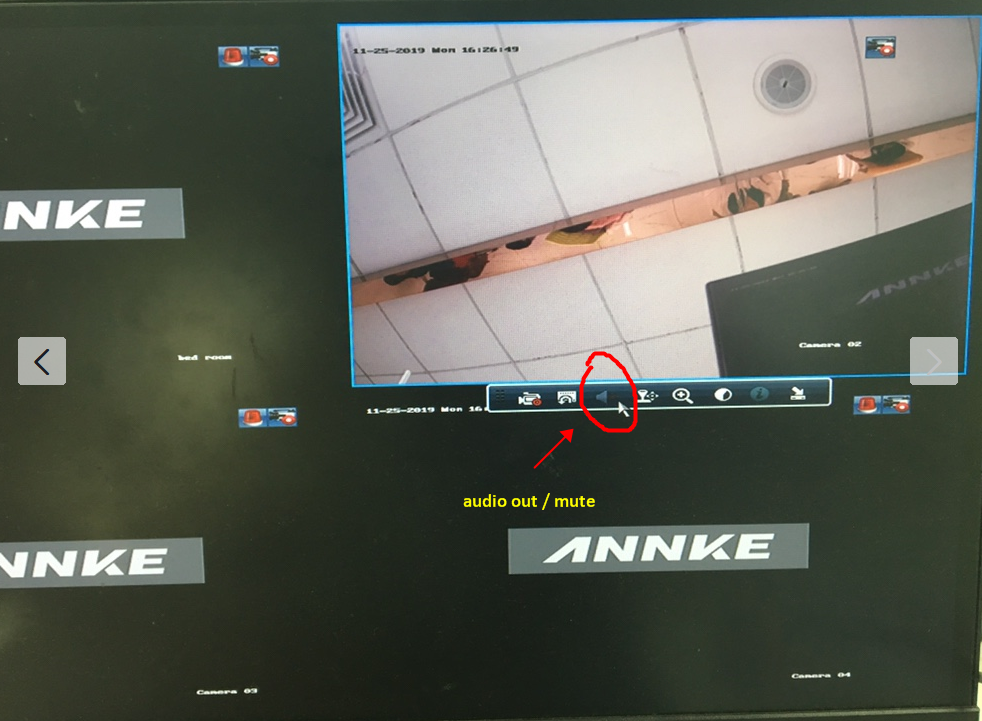

The below table is the description of Quick Setting Toolbar Icons:
| Icon | Description | Icon | Description | Icon | Description |
 / /
|
Enable/Disable Manual Record |  |
Instant Playback |
 / /
|
Mute/Audio on |
 |
PTZ Control |  |
Digital Zoom | 
|
Image Settings |
 |
Camera information | 
|
Close |
Instant Playback only shows the record in the last five minutes.
If no record is found, it means there is no record during the last five minutes.
Digital Zoom can zoom in the selected area to the full screen.
Click and drag to select the area to zoom in.
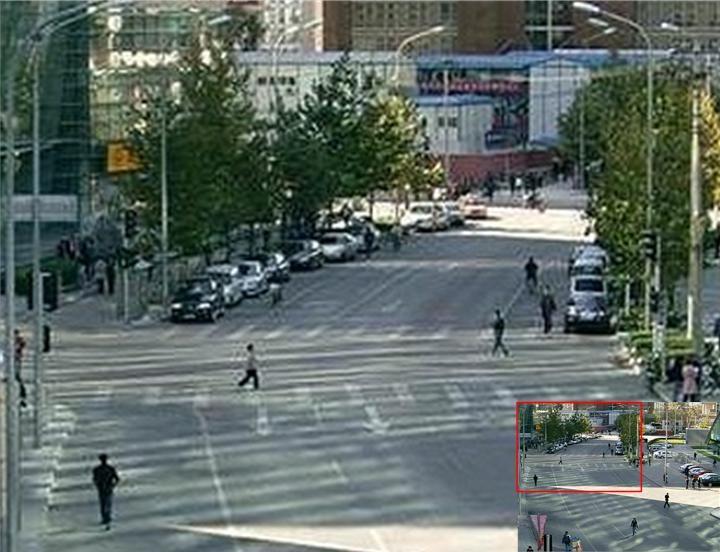
Image Settings icon can be selected to enter the Image Settings menu.
Four modes are selectable according to the real situation.
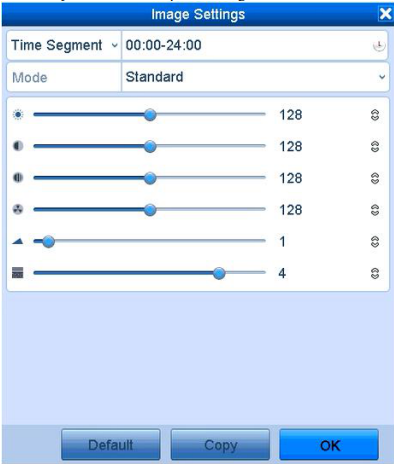
- Standard: for general lighting conditions (default).
- Indoor: the image is relatively smoother.
- Dim Light: the image is smoother than the other two modes.
- Outdoor: the image is relatively clearer and sharper.
You can adjust the image parameters, including brightness, contrast, saturation, hue, sharpness, and denoising. Refer to Set up Video Parameters on Annke DVR for details.
You can also click Default to restore the default settings and click Copy to copy the image settings to other analog cameras.
Was this article helpful?
Bu bilgiler sorununuzu çözmeye yardımcı oldu mu?
Still need help?
Uzman ekibimiz size yardımcı olmak için burada.