Annke Vision - Set up Playback Quality for Loacl Device
20 Aug 2026
418 views
Applies to: DT41Y/DT61Y/DT81Y/DN41R/DN61R/DN81R/DT41GB/DT81GB/DT61GB/DT41DB/DT81DB/DT61EQ/DW41JD/DW81KD/DW61LD/DT81DP/N48PI/N44PI/N46PI/N44PAM/N48PAW/N46PCK/N88PCH/N441Y/N481Y/I21AE/I21AF/I41DQ/I61DQ/I61DR/I61DS/S500/S300/FC200/NCK800/H800/H500
Purpose: You can set the playback quality for the local devices.
Before you start: Run the App and log in to your app account.
Steps:
- Choose any one channel you like and enter into the playback page.
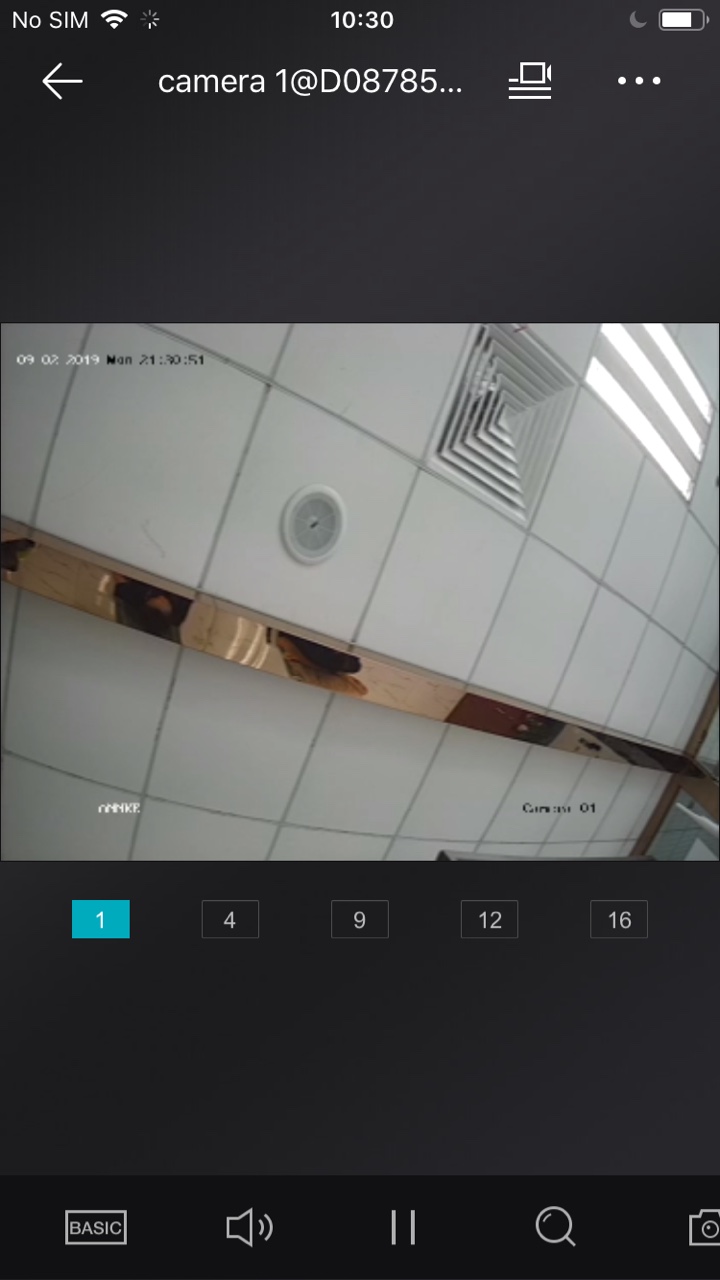
- Click the BASIC Icon and you can see the two-mode of playback quality.
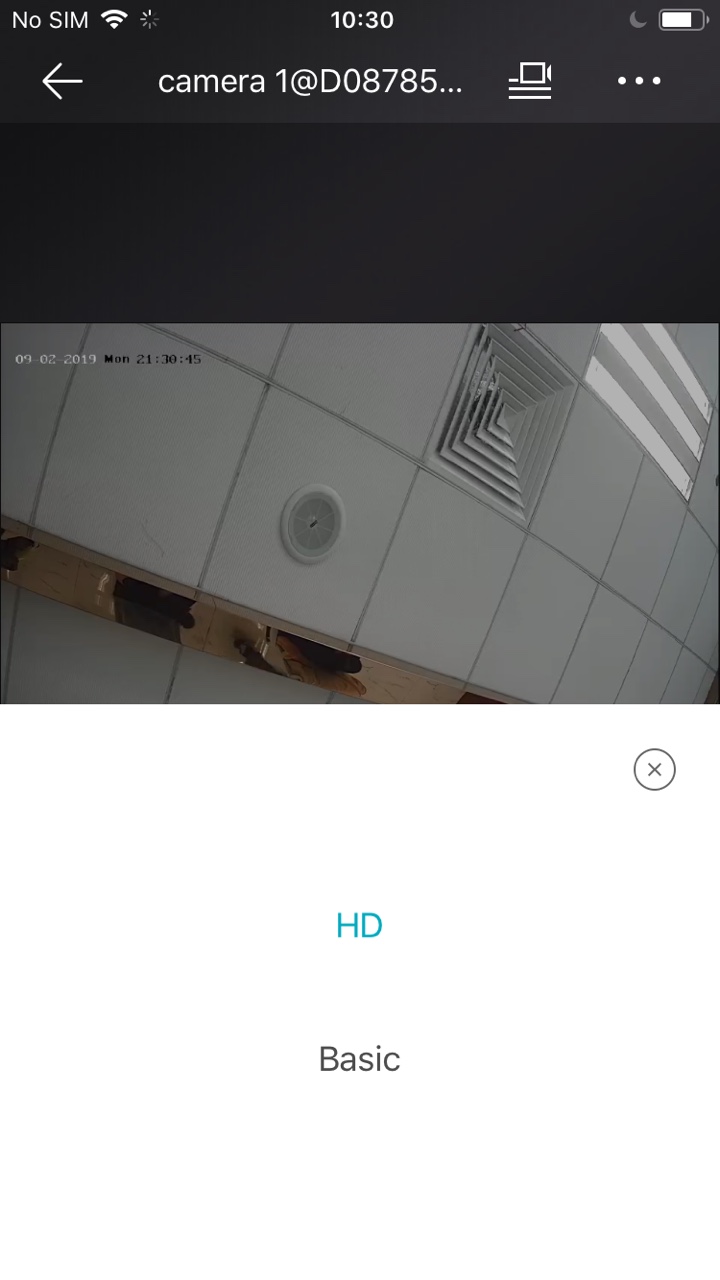
- Click the HD to change the playback to HD mode.

Note: HD mode requires more bandwidth as it has a more clear view. If HD mode is selected, the video may be stuck when the network speed is insufficient.
Was this article helpful?
Bu bilgiler sorununuzu çözmeye yardımcı oldu mu?
Thanks for your feedback!
Still need help?
Uzman ekibimiz size yardımcı olmak için burada.