Annke Vision - Troubleshooting--What to do if cameras' image is abnormal
Applies to: DT41Y/DT61Y/DT81Y/DN41R/DN61R/DN81R/DT41GB/DT81GB/DT61GB/DT41DB/DT81DB/DT61EQ/DW41JD/DW81KD/DW61LD/DT81DP/N48PI/N44PI/N46PI/N44PAM/N48PAW/N46PCK/N88PCH/N441Y/N481Y
There are several possible causes of the abnormal image(such as the picture is black and white, the color is abnormal, there are stripes, water stains) of your cameras.
You may follow the troubleshooting tips listed below to solve the problem.
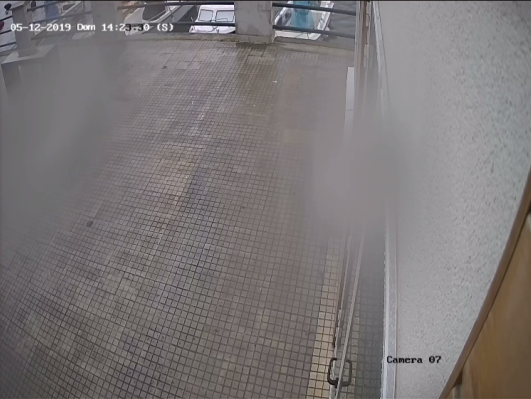
Cause 1. Cable/camera/channel's port's problem
Solution: Cross-change the cables or channel port to confirm the problem part
| Image | NO | YES | YES | YES |
| Channel | Channel A1 | Channel A2 | Channel A3 | Channel A4 |
| Cable | Cable B1 | Cable B2 | Cable B3 | Cable B4 |
| Camera | Camera C1 | Camera C2 | Camera C3 |
Camera C4 |
- The Cable's Reason
Solution: Connect camera C1 to channel A1 with working cable B2 to confirm if it is cable B1's problem. - The Channel Port's Reason
Solution: Connect working camera C2 to channel A1 with working cable B2 to confirm if it is channel port A1‘s problem. - The Camera's Reason
Solution: Connect camera C1 to working channel A2 with working cable B2 to confirm if it is camera C1's problem.
Cause 2. The DVR/NVR's Power has some problems and can‘t support all cameras working
Solutions:
- Change an adapter to have a try.
- Try to connect only one camera to DVR/NVR, then see the image is abnormal or not.
Cause 3. Maybe it is a problem of monitor or TV
Solutions:
- Change a monitor or TV to check.
- Check if the computer view or phone view faces the same issue.
Cause 4. There is signal interference between cameras
Solution: Try to connect only one camera to DVR/NVR, then see the image is abnormal or not.
Cause 5. Incorrect setting on DVR
Solution: Try to restore the DVR.
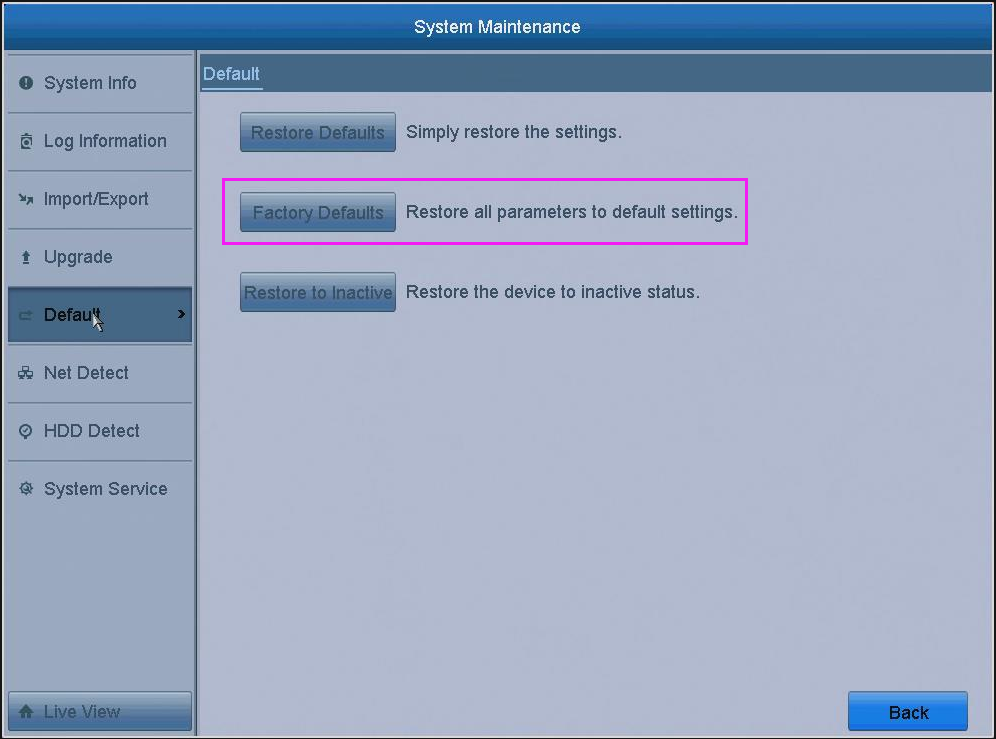
Cause 6. Incorrect settings on cameras
Solution: Try to reset the cameras.
Note:
The cause 6 only applies to the models below:
C51FD/CT1AB/CT1AC/CT1AD/CT1AE/CT1AF/CT1CC/CT1GD/CT1GE/CT1GF/C51BH/C51BG/C51BL/C51BM/CT1DL/CT1DM/CR1BM/CR1BN/CR1BJ/CR1BL/CT1DR/CT1DS/CT1BG/CT1BF/CT1DC/CR1BK/CR1BB/CR1BG
If you have tried all of the above solutions and can locate the problems. Please provide your order information and the abnormal camera image pictures as well as the details of your problem to us and we can provide better help.
Was this article helpful?
Bu bilgiler sorununuzu çözmeye yardımcı oldu mu?
Still need help?
Uzman ekibimiz size yardımcı olmak için burada.