Annke Vision-What to Do If The Standalone POE Camera is Offline?
Applies to: I81FB/I81HC/I91BK/I81HB/I51DE/I51DF/I51DK/I51DB/I51DD/I51DJ/I51DL/I51DN/I51DM/I51DP/I91BF/I91BE/I91BG/I91BM/I91BN/I91BL/I91BQ/I41BK/B1200/NC400/CZ400/CZ500
Introduction:
If the camera is offline, the user can not connect the camera to the Annke Vision APP by scanning the QR code or the serial number. In this article, we will show you how to make the camera online so that you can view the camera on the APP.
Steps:
1. Make sure the camera is connected to the router directly by network cable.
2. Access the setting menu of the camera on the web browser from the PC. The link below has the detailed introductions.
Annke Vision -- How to Access the Web interface of ANNKE PoE Cameras via Browser? (Without NVR)
3. Go to 'Configurations→Network→Basic Settings' and make sure 'DHCP and NAT' is enabled.
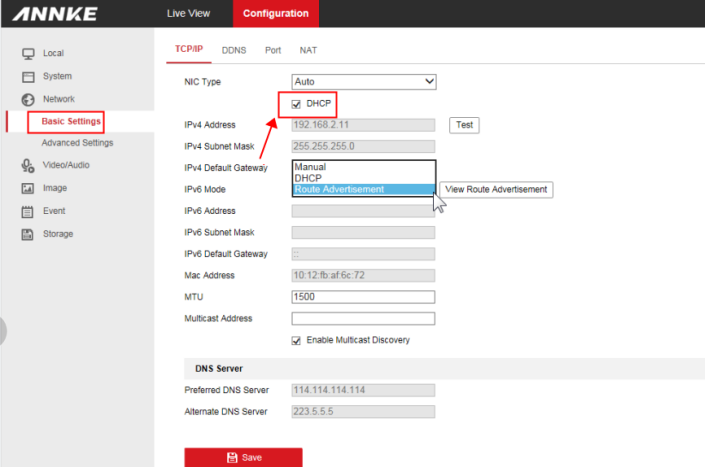
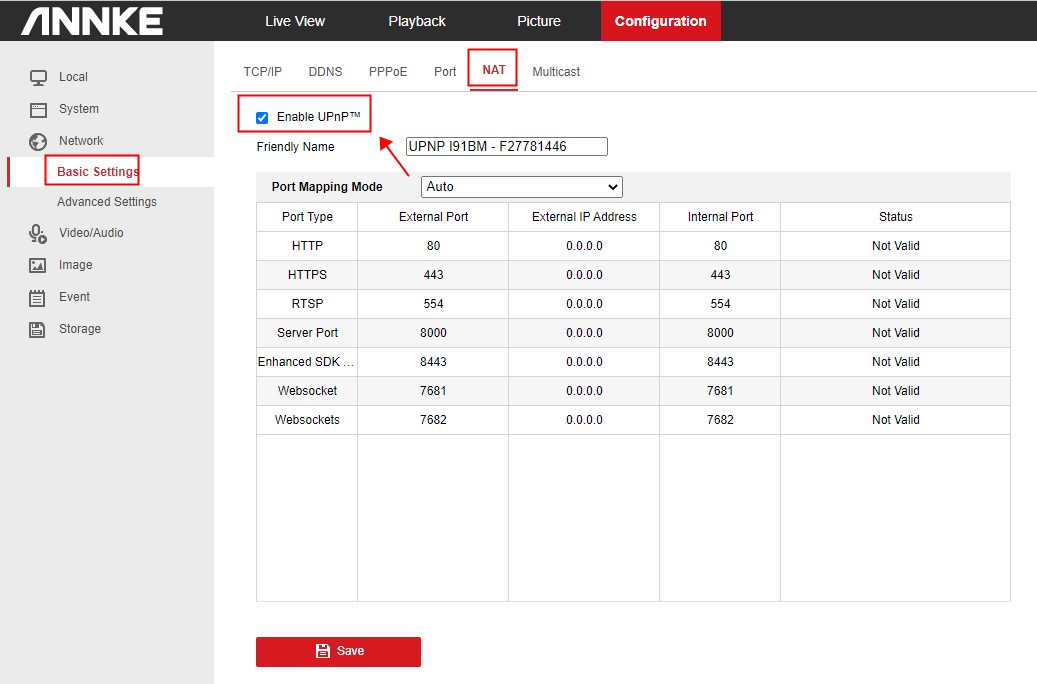
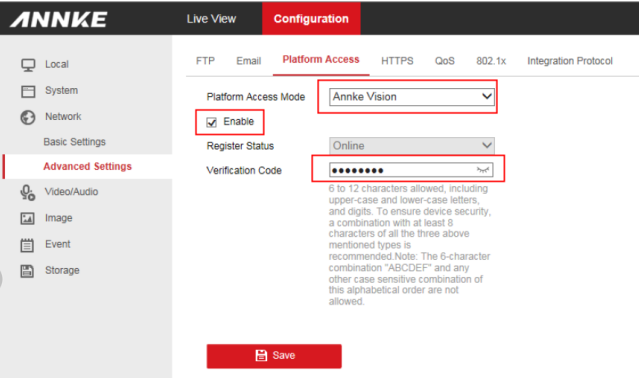
4. Go to 'Configurations→Network→Advanced Settings→Platform Access' and make sure the 'Platform Access Mode' is 'Annke Vision' and the "Verification Code" is set up.
The verification code is created by the user, which should include letters and numbers. For example, abcd1234.
If the camera is still offline, please try the troubleshooting below.
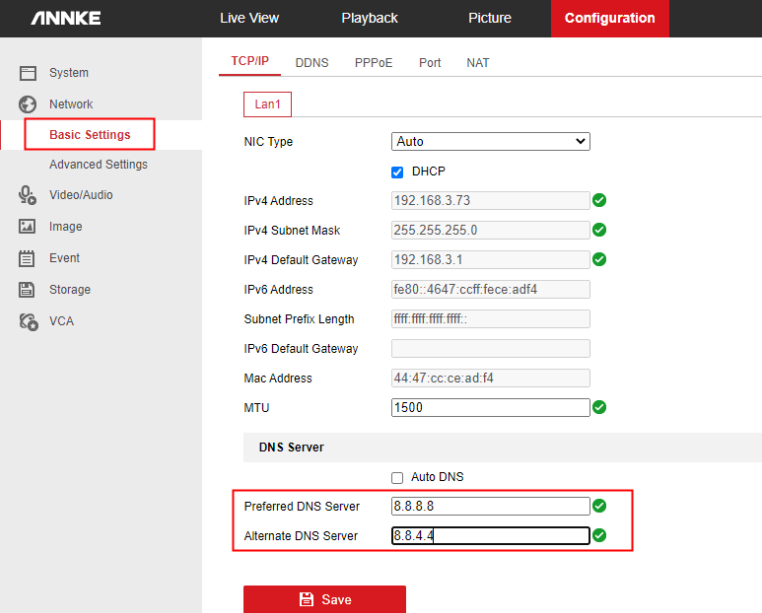
1. Go to 'Configurations→Network→Basic Settings' and change the DNS server. It is suggested to use 8.8.8.8 and 8.8.4.4.
2. Change another ethernet cable for the camera.
3. Connect the ethernet cable to another LAN port of the router or POE switch.
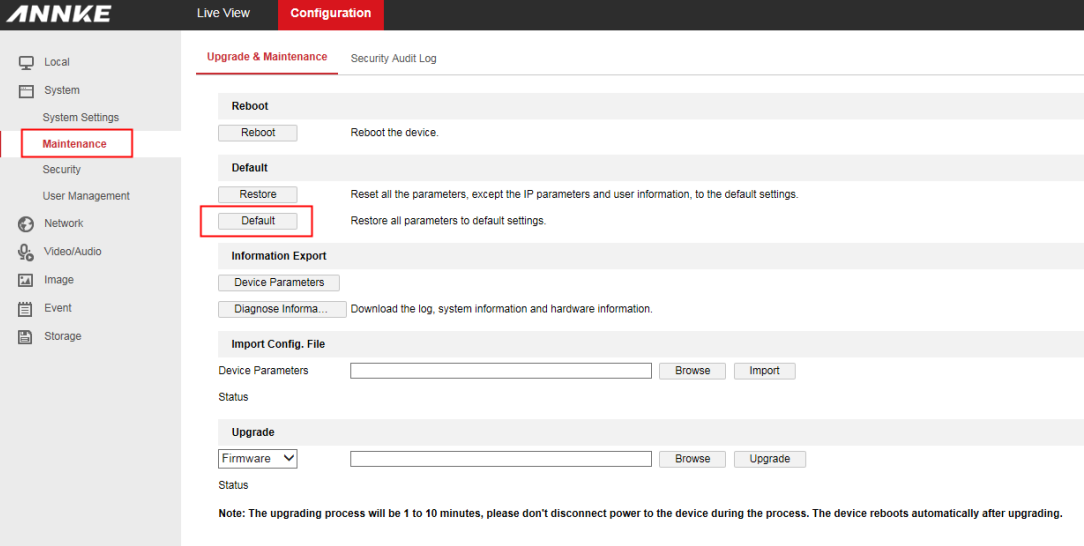
4. Go to 'Configuration→System→Maintenance' and Reset the camera to the default.
Notice:
If you find the camera is still offline after completing the above troubleshooting, please contact ANNKE technical support at support@annke.com by email for further help.
If this article is helpful to you, please click the "helpful" button after you review it. Any comments would be appreciated.
Was this article helpful?
Bu bilgiler sorununuzu çözmeye yardımcı oldu mu?
Still need help?
Uzman ekibimiz size yardımcı olmak için burada.