Myannke - Other Account Settings on PC Client
20 Aug 2026
394 views
Applies to: I41EJ
Before you start:
You should log in to the Myannke webpage: http://www.myannke.com/ and input your user name and password.
Interface:
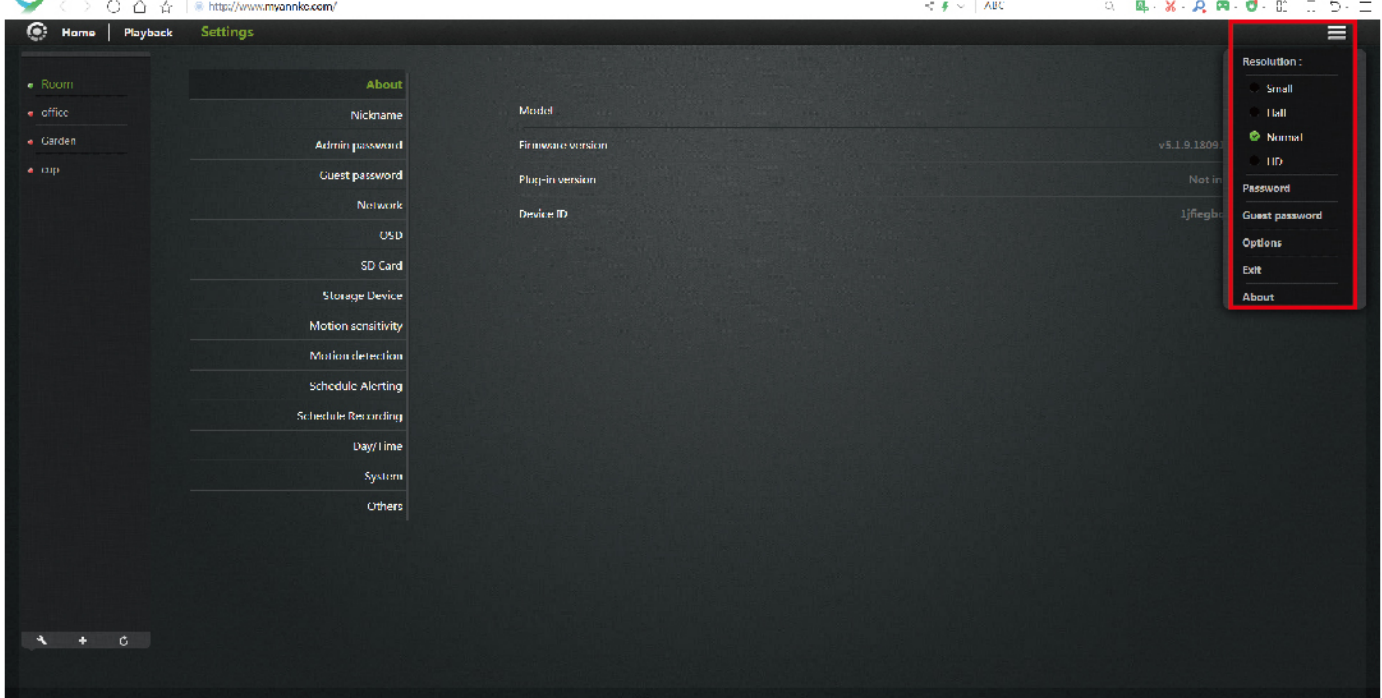
The account settings interface on the right contains the following options:
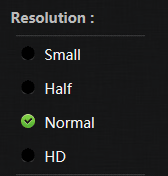
Resolution: 4 resolution modes for you to adjust: small, half, normal and HD.
Password: Change your account password.
Guest Password: Change your guest password.
Note:
- If you want to give your camera's access right to someone, you can assign them a guest password, which can be disabled at any time.
- Guests can view what the camera is broadcasting and can control the camera's rotation, but they will not be able to make any changes in the settings or use the remote microphone.
Options: Load plugins and choose their download path.
Exit: Exit the current account.
About: Find the software version.
Was this article helpful?
Bu bilgiler sorununuzu çözmeye yardımcı oldu mu?
Thanks for your feedback!
Still need help?
Uzman ekibimiz size yardımcı olmak için burada.