Myannke - Pan, Tilt, Zoom on Myannke App
20 Aug 2026
478 views
Applies to: I41EJ
Purpose: you can freely manipulate the phone screen to Pan, Tilt, and Zoom on the live view page.
Before you start: Run the Myannke App, log in to your account and enter a camera live view page.
Interface:
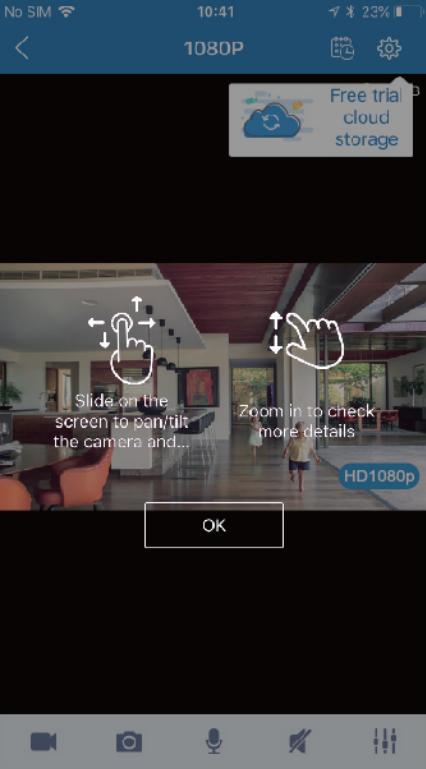
Function explanation:
- Pan: Touch and swipe to the left or right to rotate the camera left or right.
- Tilt: Likewise, touch and swipe up or down to tilt the camera view up or down.
- Zoom: Zoom is accomplished two fingers touching the screen as if to pinch. Move two touching fingers apart to zoom in; Move two fingers together to zoom out.
Was this article helpful?
Bu bilgiler sorununuzu çözmeye yardımcı oldu mu?
Thanks for your feedback!
Still need help?
Uzman ekibimiz size yardımcı olmak için burada.