Saneyes - How to Set Email Alert on the Mobile App?
Applies to: I21BP/I21BL/I21EG/I21DL/I21DL/I31BCV1/I41DCV1/I41EE/I41EF
1. Please confirm that your camera has successfully connected to the network.
Here is the instruction for your reference: https://support.sannce.com/hc/en-us/articles/900000435603
2. Click the System Settings button.

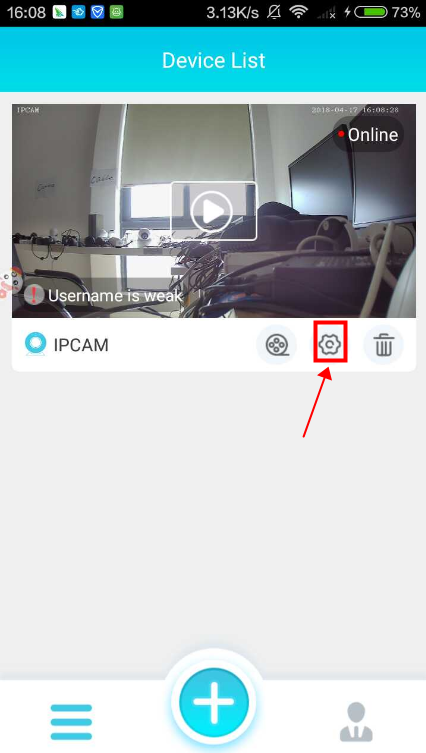
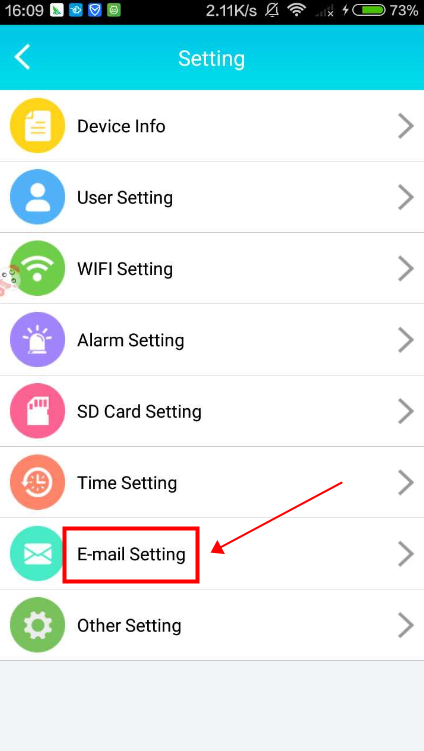
3. Select “E-mail Setting”.

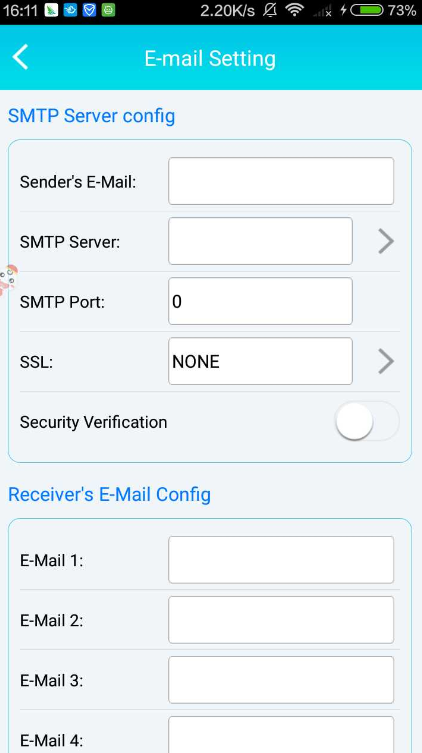
4. Enter the Gmail account information.
Sender's E-Mail: gmail address
SMTP Server: smtp.gmail.com
SMTP Port: 587 or 465
SSL: TLS
Security Verification: ON
Receiver's E-Mail Config: input the email address you want to receive the alarm notification

5. Click “Alarm Setting”.
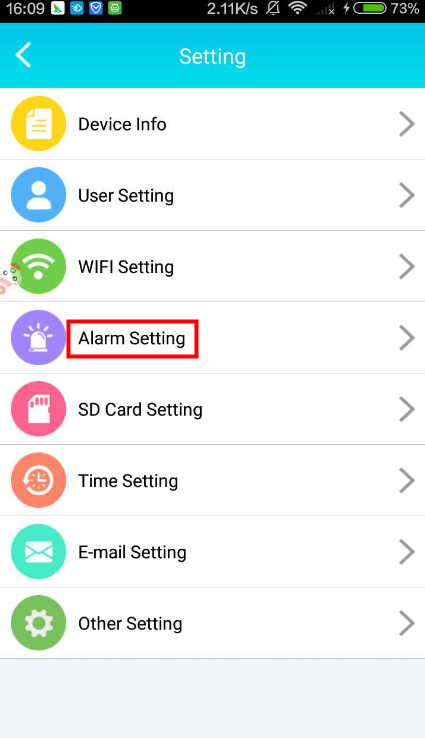
6. Enable "Motion alarm" and click "Sensitivity" to select the level for triggering the motion detection function.
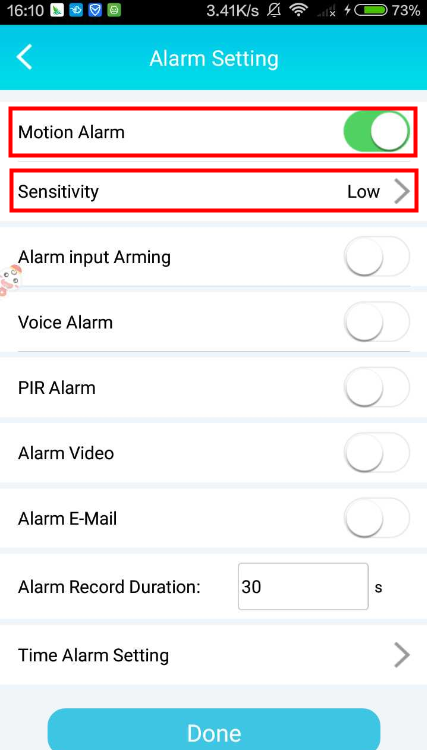
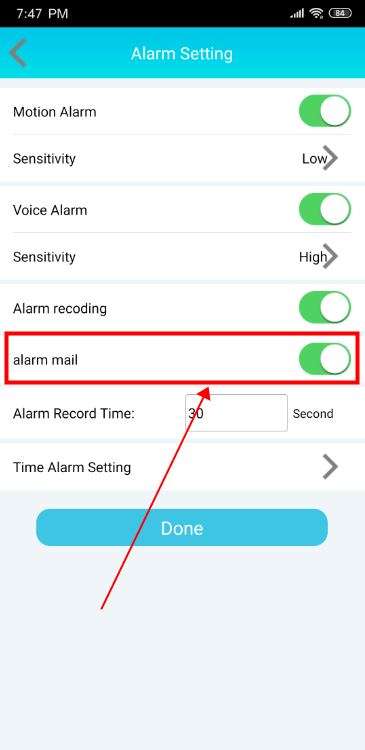
7. Enable “Alarm E-mail” and click “Done” in the upper right corner.
8. Please log in to your Gmail account, open the site via the link below and select "Turn on" for the Less Secure APP Access.
Http://www.google.com/settings/security/lesssecureapps
9. When any motion triggers the alarm, you will receive an email with a snapshot.
Was this article helpful?
Bu bilgiler sorununuzu çözmeye yardımcı oldu mu?
Still need help?
Uzman ekibimiz size yardımcı olmak için burada.