Sannce Home - How to access DVR/NVR system on computer browser via its IP?
Applies to:
DN41CK/DN81BL/DN81BG/DT61BB
1. Plug the DVR/NVR to the router with a network cable.
2. Find DVR/NVR‘s IP address. There are two ways to find the IP address:
1) Find the IP address on the TV/monitor
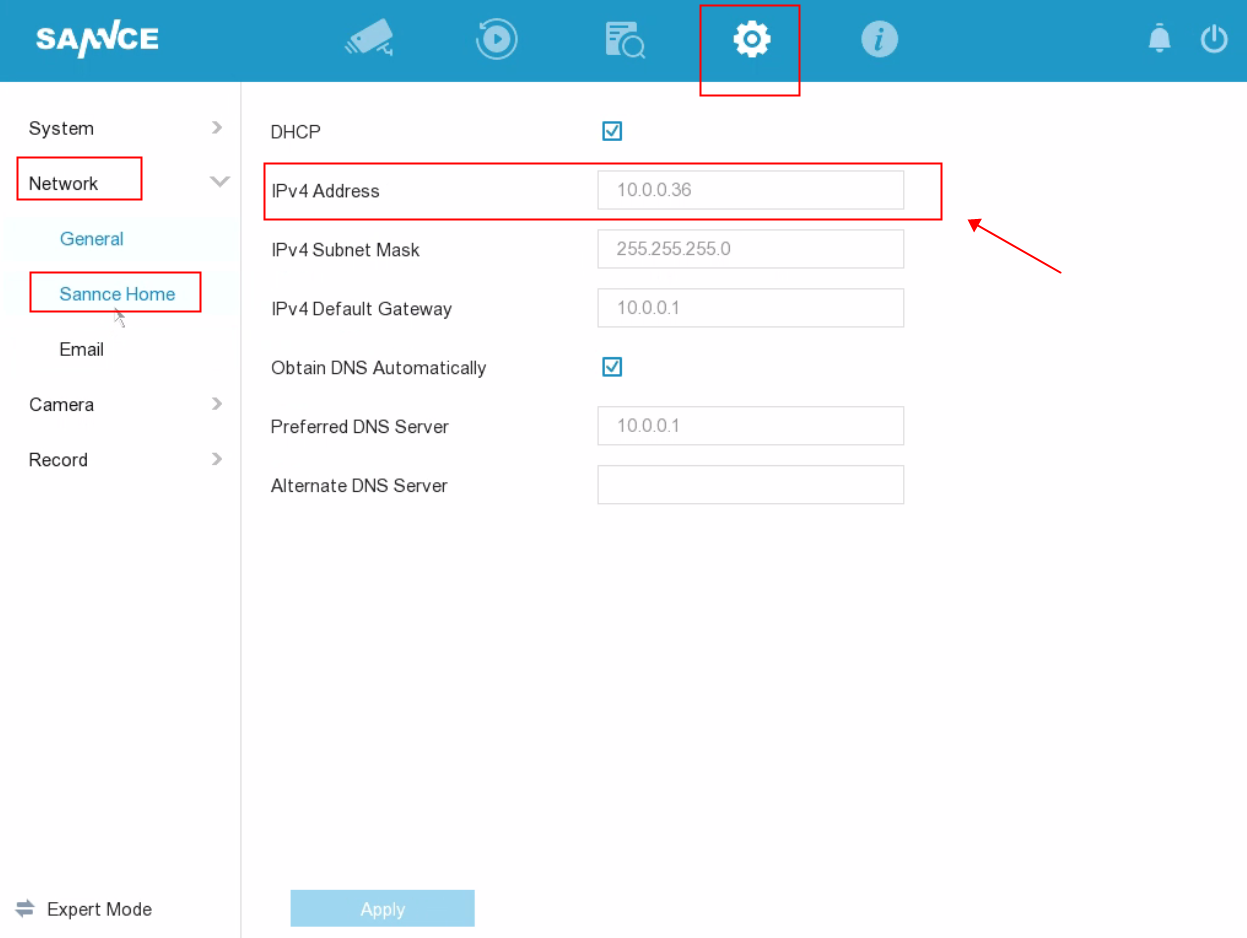
2) Find the IP address on a computer.
Please download and install the software SADPTool from this link:
For Windows computers: http://sanncegroup.com/document/Computer%20software/sadptool_v3.0.2.4.zip
For Mac computers: http://sanncegroup.com/document/Computer%20software/sadptool.pkg_.zip
Connect your computer to the same network/router of the DVR/NVR, then run this software. It will detect the DVR/NVR's IP address automatically.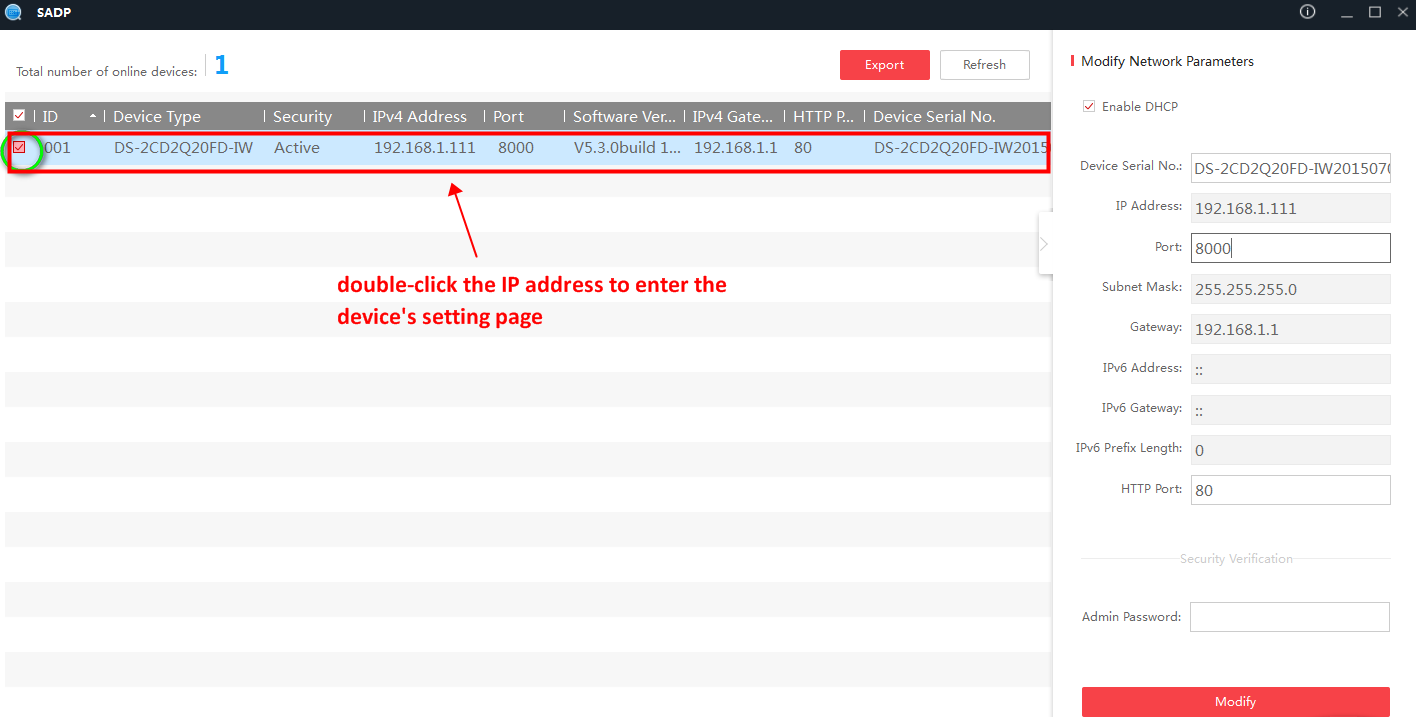
3. Get a computer that is connected to the same router as NVR is to access NVR with its IP on the browser. The user name is admin and the password is your DVR/NVR’s password.
Note: It's recommended to use the IE browser instead of other browsers such as Google Chrome and Firefox.
Was this article helpful?
Bu bilgiler sorununuzu çözmeye yardımcı oldu mu?
Still need help?
Uzman ekibimiz size yardımcı olmak için burada.