Sannce Home - How to Activate the System for the First Time?
Applies to: DN41CK/DN81BL/DT61BB
When you order a new SANNCE system, please follow the below picture to connect the cameras with the DVR and the monitor.
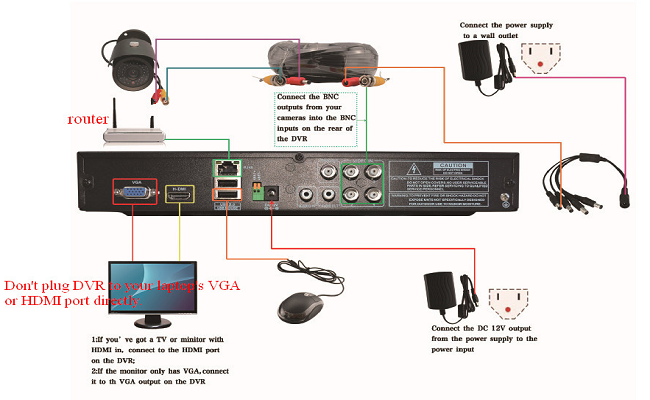
Then, please activate the system on the monitor.
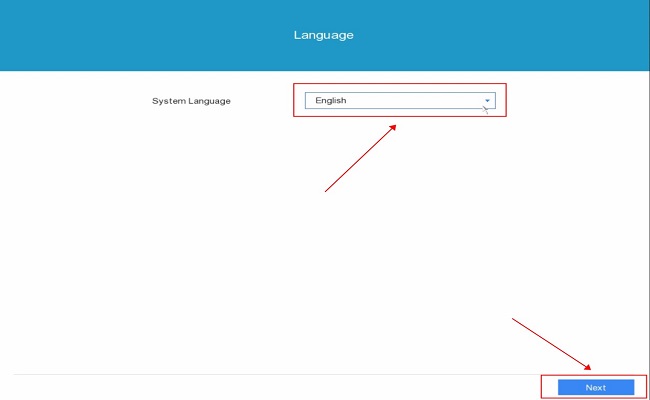
1. Select the language for the system, and then click Next:
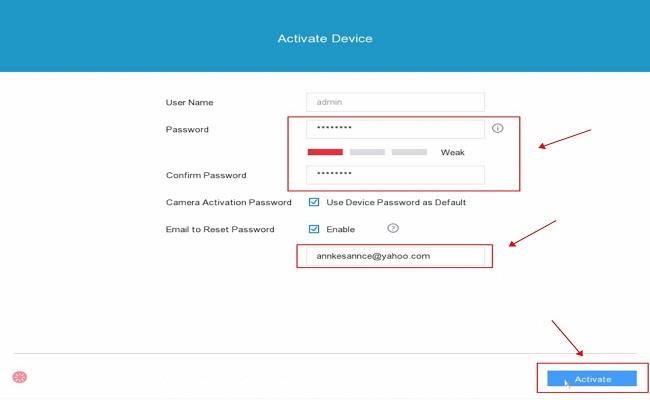
2. Create an admin password and confirm it, and reserve the email address for the system, and click Activate.
Note: The email address is reserved to reset the admin password if the user forgot it in the future.
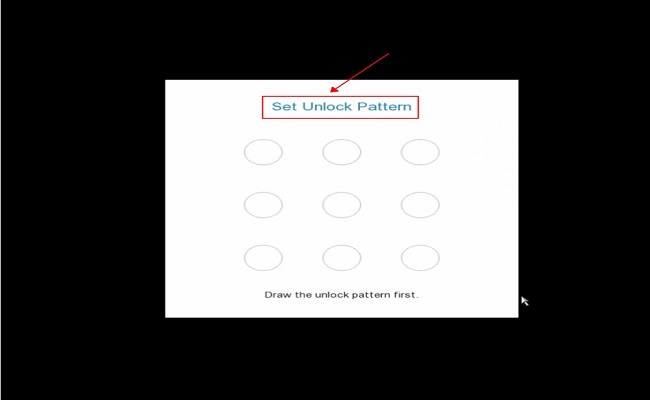
3. Set the unlock pattern for the system.
Note: The unlock pattern could be used to access the system.
4. Set up the time settings for the system:
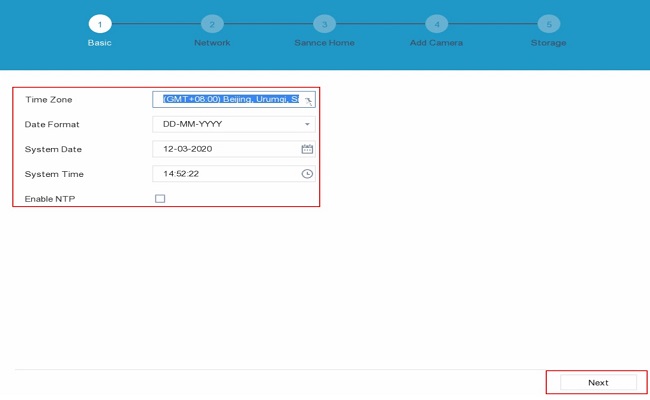
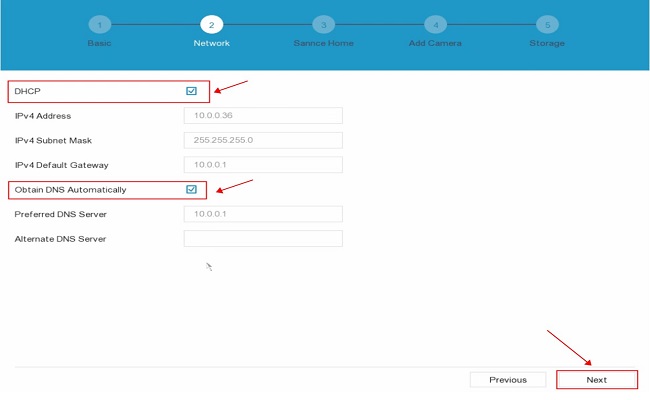
5. Enable DHCP for the network settings:
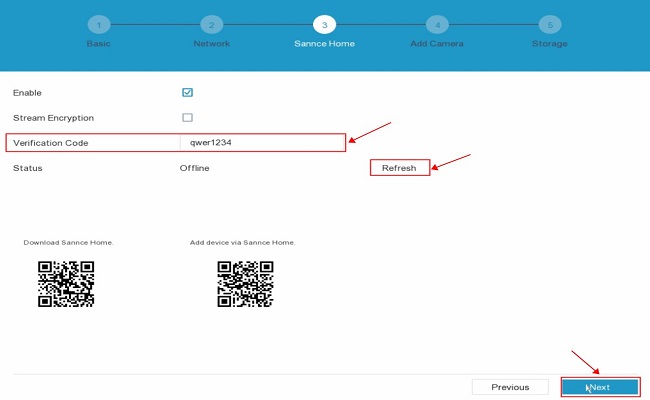
6. Enable Sannce Home service for the system:
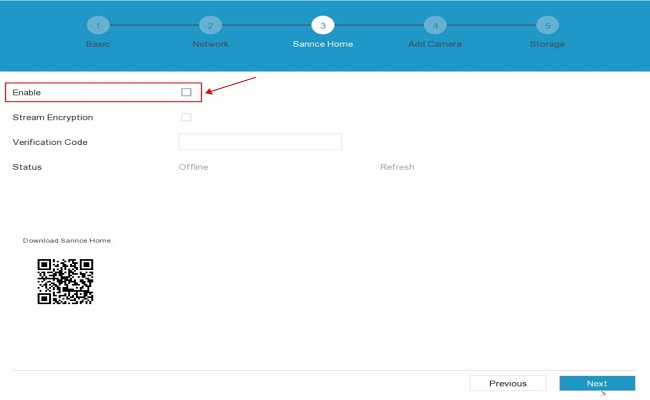
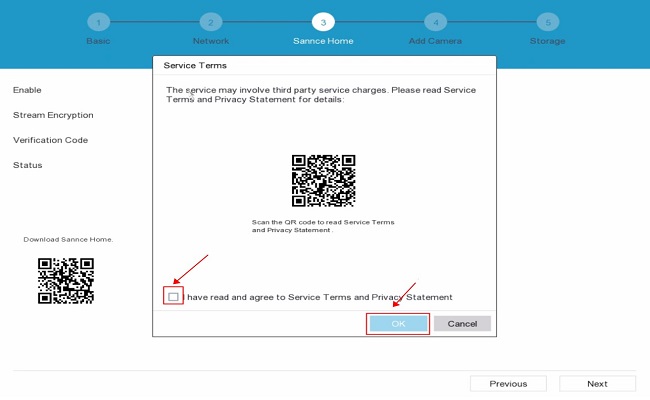
7. Create a Verification code for the system, and then refresh the status of the system.
Note: The verification code should be created by the user, and SANNCE won't send the code to the user. The verification code is created for the stream encryption of the cameras.
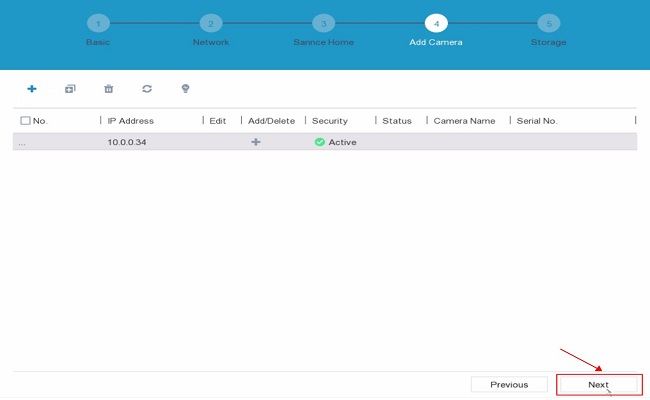
8. If you do not have an IP camera for the system, you could ignore the Add Camera section, and then click Next directly.
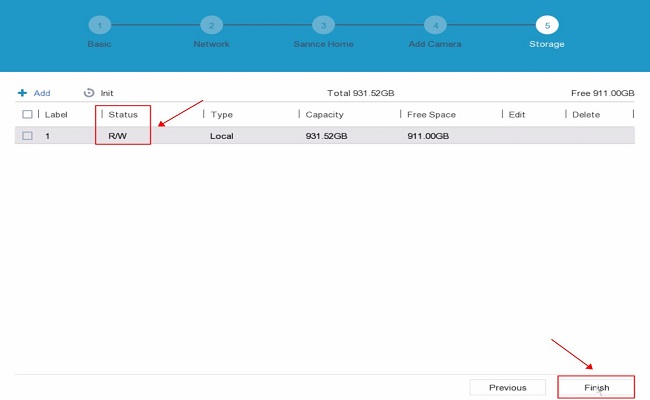
9. If the system has a hard drive installation, the status on the Storage section should be Normal.
Note: If the system has no hard drive, please ignore this section to finish the activation of the system.
Was this article helpful?
Bu bilgiler sorununuzu çözmeye yardımcı oldu mu?
Still need help?
Uzman ekibimiz size yardımcı olmak için burada.