Sannce Home-How to Add the Security System to APP Sannce Home?
20 Aug 2026
337 views
Applies to: DN41CK, DN81BG, DN81BL, DT61BB
The article will introduce how to connect the system to the mobile phone. If you have a concern about the instruction, please submit a request here to the technical support for more details.
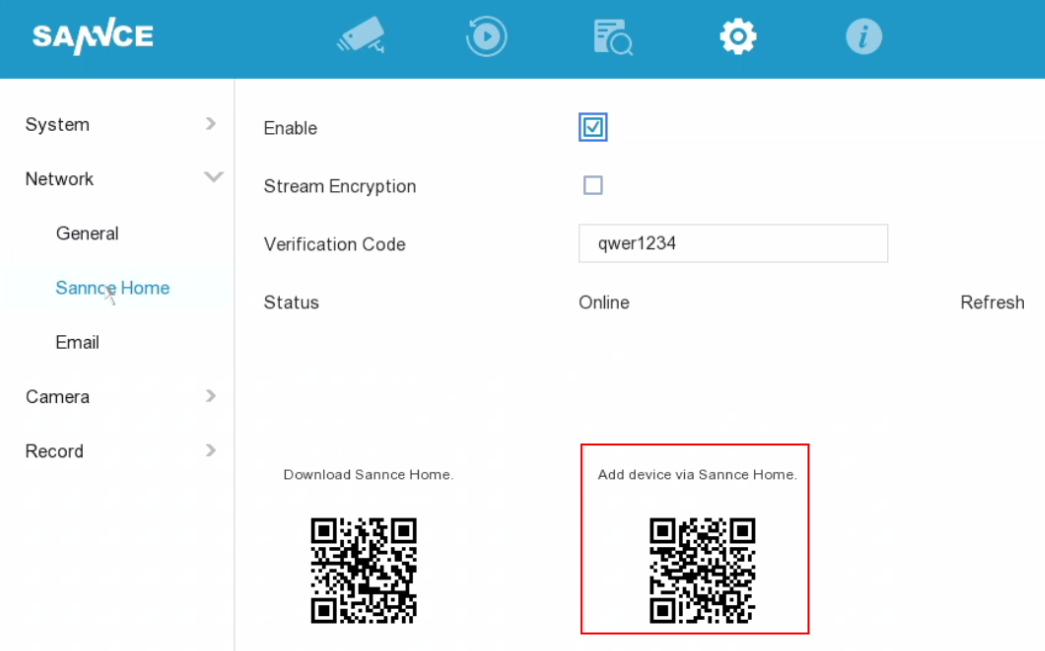
- Please check the network status of the system. If the users want to view the cameras remotely, the status must be online. It could be checked on the Configuration-->Network-->Sannce Home-->Status:
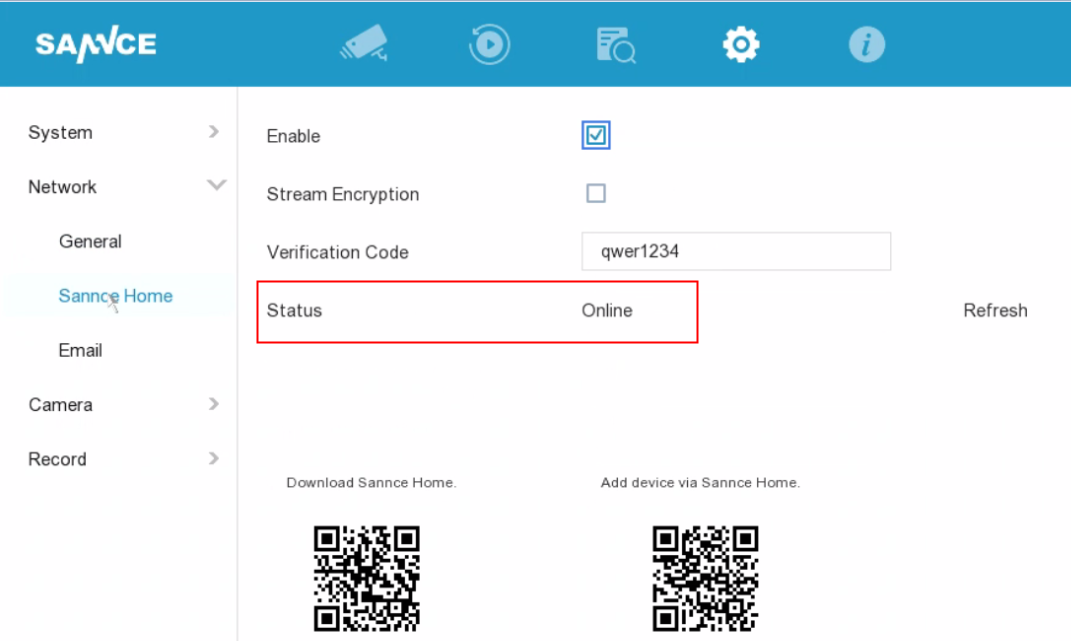
If the network status is offline, here is the way to fix:
https://support.sannce.com/hc/en-us/articles/900000545803 - Please download the APP Sannce Home from Google Play or APP Store.
- Please register the APP by using an email address or a phone number.
- Firstly, please select the country and region for the APP account. It should be in accordance with the region where you plan to install the system.

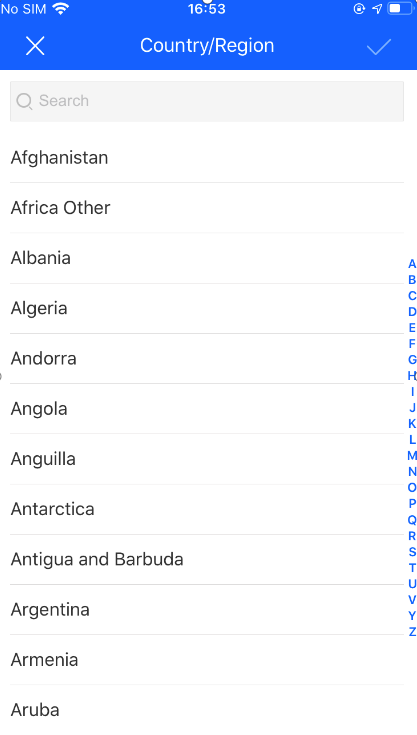
- Secondly, please click Login button. If you don't have an account, please register the APP with an email address or a phone number. Besides, users need to agree on the privacy policy of the APP.
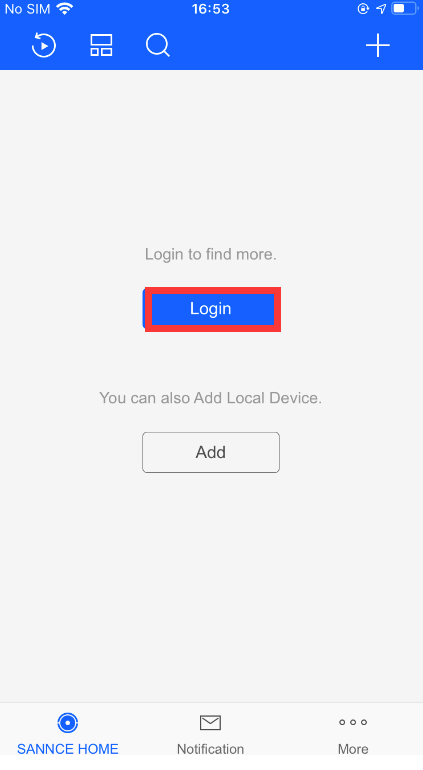
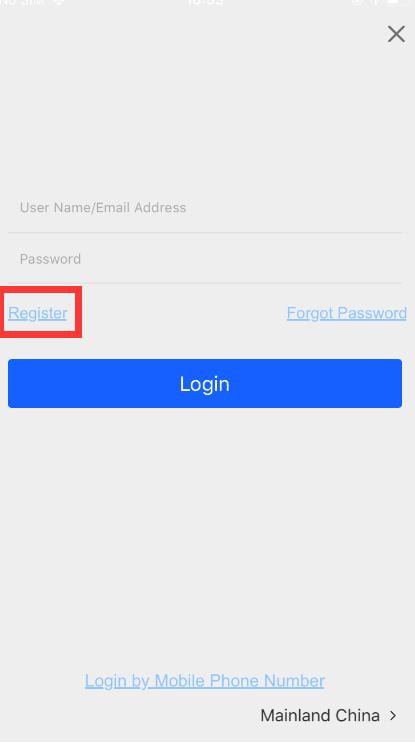
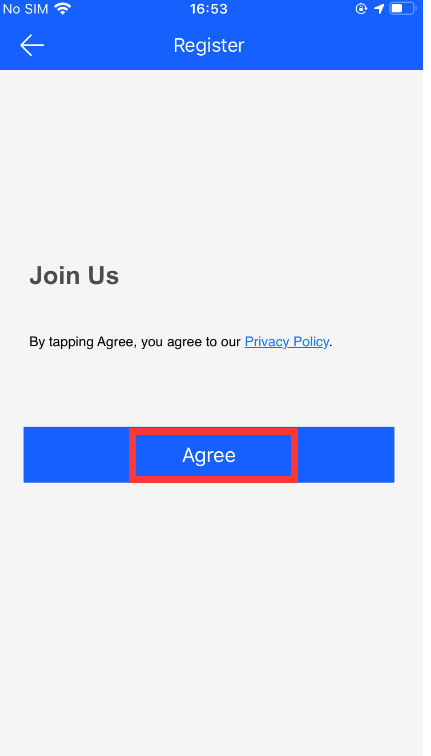
- Thirdly, please input the email address/phone number to get the security code.
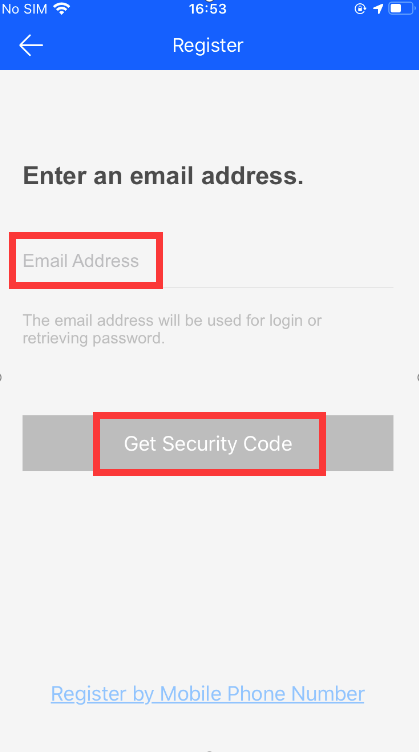
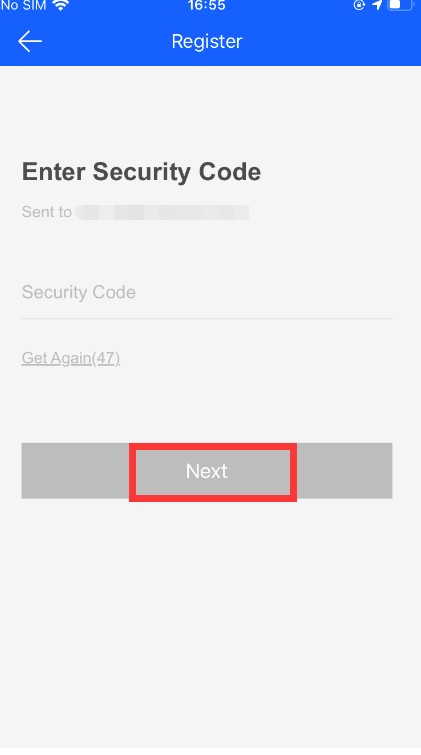
- Fourthly, please set up a password for the APP account to finish the APP registration.
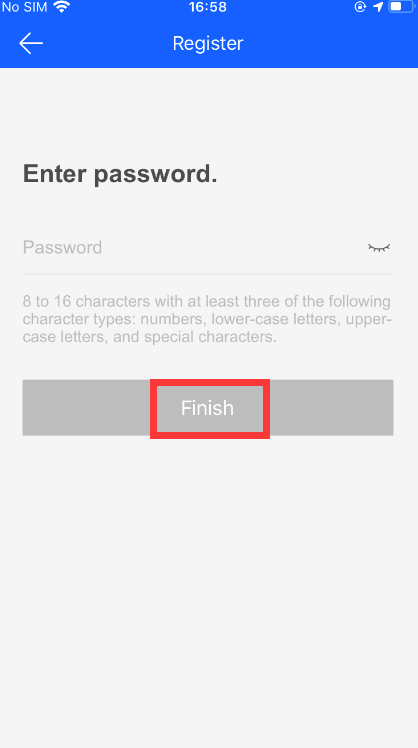
- Firstly, please select the country and region for the APP account. It should be in accordance with the region where you plan to install the system.
- After the APP registration, please follow the below steps to add the system to the app. Here are 2 methods to add the system.
A: Adding by QR code
-
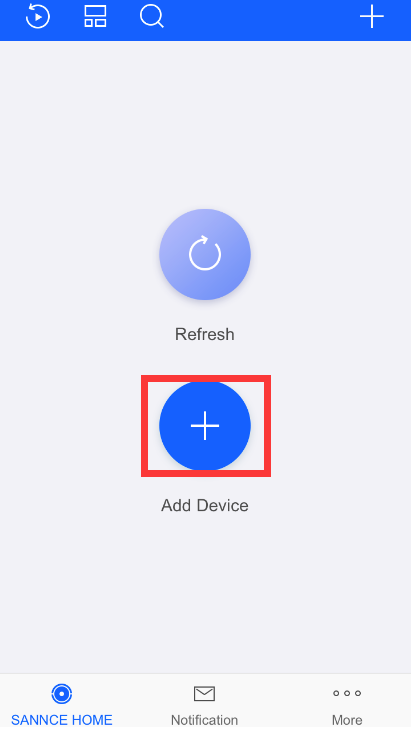
- Click the '+' icon at the beginning:
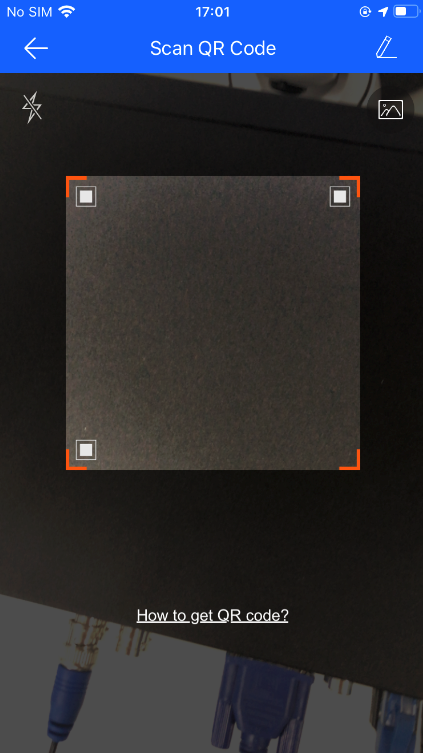
- Scan the QR code of the device. The QR code could be found in the Sannce Home section.
- Click the '+' icon at the beginning:
B: Adding by Serial Number.
-
-
-
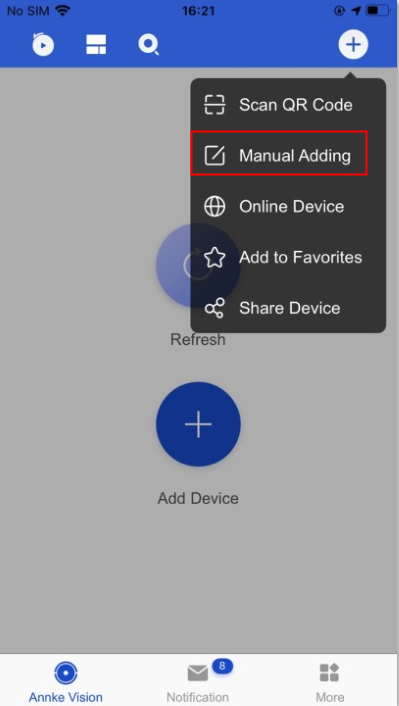
Click the Manual Adding and input the Serial No
.
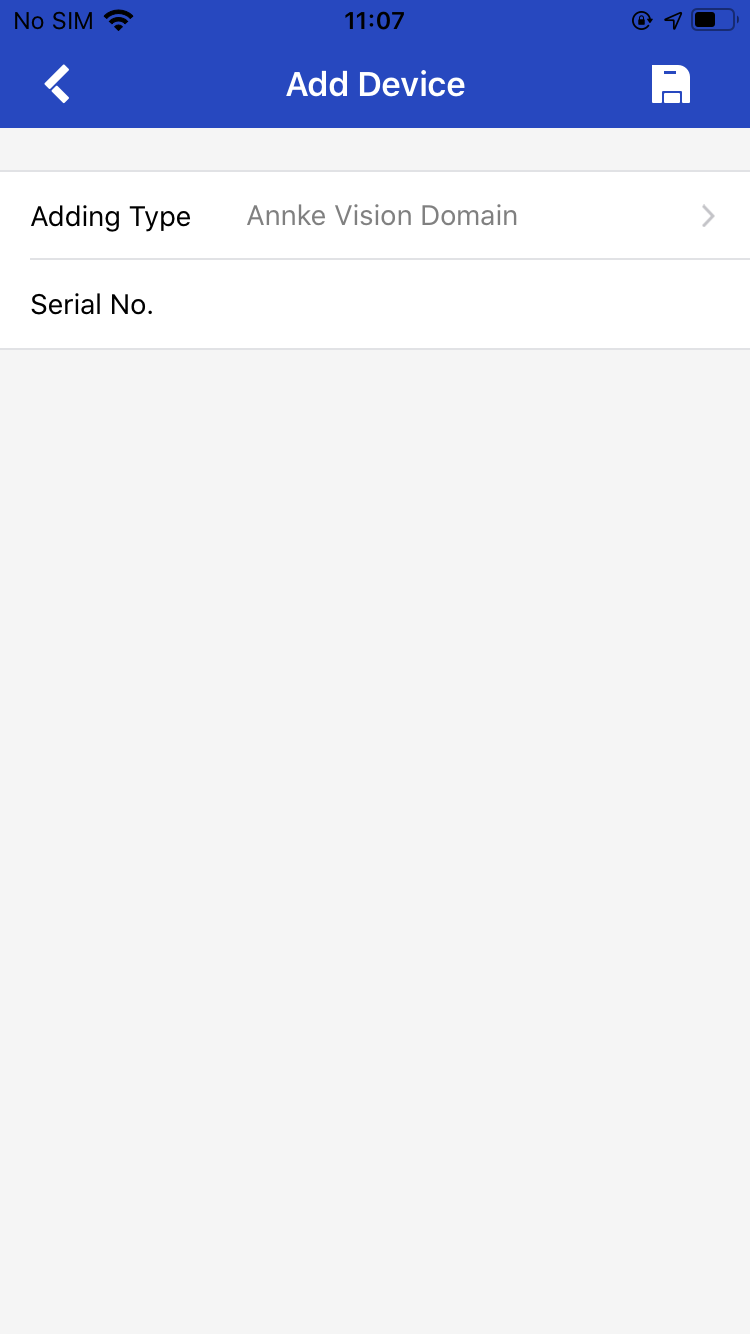
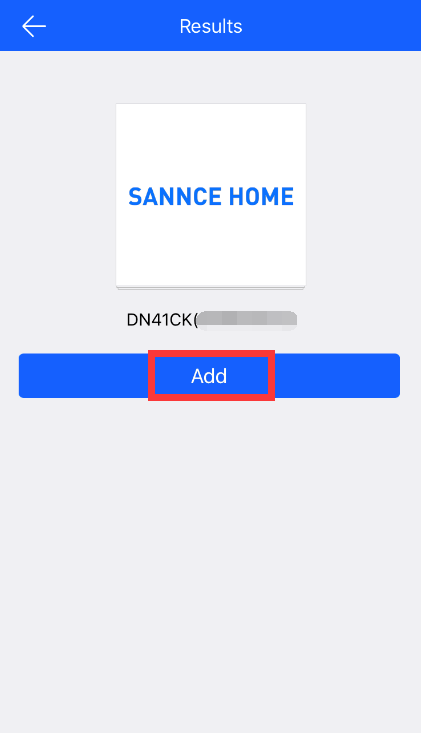
- Add the device to the APP if the scan is successful.
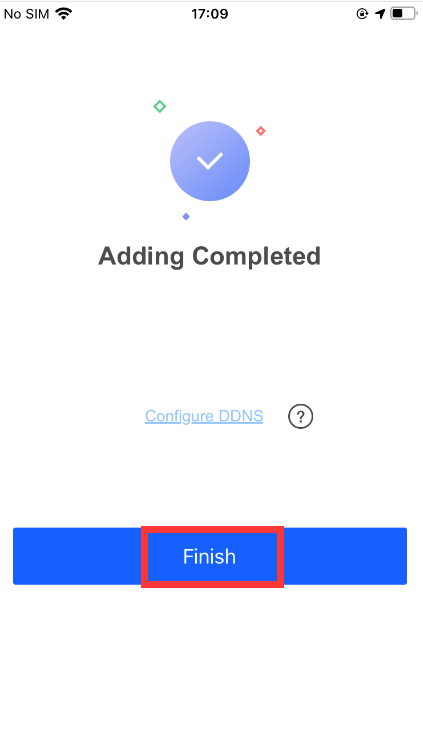
- Click Finish to complete the device adding.
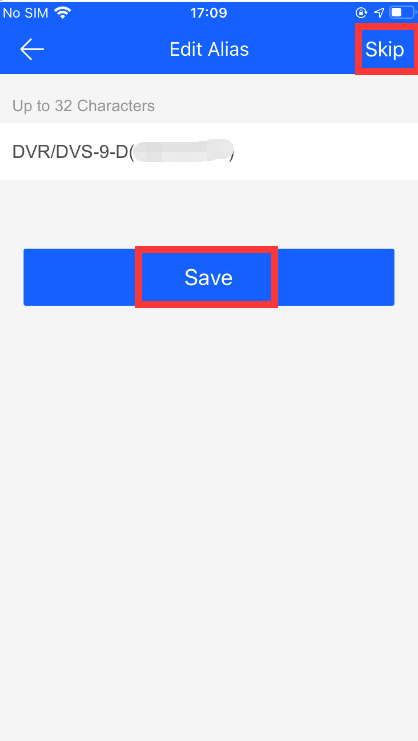
- The users could create a name for the device, or they could skip it.
-
- Finally, the cameras could be viewed on the APP.
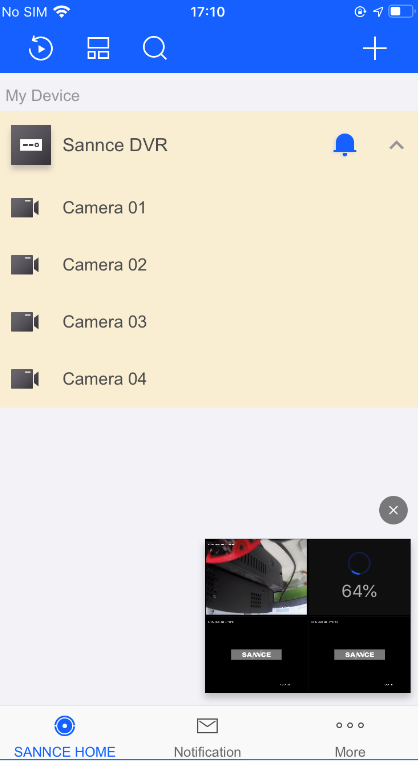
- If the app asks for a verification code, here is the way to find it.
https://support.sannce.com/hc/en-us/articles/900002246186
-
Was this article helpful?
Bu bilgiler sorununuzu çözmeye yardımcı oldu mu?
Thanks for your feedback!
Still need help?
Uzman ekibimiz size yardımcı olmak için burada.