Sannce Home - How to set up motion detection recording?
Applies to: DN41CK, DN81BG, DN81BL, DT61BB
The article will introduce how to set up the motion recording, If this guide can not solve your problem, please submit a request here to the technical support for more details.
1. Install the HDD
Please confirm that if you have installed the HDD inside the box. Here is the instruction on how to install the hard drive disk.
https://support.sannce.com/hc/en-us/articles/900000433303
2. Check the status of HDD
Please go to "Setting"-"record"-"Storage" to check the status of HDD.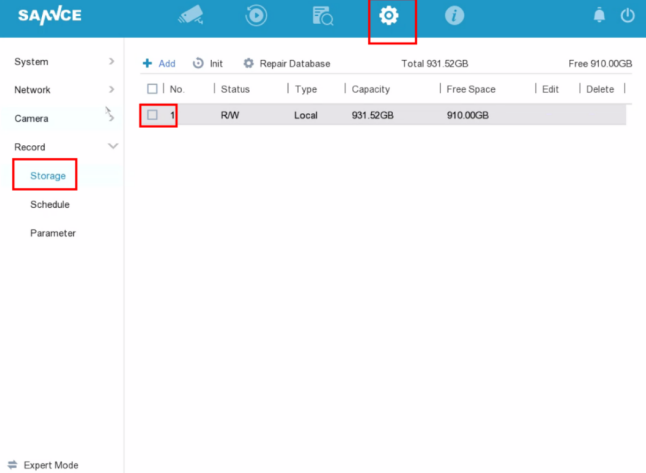
If the HDD status is "error", please click "Init" to format the hard drive.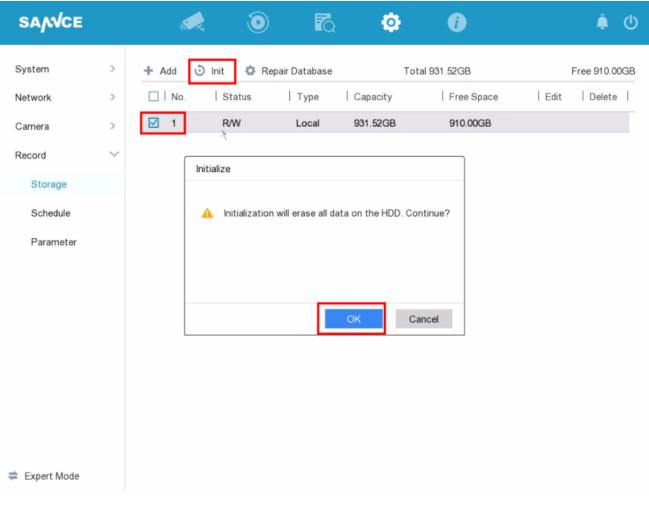
3. Set Up Motion Detection
Please go to "setting"-"camera"-"Smart Event" and click "enable", then set up the motion detection area.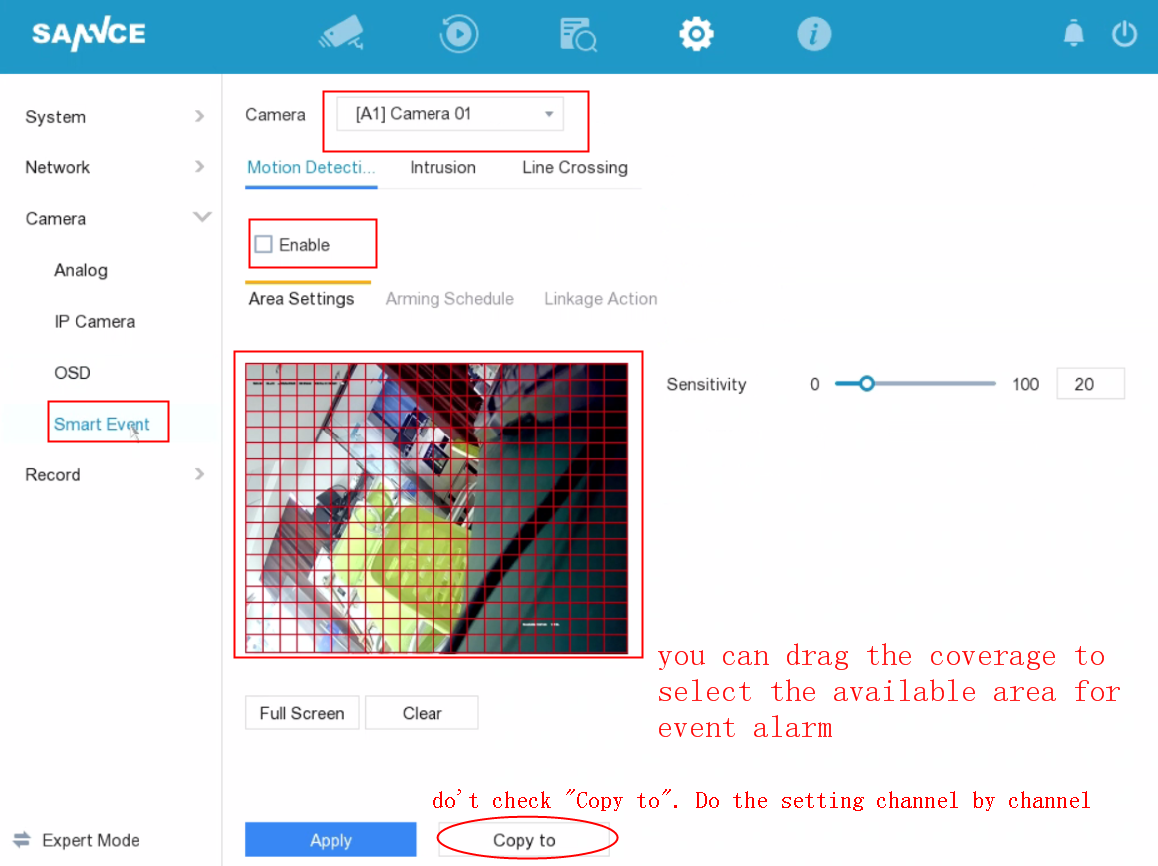
Set up the Arming schedule for motion detection.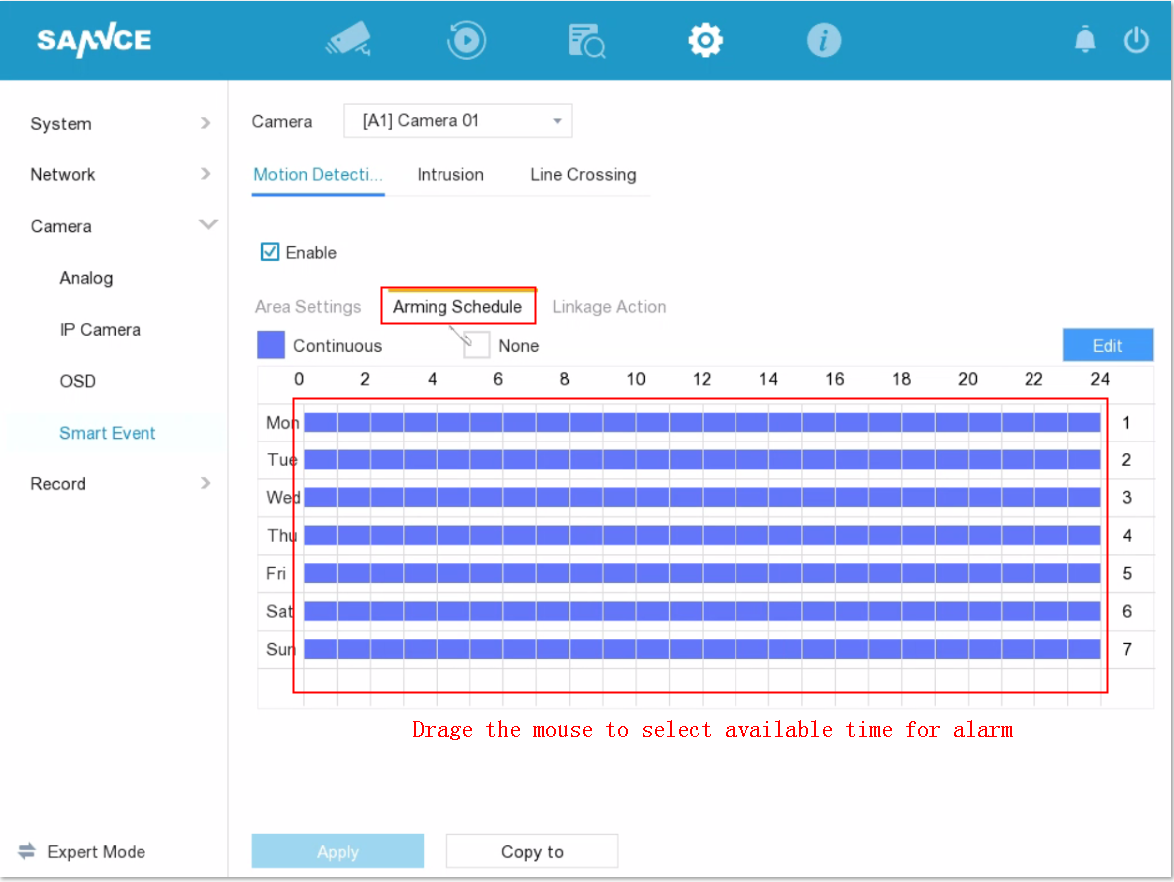
Go to linkage Action to check the available features that you would like to have.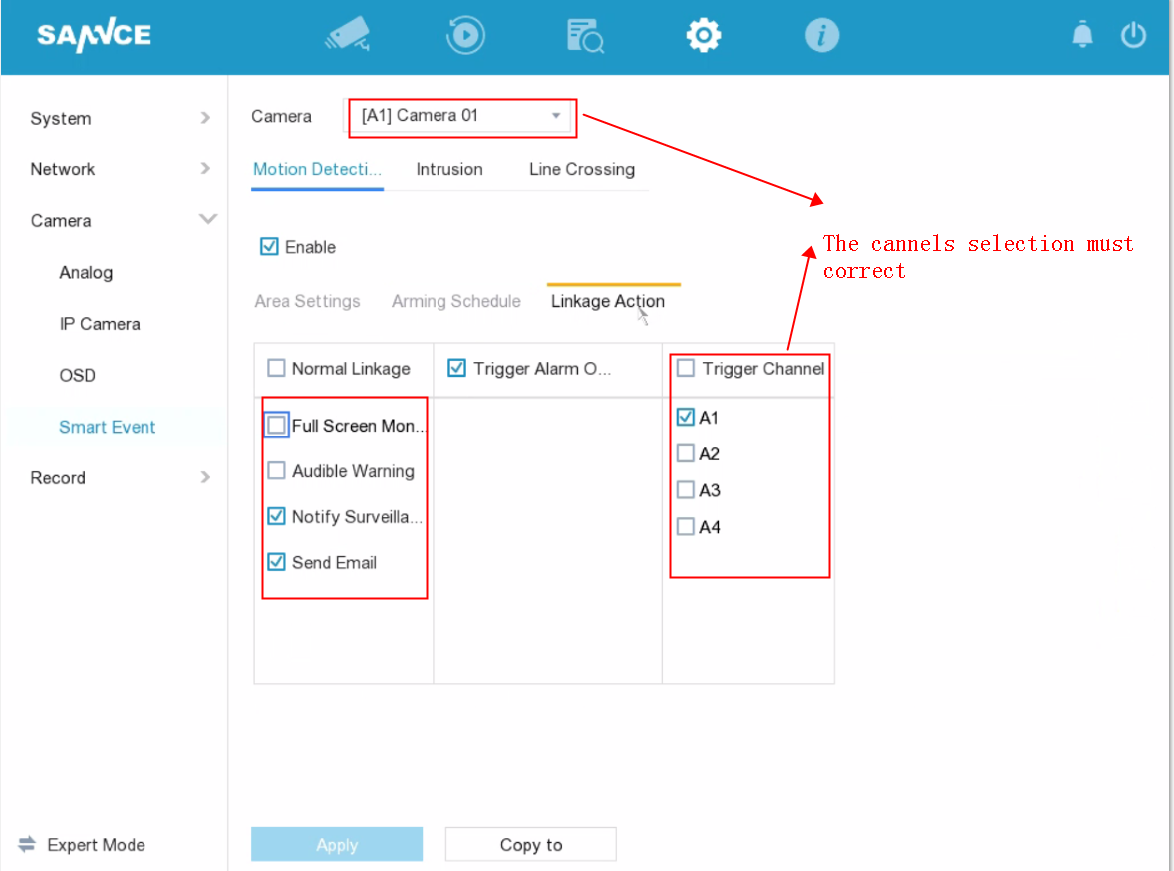
4. Recording Setting
Go to "setting"-"Record"-"Schedule", Please click "Event" button then drag the mouse to select your recording time. 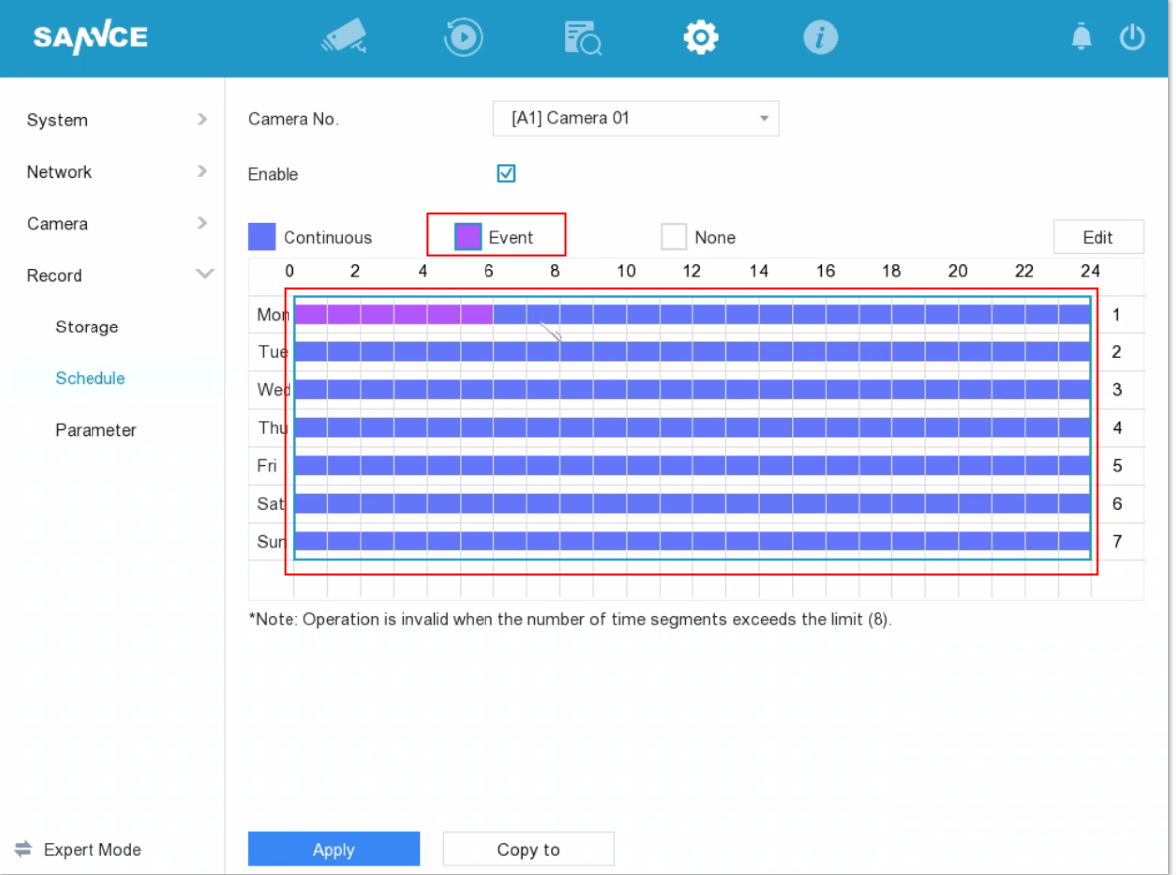
Was this article helpful?
Bu bilgiler sorununuzu çözmeye yardımcı oldu mu?
Still need help?
Uzman ekibimiz size yardımcı olmak için burada.