Sannce Sight - How to Access Camera's Setting Page (to Flip the Camera Image)?
Applies to: I21V/I21AJ/I21DE/I21EB/I31V/I31BN/I31DB/I41EB/I41EC/I41GD
Here are the steps about how to flip the camera's image on the web interface:
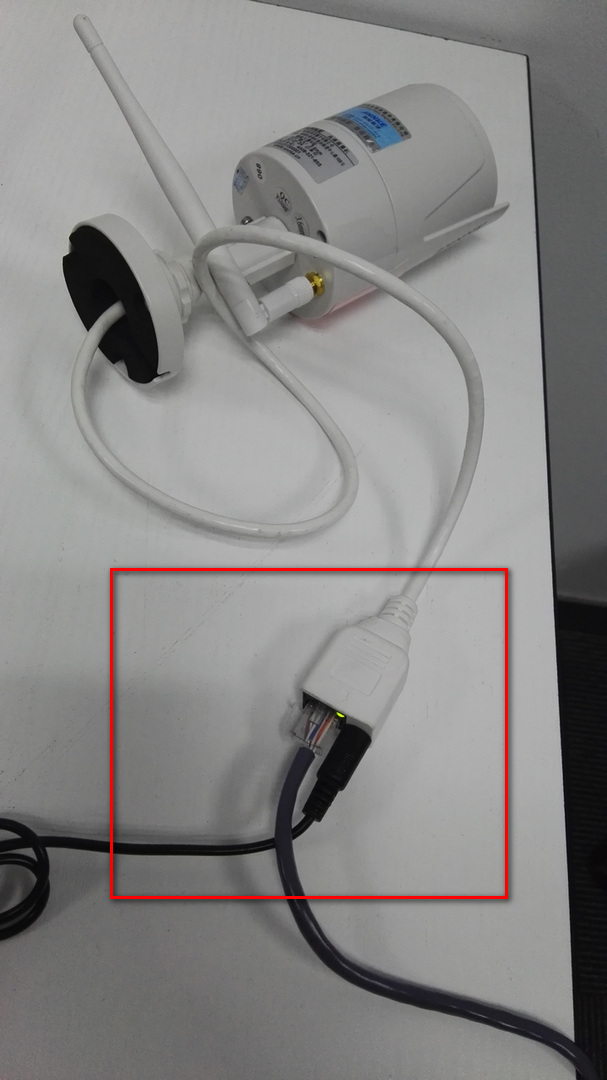
1. Please connect the camera to the router by ethernet cable and power the camera by the adapter.
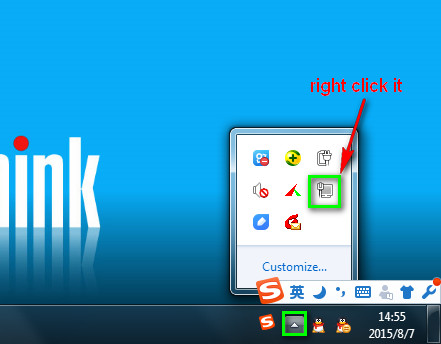
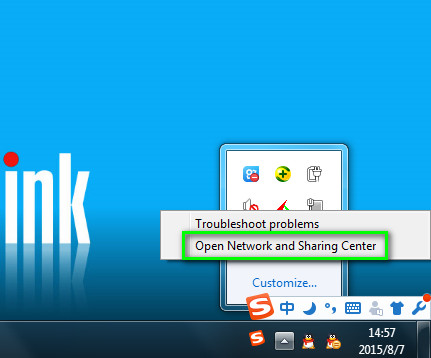
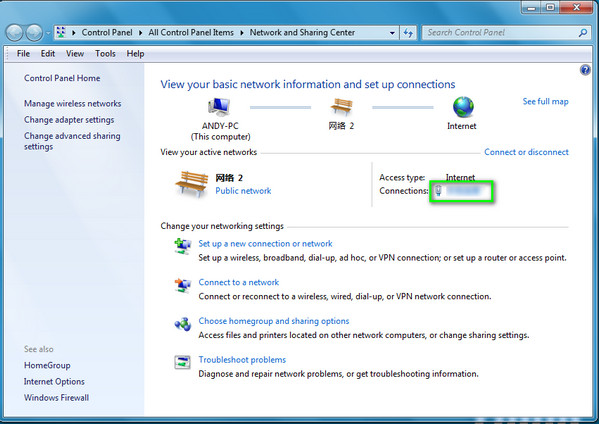
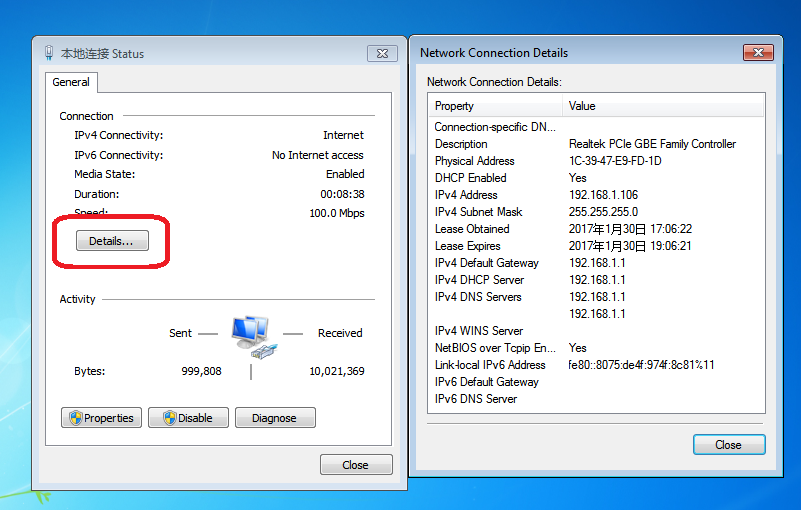
2.1 Please get a Windows computer that is connected to the same router and check that computer‘s network information.
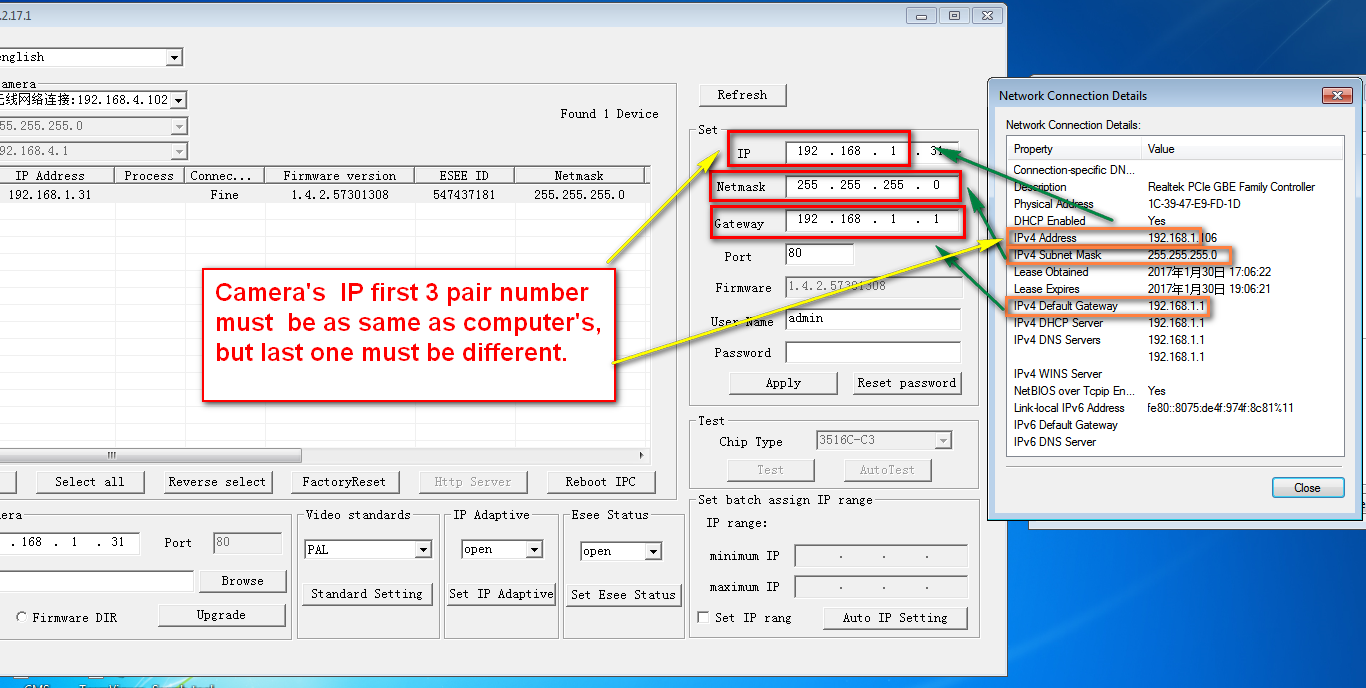
2.2 install this software on the computer to search the camera’s IP.
support.annke.com/document/others/N441B/tool/IPCamSuite_1.2.17.1.exe
2.3Please fix the system‘s IP like the picture below.
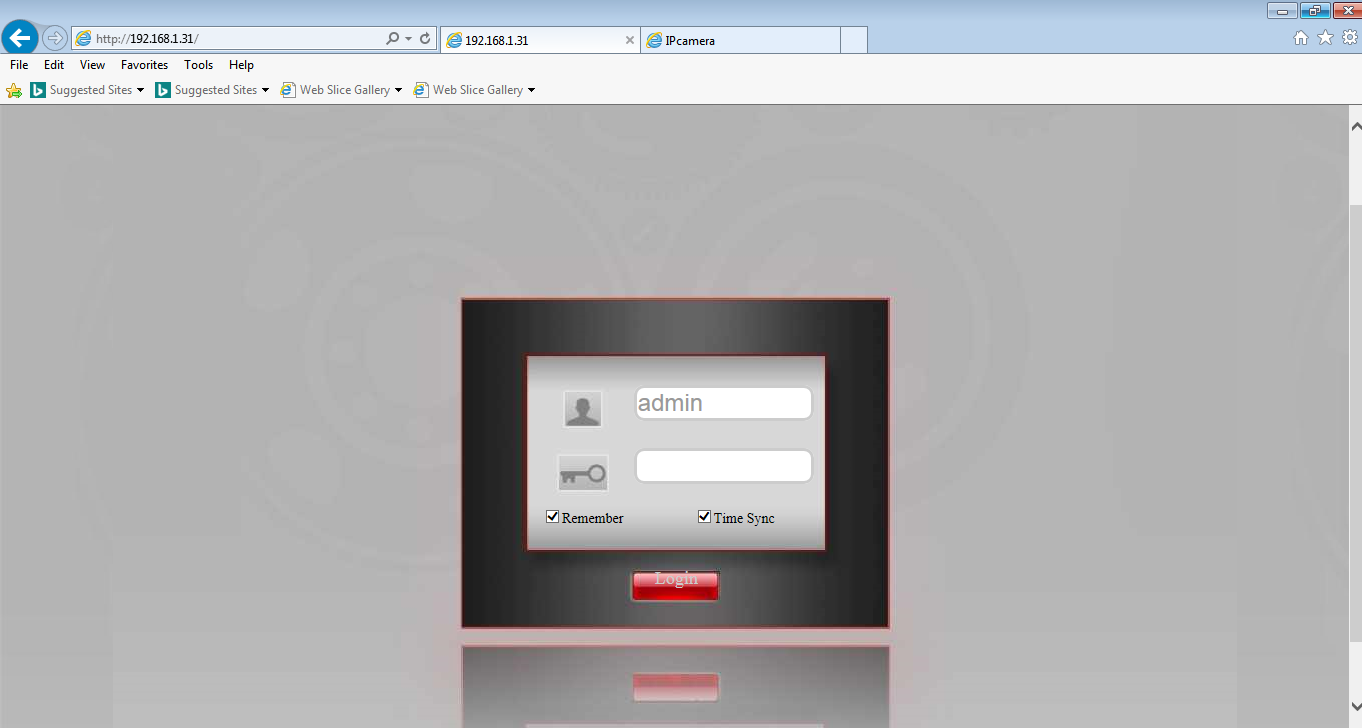
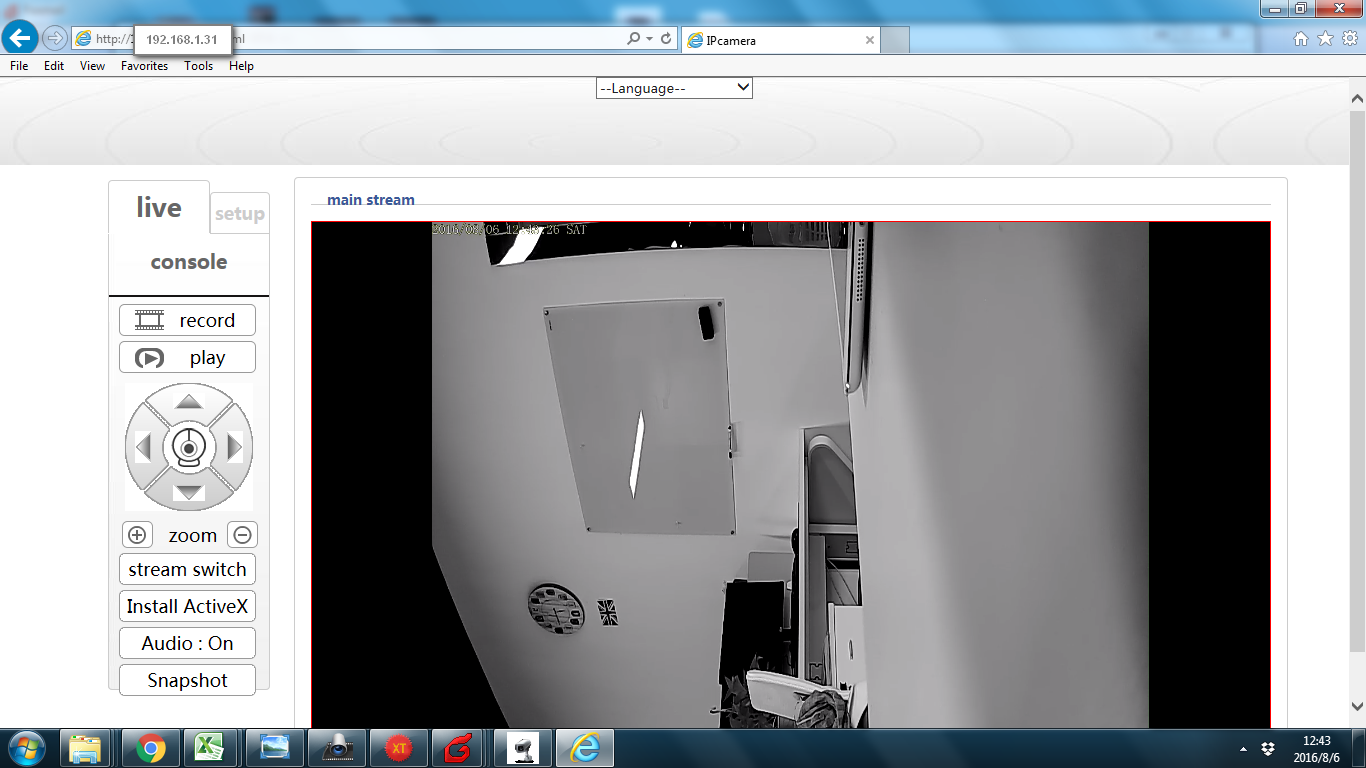
3. Please use this IP such as http://192.168.1.114 to enter your camera with the IE browser.
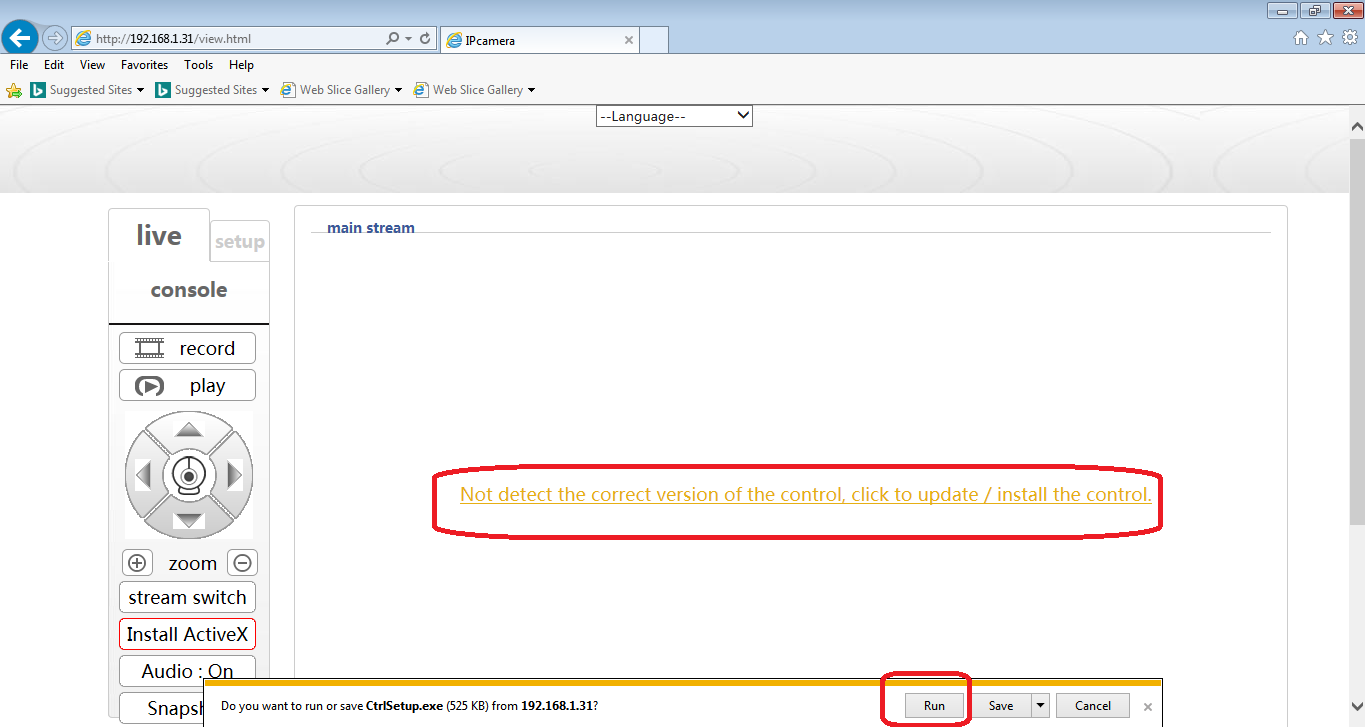
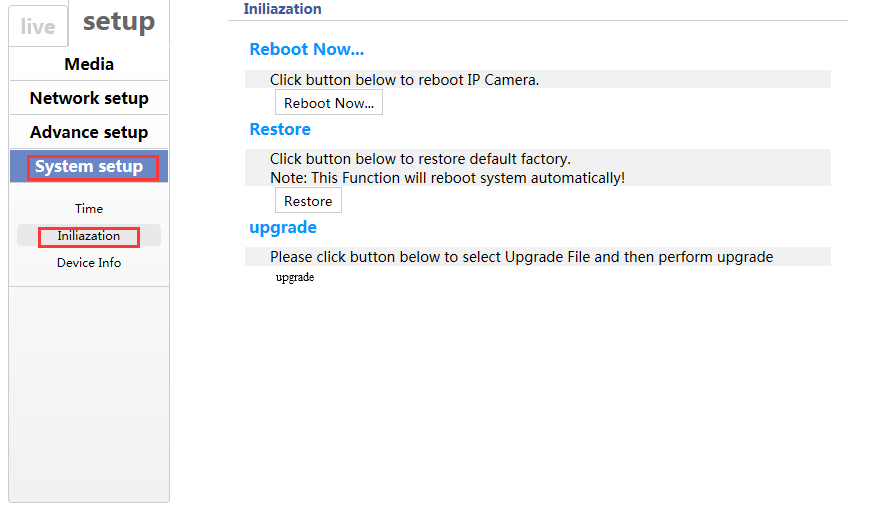
A. Restore your camera.
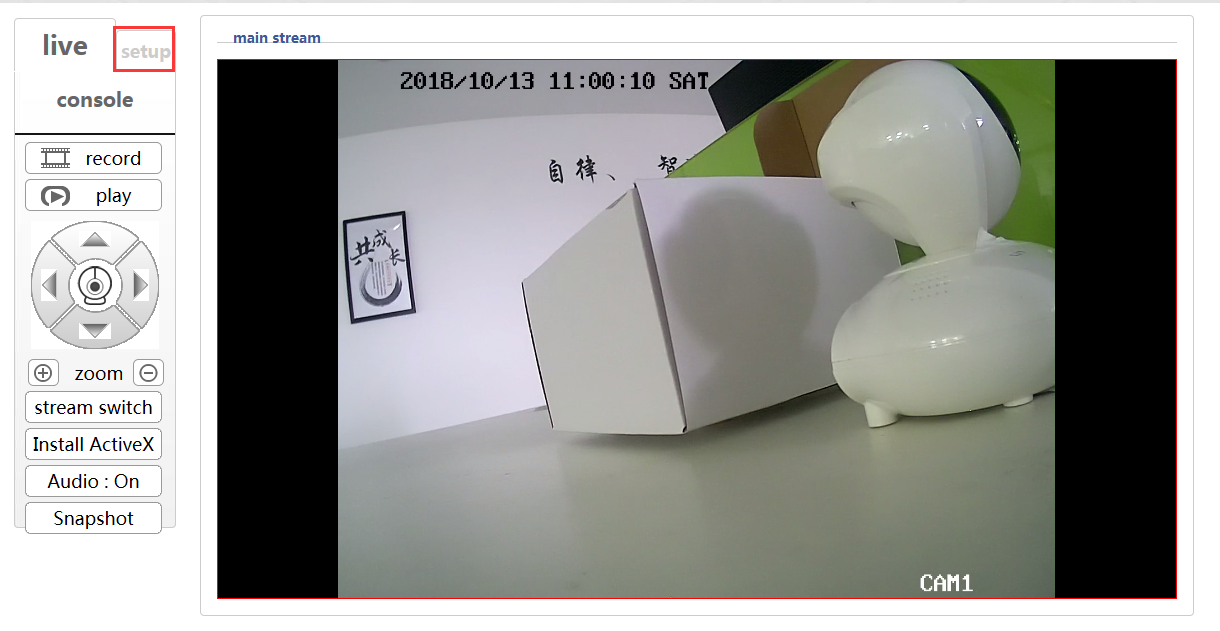
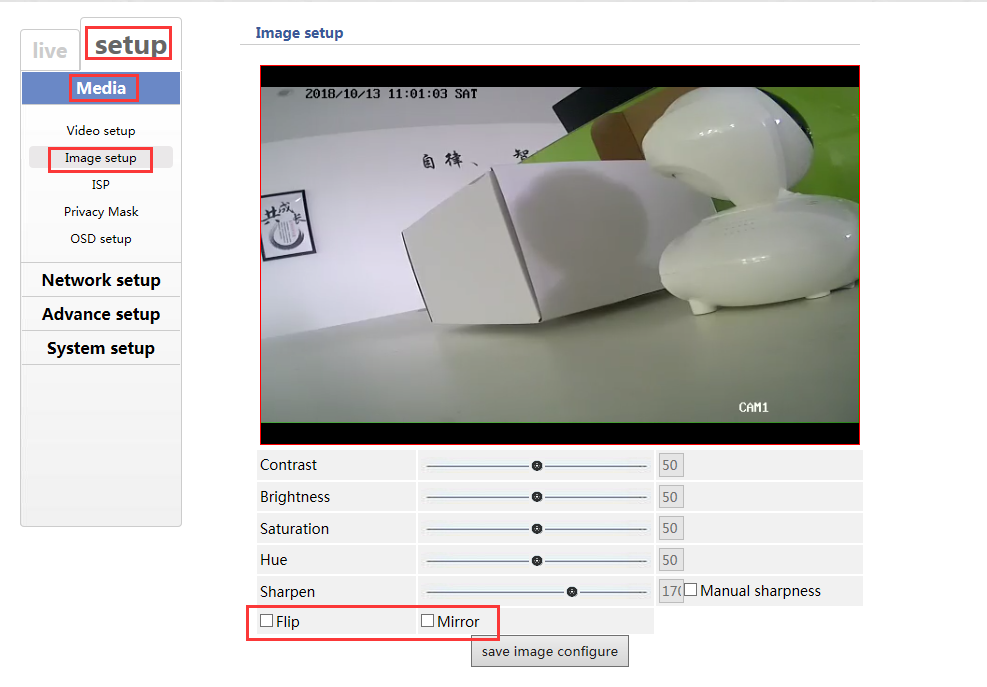
B. Flip the camera image, Mirror the camera image.
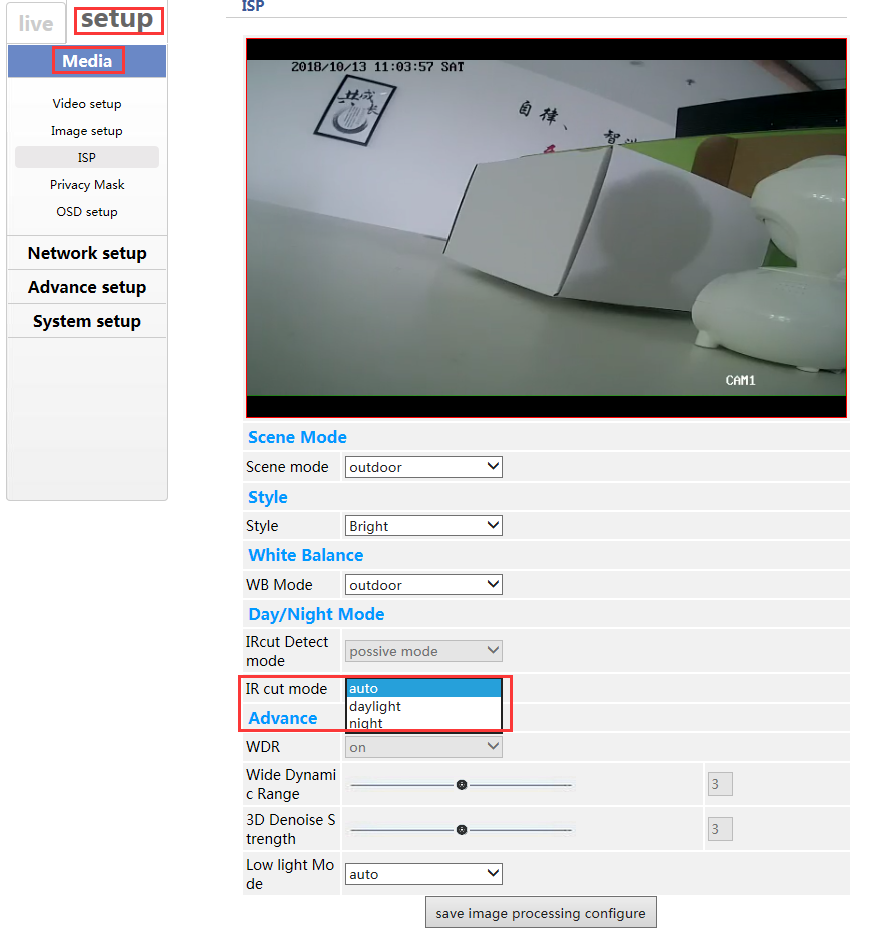
C. Change the IR-cut mode
Was this article helpful?
Bu bilgiler sorununuzu çözmeye yardımcı oldu mu?
Still need help?
Uzman ekibimiz size yardımcı olmak için burada.