Type 3 - How to set up 24 hours recording?
20 Aug 2026
350 views
Applies to: DN81Q/DN41Q
The DVR needs an internal hard disk drive for recording. Without the hard drive, the system can show live viewing but can not record, playback neither.
Step 1: Confirm hard drive is installed.
Newly-installed hard drive needs formatting, enter the Main Menu-->Advanced-->HDD Management, click Format HDD.

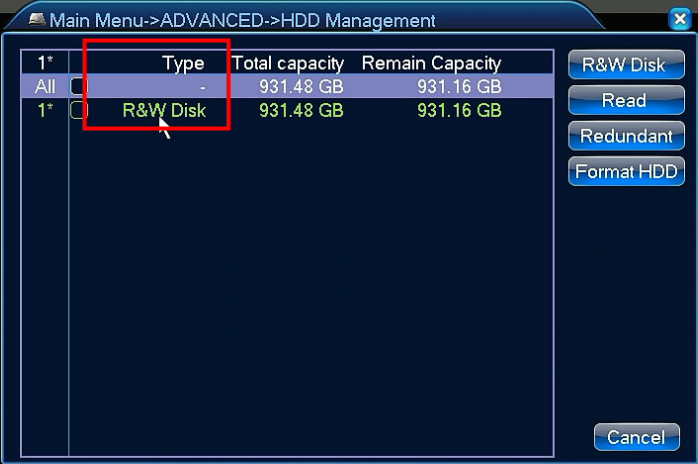
Step 2:
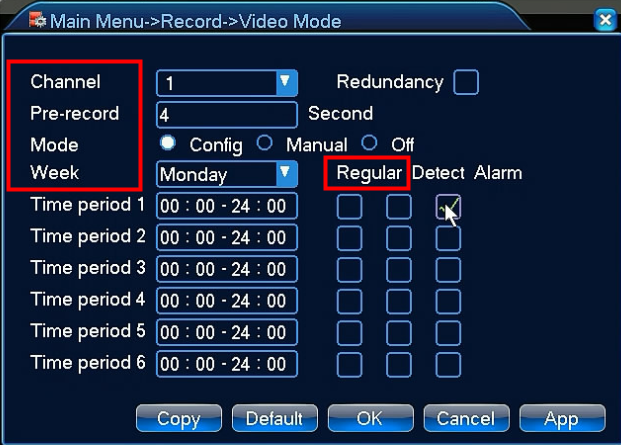
Go to the Main Menu-->Record-->Video Mode
Select channel first
Tick config
Select week
Set up time period
Tick regular
Click OK

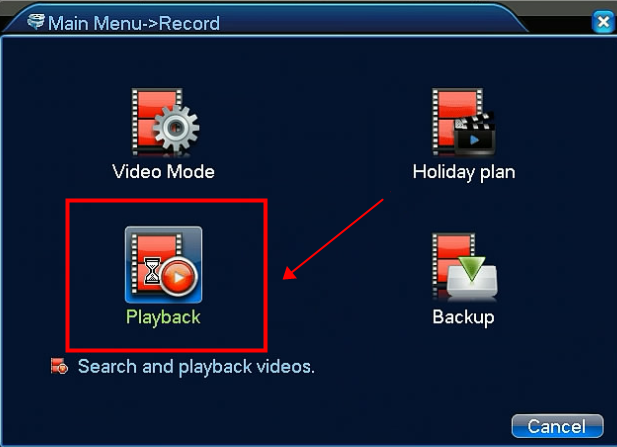
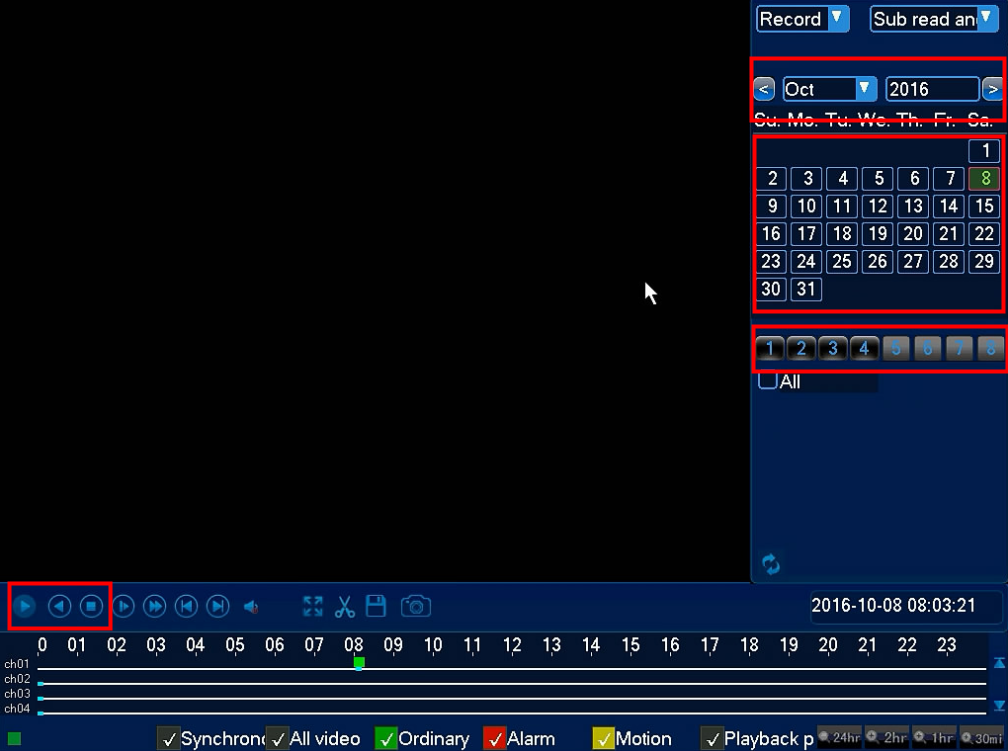
Go to the Main Menu-->Record-->Playback to check recordings.

Was this article helpful?
Bu bilgiler sorununuzu çözmeye yardımcı oldu mu?
Thanks for your feedback!
Still need help?
Uzman ekibimiz size yardımcı olmak için burada.