Type 4 - How to Set Up Email Alert?
Applies to: N48PT
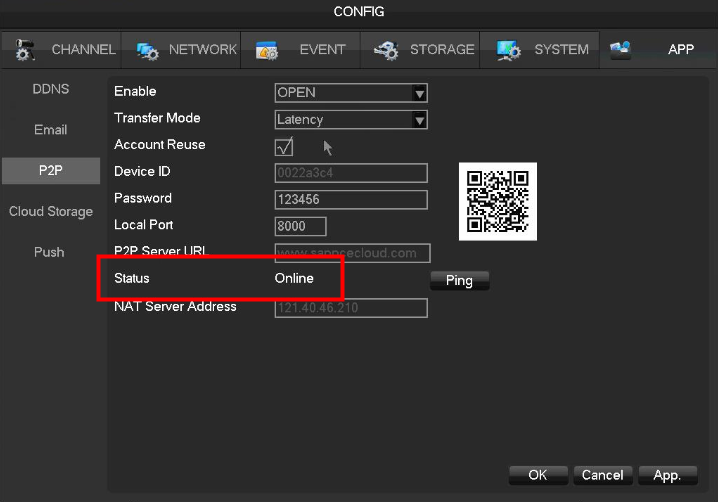
1. Please go to Config-->APP-->P2P-->Status to make sure the P2P status is online.
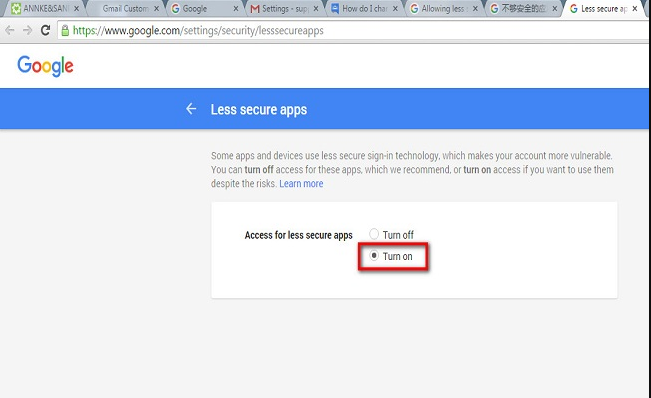
2. Log in to your Gmail account to turn on the Less Secure APP for your Gmail account:
https://myaccount.google.com/security?pli=1#connectedapps

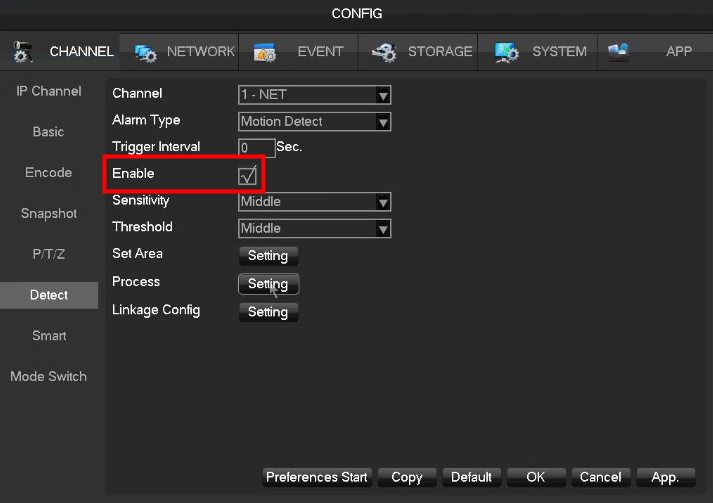
3. Go to Config-->Channel-->Detect and click Enable:
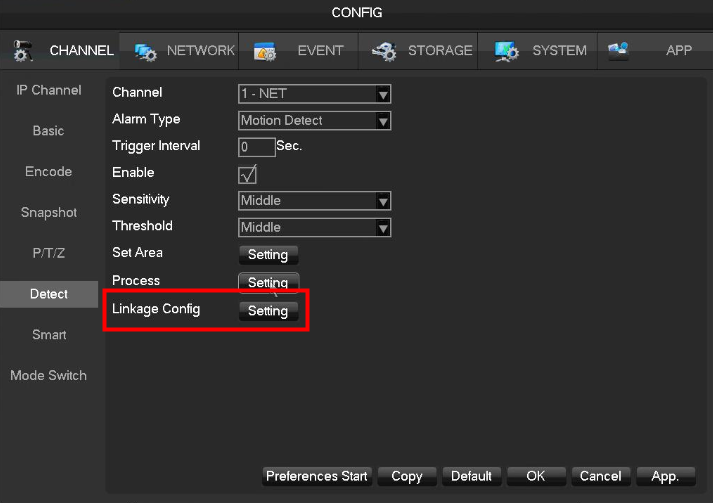
4. Go to Linkage Config to input email information. Tick the option email and snapshot :
:
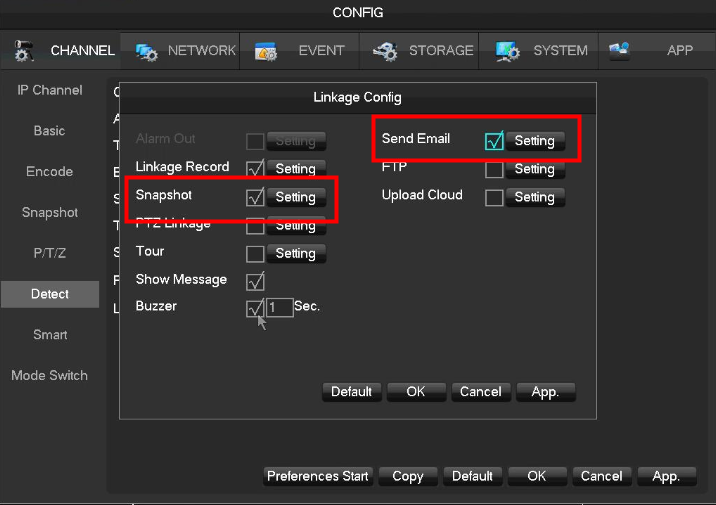

5. Go to the email setting to input email information.
SMTP server: smtp.gmail.com
Port: 465/587
User Name: Gmail address
Password: Gmail password
From: Gmail address
Receiver: can be any email address
Tick SSL Enable
Click Test
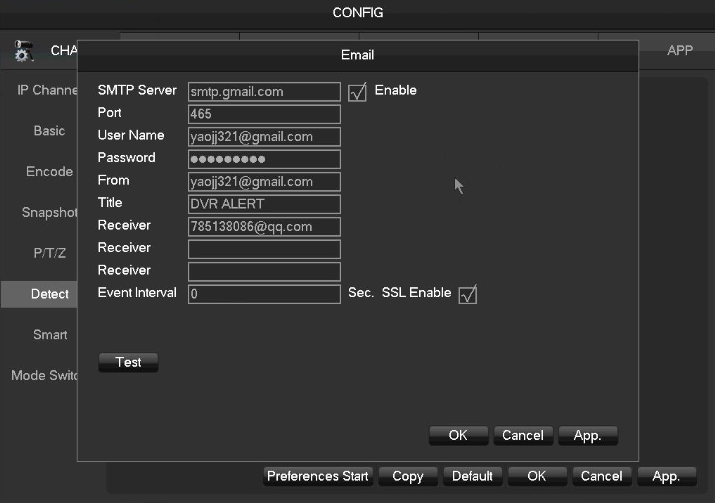
If the email settings are correct, you will receive the email alert on the receiver email.
Was this article helpful?
Bu bilgiler sorununuzu çözmeye yardımcı oldu mu?
Still need help?
Uzman ekibimiz size yardımcı olmak için burada.