Type 4 - How to setup motion detection recording?
20 Aug 2026
337 views
Applies to: N48PT
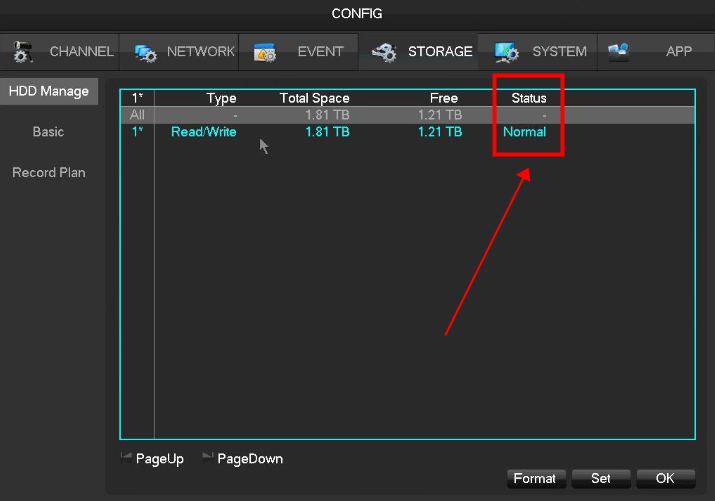
1. The NVR needs an internal hard drive for recording. Without the hard drive, the system can show live viewing but can not record and playback. Go to the Config-->Storage-->HDD Manage to check if the hard drive is working.
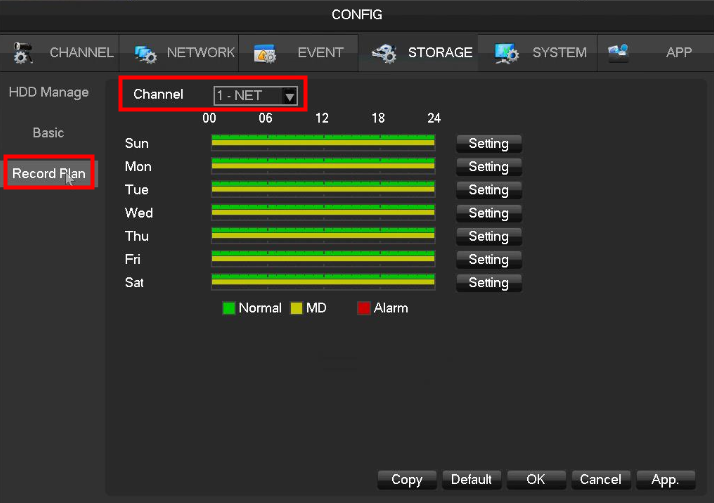
2. Go to record plan
select channel
select day and period
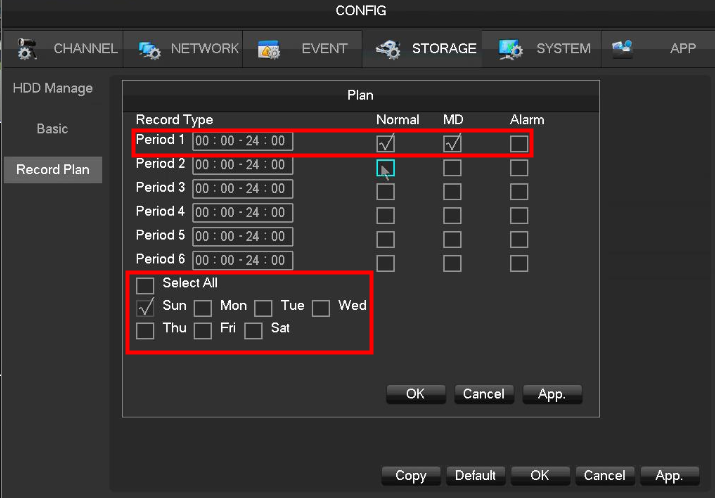
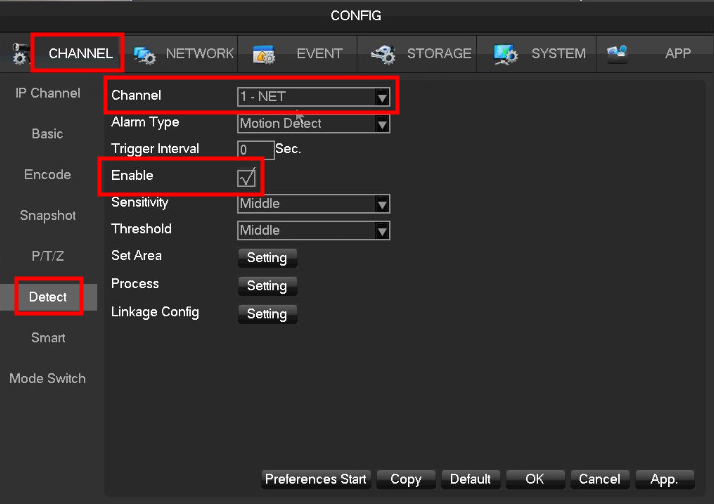
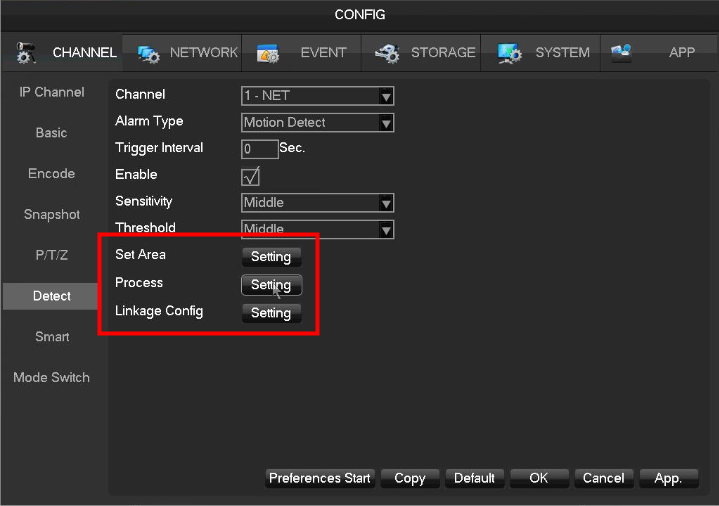
3. Go to Config-->Channel-->Detect to set up the motion detection settings.
select channel
select motion detection in alarm type
tick enable
select sensitivity
select area
Go to linkage config to select record channels

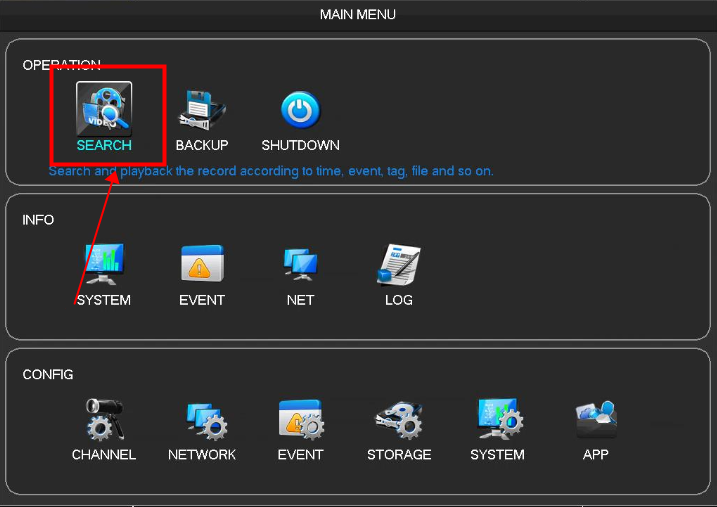
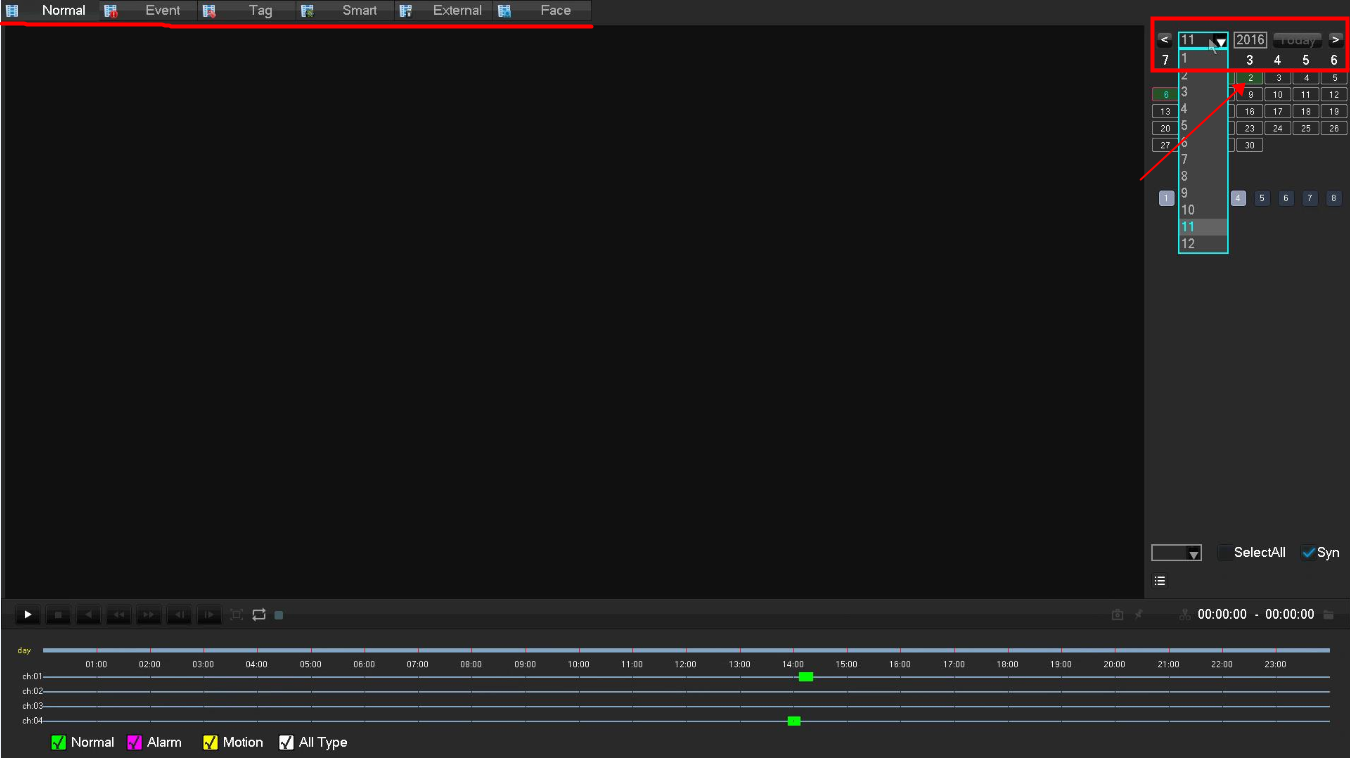
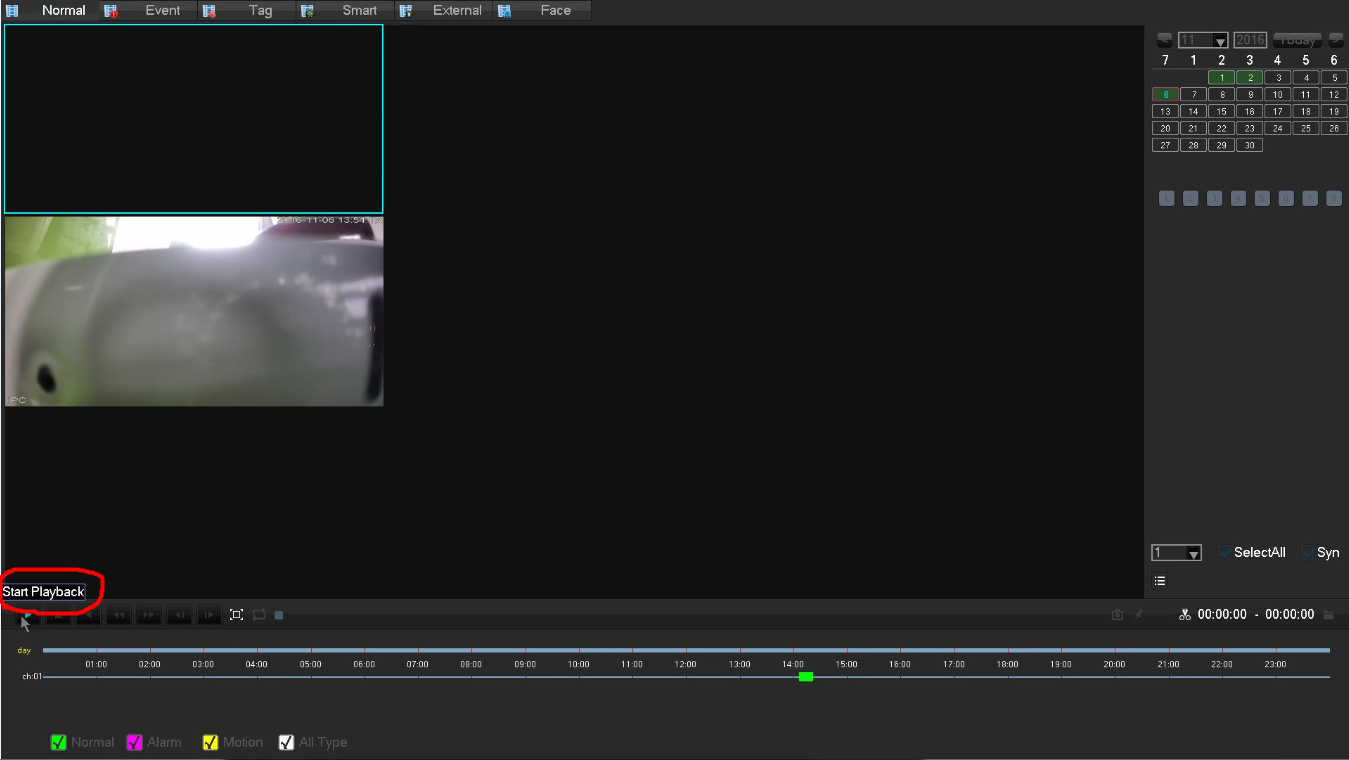
3. Go to playback to play motion detection recording.

Was this article helpful?
Bu bilgiler sorununuzu çözmeye yardımcı oldu mu?
Thanks for your feedback!
Still need help?
Uzman ekibimiz size yardımcı olmak için burada.