XMeye - How to Cut off Video in Hard Drive?
Applies to: DL41B/DL81B/DL41A/DL81A/DL41D/DL81D/DH81S/DH81X/DH81NG/DM41D/DM41A/DM81A/DN41D/DN81D/DN41S/DN41NA/DM41H/DM81H/DM21O/DM31O/DE41N/DE81N/DN81NB/DM81Z/DM61W/DG81CP/DG81CQ/DH81NK/DG81CR/DH41NK/DM41G/DN41CJ/DN81BJ/DN61EC/DG81W/DG61X/DG41T/DT81DQ/DT41DC/DT61ER/DG41BE/DG81BE/NP41F/N43SU/N44SU/N48PZ/N481U/N441U/N44PBD/N461W/N48PAU
1. Insert USB hard drive to DVR‘s USB port.
2. Go to Play Back in the system.
3. Click the Play Back video first.
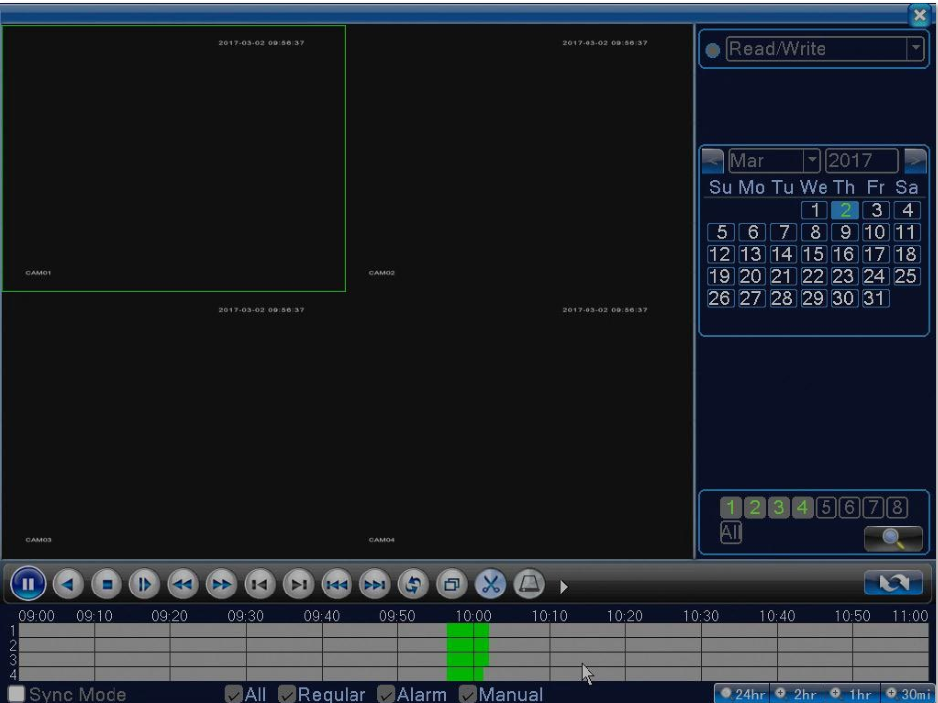
4. Drag the bar to a time where you want to cut off and click scissors to begin cutting.
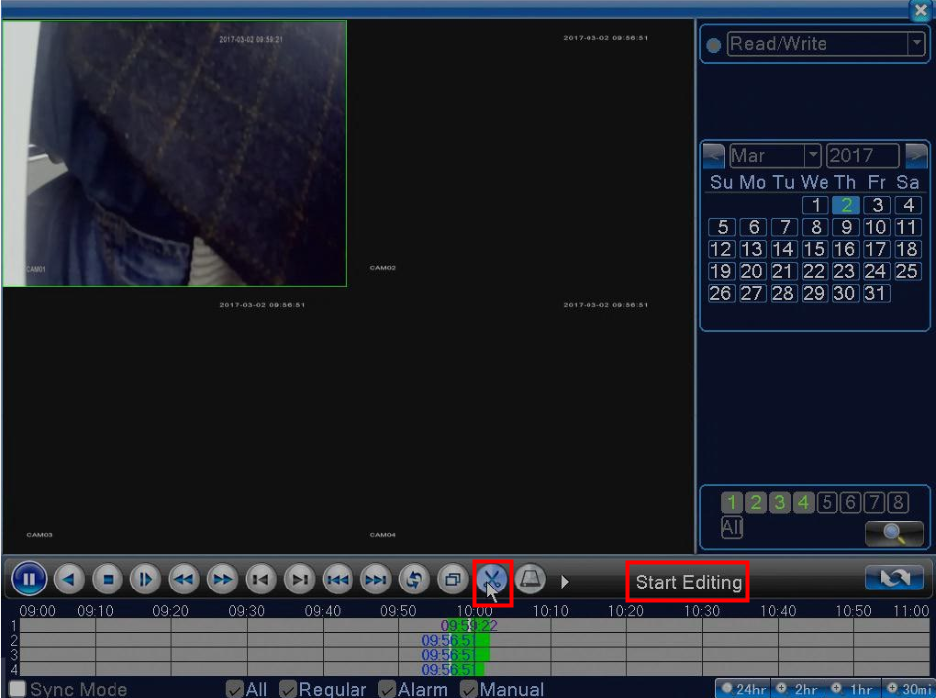
5. Drag the bar to a time where you want to end and click scissors again to stop editing.

6. Click back up next to the scissors icon.

7. Click backup and select the file you cut off just now to back up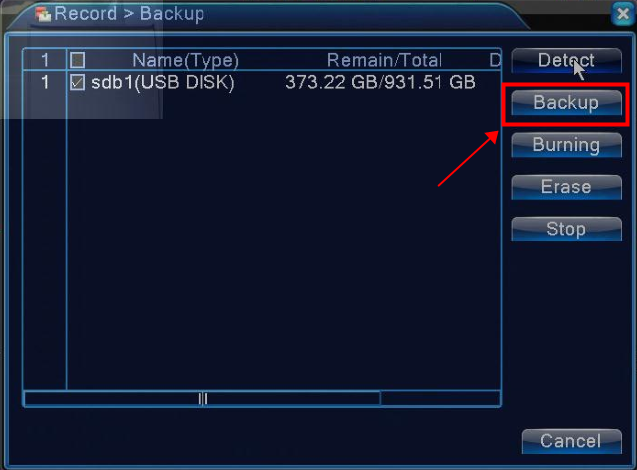
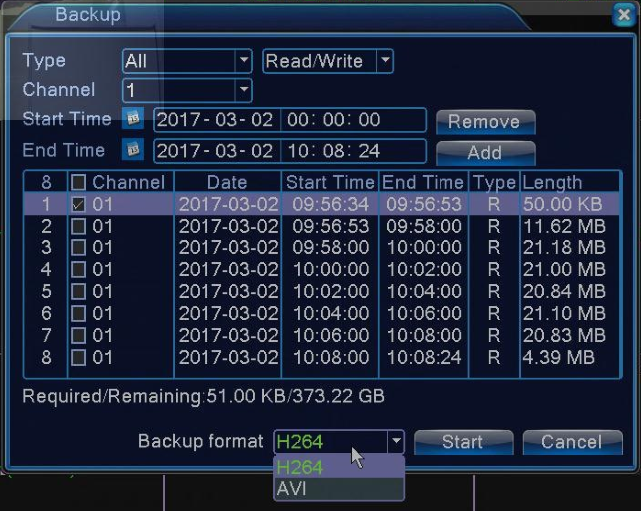
If you want to play it on the computer, please use our player. Here is.
http://sanncegroup.com/document/Computer%20software/Videoplayer.zip
Was this article helpful?
Bu bilgiler sorununuzu çözmeye yardımcı oldu mu?
Still need help?
Uzman ekibimiz size yardımcı olmak için burada.