XMeye - How to Stop System Beeping?
Applies to:
DL41B/DL81B/DL41A/DL81A/DL41D/DL81D/DH81S/DH81X/DH81NG/DM41D/DM41A/DM81A/DN41D/DN81D/DN41S/DN41NA/DM41H/DM81H/DM21O/DM31O/DE41N/DE81N/DN81NB/DM81Z/DM61W/DG81CP/DG81CQ/DH81NK/DG81CR/DH41NK/DM41G/DN41CJ/DN81BJ/DN61EC/DG81W/DG61X/DG41T/DT81DQ/DT41DC/DT61ER/DG41BE/DG81BE/NP41F/N43SU/N44SU/N48PZ/N481U/N441U/N44PBD/N461W/N48PAU
When the system is powering on, it will beep. Only you heard a beep, it can prove the system is on successfully.
But if the system is beeping frequently while it is not rebooting, maybe you set up beep in alarm mode.
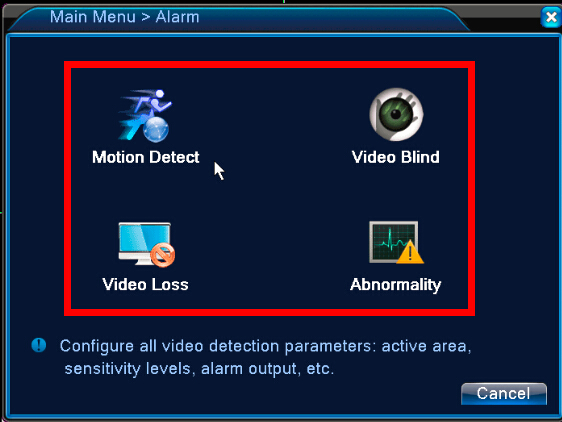
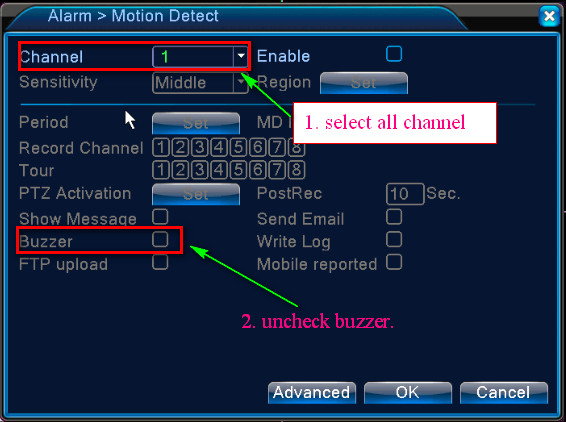
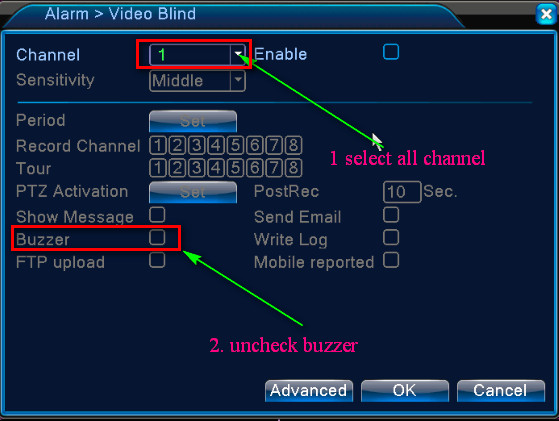
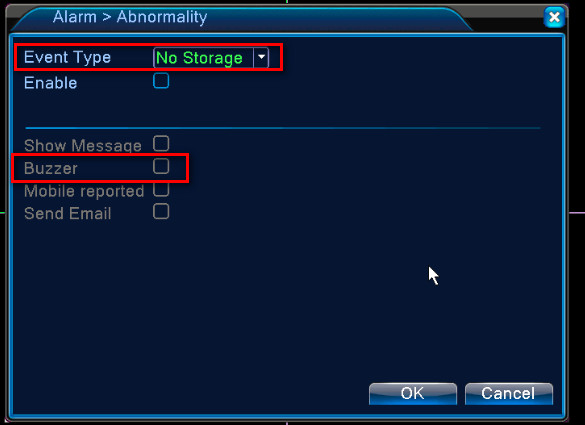
Go to the Main Menu-->Alarm-->Motion Detection/Video Blind/Video Loss/Abnormality to uncheck Buzzer for every channel.

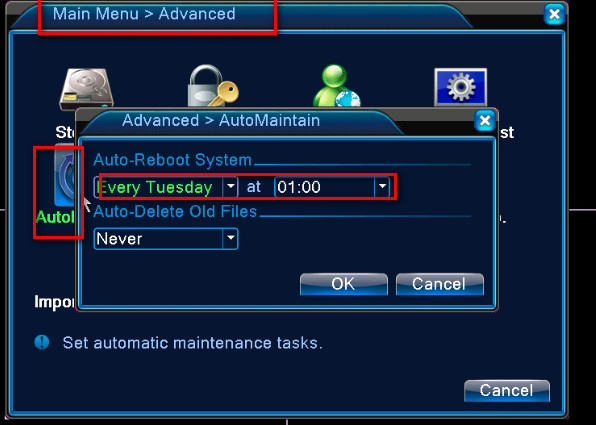
The system will reboot every Tuesday at 1 am and it will cause a beep, please disable auto reboot if you don‘t want it. Go to the Main menu-->Advanced-->Automatain.
Was this article helpful?
Bu bilgiler sorununuzu çözmeye yardımcı oldu mu?
Still need help?
Uzman ekibimiz size yardımcı olmak için burada.