XMeye - What to Do if I Forgot My Login Password? (N44PBD/N44PBJ)
20 Aug 2026
272 views
Applies to: N44PBD/N44PBJ
If the login window has the Forgot Password option, you could follow the below instruction to reset the password:
1) Click Forgot Password: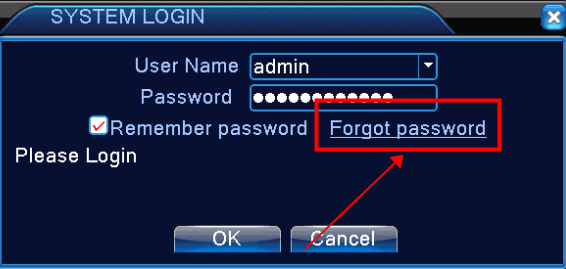
2) Click Forgot Answer: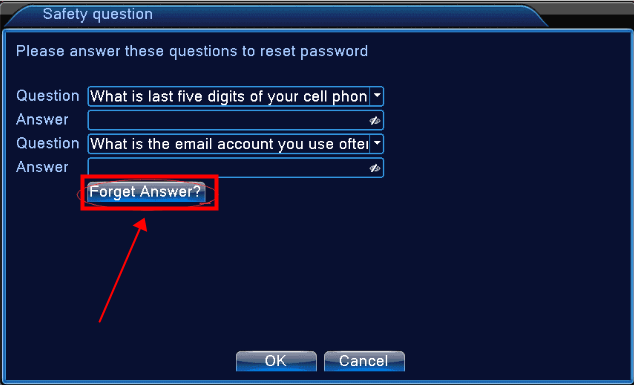
3) It will show three QR codes on the new window, and please use the APP XMeye/Sannce Vision to scan the CAPTCHA code, and then you could have the code on the APP.
For XMeye: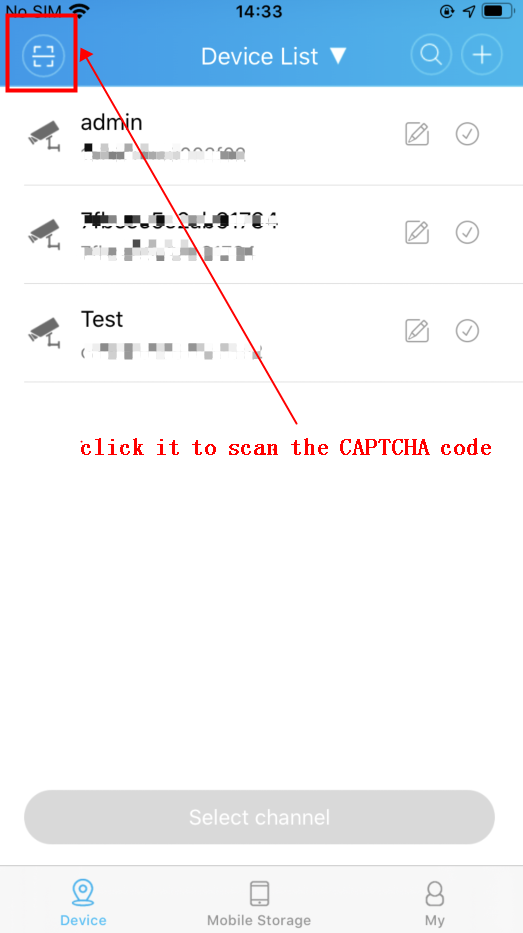
For Sannce Vision: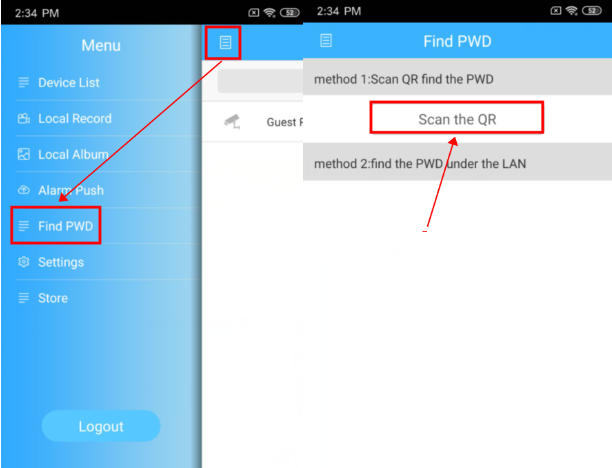
4) After you get the code on the APP, please input it into the CAPTCHA box to reset the password: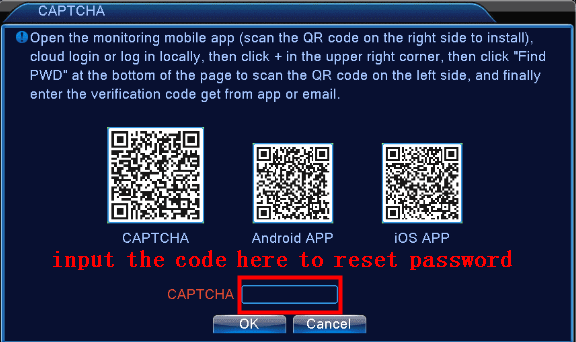
If the password can't be reset successfully, please kindly submit a request to technical support.
Was this article helpful?
Bu bilgiler sorununuzu çözmeye yardımcı oldu mu?
Thanks for your feedback!
Still need help?
Uzman ekibimiz size yardımcı olmak için burada.