XMeye - What to Do if System Can Not Overwrite Files?
Applies to:
DL41B/DL81B/DL41A/DL81A/DL41D/DL81D/DH81S/DH81X/DH81NG/DM41D/DM41A/DM81A/DN41D/DN81D/DN41S/DN41NA/DM41H/DM81H/DM21O/DM31O/DE41N/DE81N/DN81NB/DM81Z/DM61W/DG81CP/DG81CQ/DH81NK/DG81CR/DH41NK/DM41G/DN41CJ/DN81BJ/DN61EC/DG81W/DG61X/DG41T/DT81DQ/DT41DC/DT61ER/DG41BE/DG81BE/NP41F/N43SU/N44SU/N48PZ/N481U/N441U/N44PBD/N461W/N48PAU
Go to Main Menu-->System-->General to enable Overwrite so that system can delete old files automatically and gradually when the hard drive is full to keep recording.
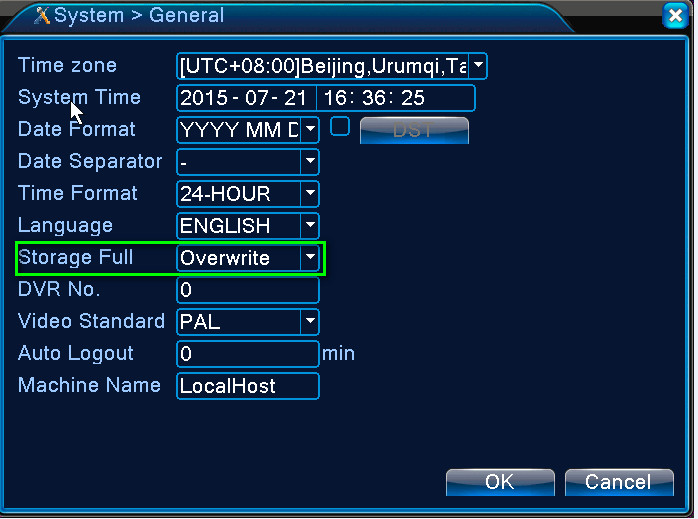
If the system still shows storage full even if you enable overwrite function, please go to Main Menu-->Advanced-->Automaintain to set auto-delete so that system can delete files several days ago automatically.

Was this article helpful?
Bu bilgiler sorununuzu çözmeye yardımcı oldu mu?
Still need help?
Uzman ekibimiz size yardımcı olmak için burada.