ZKBioAccess - Add user
Add user in ZKBioAccess
Op the browser and enter the IP address of the ZKBioAccess server and log in.
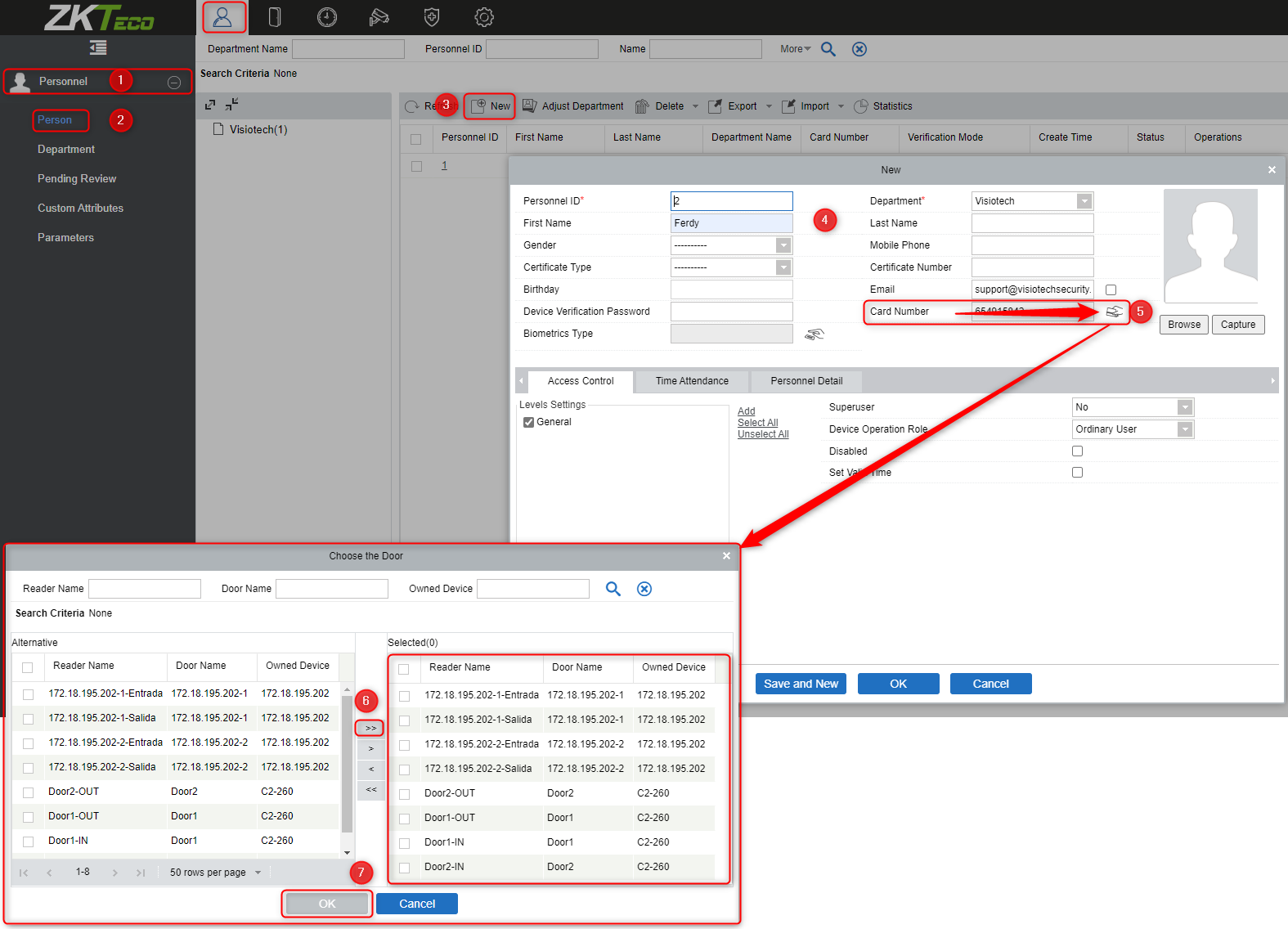
Go to the Personnel icon open Personnel (1) and person (2)
Click on New (3) then enter the name and other credentials (4)
To add the card number when you don´t know the card number you should be able to use the card reader from the Device in this cample the C2.
Click on the card icon (5) and a new window will open, click on the icon (6) to move the selection to the right to be used as the reader to connect the card number.
The OK (7).
Go with the cursor on the field of the card number and swipe the card over the reader and the card number should appear in the field.
Enter a fingerprint.
Make sure the Fingerprint reader ZK9500 is connected and has the correct driver to work.
- Drivers ZK9500 -
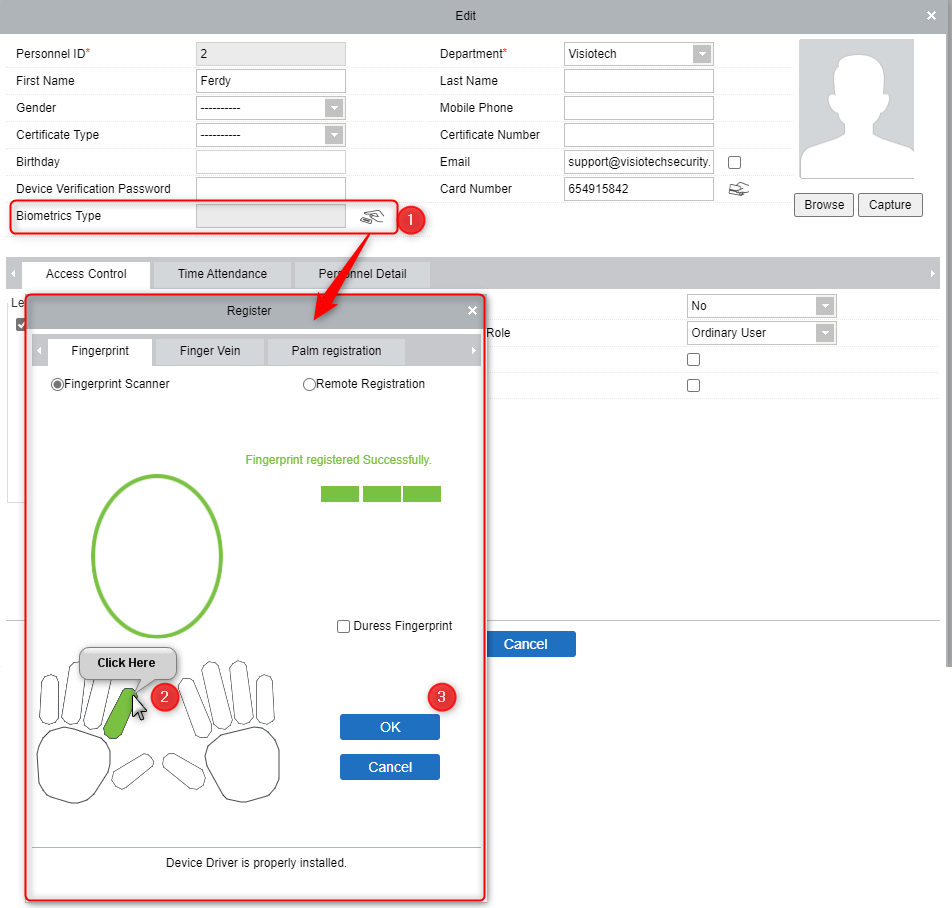
Click on edit user and click on the finger reader icon (1)
Select the finger to scan (2) this needs to be done 3 times
When done click OK (3)
Was this article helpful?
Bu bilgiler sorununuzu çözmeye yardımcı oldu mu?
Still need help?
Uzman ekibimiz size yardımcı olmak için burada.